Help Me Choose a Web Hosting Plan: Decoding the Marketing Speak

Dear readers, I need your advice on web hosting. For 22 years (yikes) I’ve lived on DreamHost’s Shared Unlimited plan, for which I currently pay $15.99 per month. DreamHost no longer offers Shared Unlimited to new customers, but legacy customers like me can keep it. True to its name, it really is unlimited: no limits on disk space, bandwidth, websites, databases, email accounts, or anything else countable. But it’s a no-frills service with a basic level of server performance.
After my recent server overhaul, I’ve been wondering if it’s time to change plans. I’m not interested in switching hosts, but DreamHost now offers a whole array of plans with names like Launch, Growth, DreamPress, Stack, and Managed VPS, and I’m confused about how they really differ. The product pages are full of bullet points like “40k Monthly Visits” and “WordPress-tuned server” that sound nice but don’t tell me anything concrete. How much server resources do I actually get? What happens when a bunch of people visit at once?
So I dug through DreamHost’s plan pages and help articles, trying to get past the marketing speak to a technical understanding of each plan. Here’s what I found.
My priorities, in order:
- Easy server management. I don’t want to configure the server, patch it, or wonder whether it’s up to date. I’ve been burned by this before, and spent days digging myself out of the hole.
- Performance. The site should be fast, and stay fast when a popular post gets linked from somewhere like Hacker News. Today’s performance is adequate from here in California, but it could be better, and I don’t know how it feels for readers in more distant places like the UK, Japan, or Australia.
- Price. None of these plans are expensive compared to my other business costs, so price matters, but it’s third.

What “Shared” Actually Means
Shared hosting means my site lives on a single physical Linux server alongside hundreds of other customers’ sites, all drawing from the same pool of CPU, RAM, and disk I/O. To keep one customer from hogging the machine, a process monitor watches each user’s combined CPU and memory usage, and kills processes when it’s too high. That means a burst of simultaneous page requests can trip the limit even if each individual process is lightweight, and visitors will see a slow page or an error. DreamHost doesn’t publish the actual CPU and memory limits, but the Legacy Unlimited Policy is clear that these resources are capped.
This brings us to what may be the most important concept for understanding these plans: the difference between a limit and a guarantee.
- A limit is a ceiling: the most resources you can use before something stops you.
- A guarantee is a floor: the minimum resources always available to you, no matter what anyone else is doing.
Shared hosting has a limit, but no guarantee. In practice, this hasn’t caused me major problems, but I have seen occasional unexplained sluggishness and downtime.
Web Hosting Launch, Growth, Scale
These are DreamHost’s current shared hosting plans, which replaced Shared Unlimited. Prices are renewal rates for annual billing:
| Launch | Growth | Scale | |
|---|---|---|---|
| Price/mo | $10.99 | $12.99 | $25.99 |
| Websites | 25 | 50 | 100 |
| Storage | 25 GB | 50 GB | 100 GB |
| MySQL databases | 25 | 50 | 300 |
| Monthly visits | 40K | 200K | 400K |
All three include unlimited bandwidth. Email is a paid add-on starting at $1.67/mo per mailbox.
There’s nothing in that table about CPU or RAM. Reading DreamHost’s Resource Allocation Policy, it sounds like these plans run on the same shared infrastructure as Shared Unlimited: a limit, no guarantee. So what do the monthly visits numbers mean? Does Scale get a higher CPU/RAM ceiling than Launch? Or is the visits number only used to decide who gets asked to upgrade? And do these plans provide better or worse performance than my current plan, which says nothing about visits? If anybody knows, I’d love to hear it.
As far as I can see, these plans are Shared Unlimited with limits added. They’re a bit cheaper, but won’t make server management any easier or the site any faster.
Do I Actually Need Unlimited?
Probably not. My DreamHost account hosts four websites:
- bigmessowires.com – this site, the big one.
- mactoberfestmeetup.org – a simple two-page WordPress site for the Mactoberfest Meetup classic Macintosh event, which I’m helping to host next month.
- runworks.com and stevechamberlin.com – old static content, nothing interactive.
Altogether that’s 4 websites, 1 subdomain, 4 databases, and 9 GB of disk space, nowhere near the limits of even the smallest Launch plan. Email is the only wrinkle, but only runworks.com uses DreamHost email, and very rarely. I could pay $1.67 a month to keep it, or live without it.
So the countable limits in the Web Hosting plans aren’t a problem for me. What I care about is performance, which the tables don’t spell out.

What Does “40,000 Monthly Visits” Actually Mean?
DreamHost’s resource policy defines monthly visits as “the number of unique visitors your site may receive per calendar month,” excluding bots and crawlers. The pricing page calls it an estimate of what your site can comfortably handle, and says they won’t cut you off if you go over. But elsewhere they say that if you consistently exceed it, you “may be required to upgrade to a higher tier.” It sounds like a soft limit enforced by a sales email.
Is 40,000 a lot? It’s about 1,300 visitors per day, or one per minute on average. Any modern server should handle that without breaking a sweat.
The problem is that traffic is spiky. What matters for performance is how many requests arrive at the same moment, like when 500 people click a link to a popular post within a few minutes. A monthly count tells you almost nothing about that. Both Web Hosting Launch and the much pricier DreamPress 1 are rated for 40K monthly visits, despite running on very different infrastructure. I conclude that “monthly visits” is a marketing label rather than a technical measurement, which still leaves me wondering how to choose a plan that’s sized for my needs.
So How Many Visitors Do I Have?
Even if it’s mostly marketing, the monthly visitor number decides which tier DreamHost thinks I belong in. I assumed BMOW was comfortably under 40K. It turns out I really have no idea.
DreamHost’s traffic stats reported 657,000 requests and 137,000 “unique requests” last month. Neither is a visitor count. I couldn’t find anywhere in the traffic data that shows the number that DreamHost would actually use to decide if I’m over my plan’s limit.
I went to the raw server logs for the last week and counted unique IP addresses, excluding anything that identified itself as a bot or feed reader. A typical day has about 4000. But I need to account for factors like regular visitors who access the site many times per month, devices that appear with multiple IP addresses, and bots that pretend to be ordinary browsers. My best guess is somewhere between 40K and 100K unique human visitors per month, attempting to follow DreamHost’s methodology, but I can’t measure it exactly how they do.
The logs also show why focusing on a monthly visitor number misses the point. After my server update post last week, traffic spiked to about six times normal for a day, which is over half of a 40K plan’s monthly allowance in one day. What I care about is whether the server keeps up on a day like that.
Virtual Private Servers: I’m Too Lazy for This
I looked briefly at DreamHost’s self-managed VPS plans. They probably win on performance per dollar, with guaranteed CPU and RAM for about what I pay now. But I’d be the sysadmin, responsible for OS updates, security patches, and server configuration. That’s exactly what I’m trying to avoid.
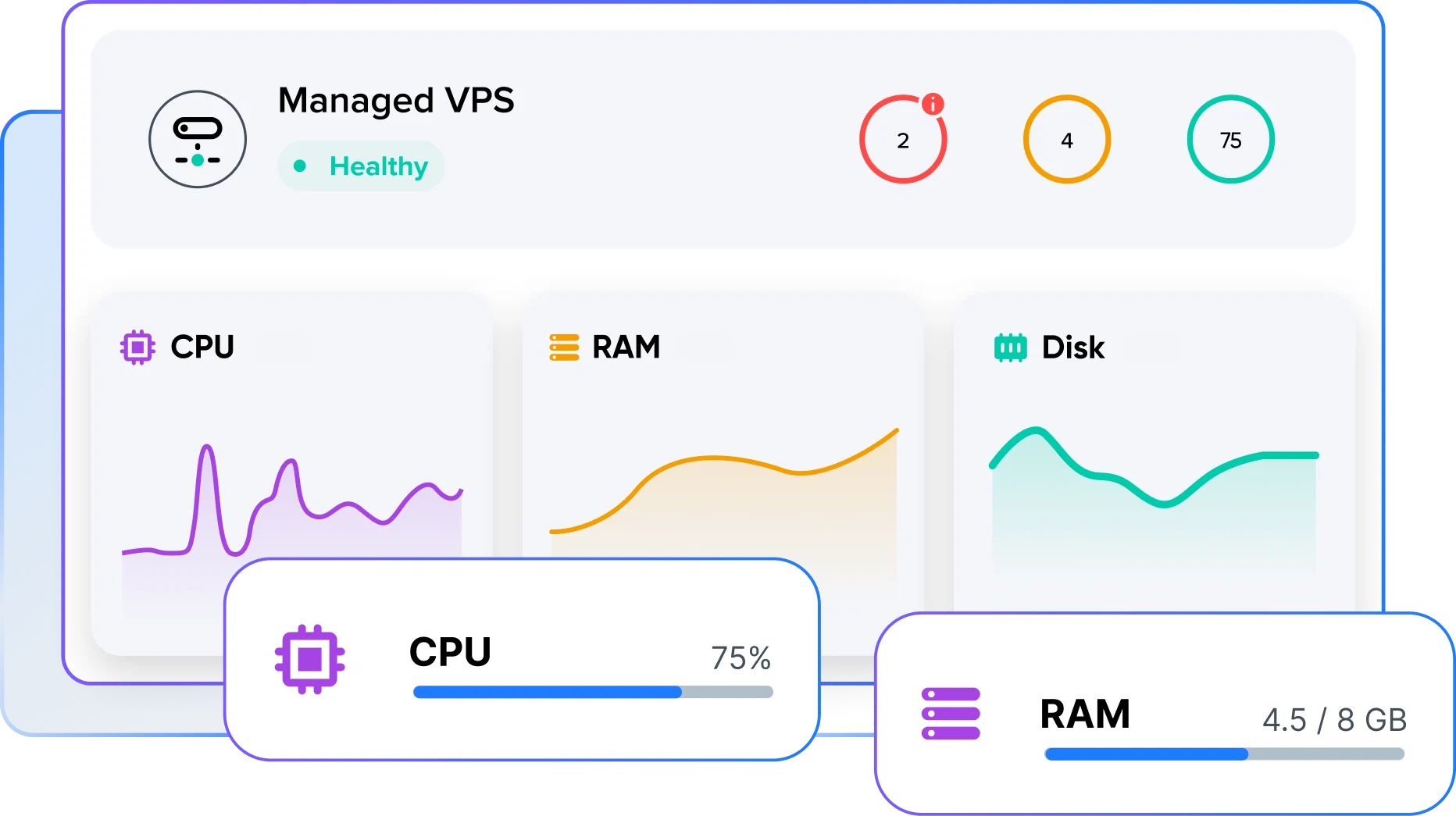
Managed VPS: An Interesting Middle Ground
Managed VPS is a VPS where DreamHost does the system administration. Prices are renewal rates after the initial promo period:
| Business | Professional | Enterprise | Premier | |
|---|---|---|---|---|
| Price/mo | $24.99 | $46.99 | $92.99 | $114.99 |
| CPU cores | 2 | 2 | 4 | 6 |
| RAM | 2 GB | 4 GB | 8 GB | 12 GB |
| Storage | 60 GB | 120 GB | 240 GB | 360 GB |
Here DreamHost would manage “security patches, Ubuntu OS updates, and PHP releases,” and I’d manage my site content. I’d get SSH but no root access. Websites, email, and bandwidth are unlimited with these plans, so all four of my sites could live on one Business plan. An Auto-Boost feature temporarily adds RAM during memory spikes. Server-side caching uses OPcache. I might need a WordPress page caching plugin.
This is the first plan with a published resource guarantee: 2 GB of RAM and 2 cores that are all mine at the lowest tier. So how much RAM and cores does my site actually need? Ummm… I don’t know.
One important footnote: Reading the fine print, with Managed VPS plans your MySQL databases still live on DreamHost’s shared database servers. Since WordPress is heavily database-driven, part of every page load would still depend on shared infrastructure with no guarantee.
DreamPress: Managed WordPress
DreamPress is DreamHost’s “managed WordPress” product. Prices are renewal rates for annual billing:
| DreamPress 1 | DreamPress 2 | DreamPress 3 | DreamPress 5 | |
|---|---|---|---|---|
| Price/mo | $19.99 | $24.99 | $28.99 | $40.99 |
| Websites | 1 | 2 | 3 | 5 |
| Storage | 15 GB | 25 GB | 30 GB | 50 GB |
| Monthly visits | 40K | 80K | 125K | 175K |
| Backup retention | 14 days | 14 days | 14 days | 30 days |
DreamPress’s limits may look stingy, but it has the richest set of extras: NGINX page caching, Redis object caching, and OPcache all preconfigured, plus a free CDN tier with 10 locations, one-click staging, daily and on-demand backups, SSH and WP-CLI, and WordPress-specialist support.
The one-click staging would have saved me a lot of grief during my recent site update, when I built the new site on a subdomain and copied database tables and swapped directories to cut over. Yes I know I could roll my own staging solution, but it’s more friction.
The caching could make a big difference for performance. With NGINX serving cached pages to anonymous visitors (nearly everybody), most requests would never touch PHP or MySQL. 500 people arriving in three minutes would become much less scary. I’m not sure how NGINX caching would compare to a WordPress caching plugin, but I have to believe it would be faster. And the CDN would also help those readers in the UK, Japan, and Australia.
As for resources, DreamHost’s policy says DreamPress runs on “an isolated, dedicated allocation of resources,” and the process monitor doesn’t apply. That sounds like a guarantee, but unlike Managed VPS, they don’t say exactly how much CPU or RAM it is for any tier. It’s a guarantee of… something.
There are a few drawbacks. DreamPress is WordPress-only, so my two static sites would have to live somewhere else. And in the DreamPress plan tiers, the number of sites rises in lockstep with the visitor estimate, so there’s no way to buy more visitor capacity without also buying more site slots. If I ended up needing DreamPress 2 or 3 for performance reasons, I’d be paying for extra site slots I didn’t really need.
Seekrit Hidden Information in the Pricing Page
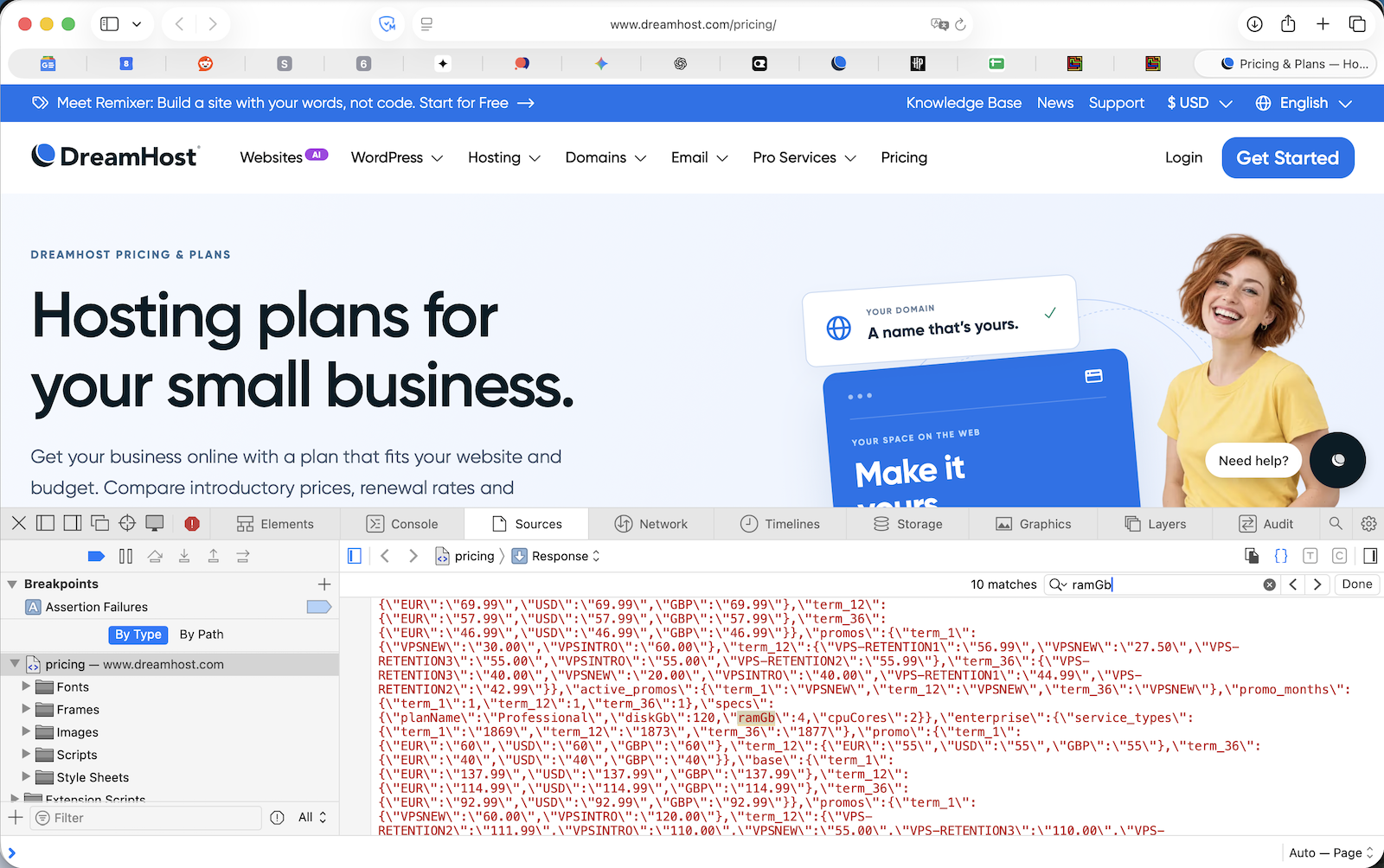
But wait! Maybe those DreamPress performance guarantees aren’t unknown after all. As of today, if you view DreamHost’s Pricing & Plans Page, there’s a plan details data table hidden inside a script in the HTML. The data is never displayed on the page, but it’s there. To see it yourself, open the page, choose View Page Source, and search for “ramGb”. Here’s the relevant part of the table:
| Plan | RAM (GB) | CPU cores | Storage (GB) | Monthly visits | Websites |
|---|---|---|---|---|---|
| DreamPress 1 | 16 | 12 | 15 | 40K | 1 |
| DreamPress 2 | 16 | 12 | 25 | 80K | 2 |
| DreamPress 3 | 16 | 12 | 30 | 125K | 3 |
| DreamPress 5 | 16 | 12 | 50 | 175K | 5 |
| DreamPress 10 | 16 | 12 | 100 | 350K | 10 |
| DreamPress 20 | 16 | 12 | 200 | 700K | 20 |
| Managed VPS Business | 2 | 2 | 60 | — | — |
| Managed VPS Premier | 12 | 6 | 360 | — | — |
The table rows for Web Hosting Launch, Growth and Scale have no RAM or CPU fields at all.
What does this all mean? It’s very unlikely each DreamPress customer gets 16 GB and 12 cores. DreamPress 1 costs $19.99, while Managed VPS Premier costs $114.99 for 12 GB and 6 cores. Possibly 16/12 describes the server or container that DreamPress sites run on, not the slice dedicated specifically to you. Or maybe those values are just placeholders that nobody filled in properly.
Summary
2000 words later, here’s my attempt to compare the most likely choices:
| Shared Unlimited (current) | Web Hosting Growth | Managed VPS Business | DreamPress | |
|---|---|---|---|---|
| Price/mo (renewal) | $15.99 | $12.99 | $24.99 | $19.99 – $28.99 |
| Storage | Unlimited | 50 GB | 60 GB | 15 – 30 GB |
| Monthly visitors | N/A | 200K | N/A | 40K – 125K |
| CPU/RAM guarantee | None | None | 2 cores, 2 GB | Yes, size unknown |
| CPU/RAM limit | Undisclosed | Undisclosed | Plan size + Auto-Boost | Unknown |
| Server-side caching | None built-in | None built-in | OPcache only | NGINX + Redis + OPcache |
| CDN | No | No | No | Bunny CDN included |
| Staging | No | No | No | One-click |
| Backups | 3 file snapshots, 9 daily DB backups | Daily | Daily | Daily, 14-day retention |
| Unlimited | Paid add-on | Unlimited | Unlimited | |
| Non-WordPress sites | Yes | Yes | Yes | No |
All four meet my top priority, since DreamHost handles OS and security updates for each plan. The differences are performance guarantees, convenience extras, and price. Shared Unlimited and Growth are basically the same, with Growth slightly cheaper but arguably worse. Managed VPS gives hard CPU and RAM numbers and holds all four sites, but has few conveniences and a shared database. DreamPress has all the bells and whistles and a vague promise of dedicated resources, but only for WordPress.

The Leading Candidate: Divide It Up
I’m leaning towards dividing my account: bigmessowires.com on DreamPress, and the other three small sites on Web Hosting Launch. BMOW would get caching, CDN, staging, and dedicated resources. The small sites would sit on the cheapest plan, which is plenty for them. If my traffic requires DreamPress 2 or 3 anyway, mactoberfestmeetup.org could use one of the spare WordPress slots, leaving only the static sites on Launch.
The downside is cost. Here are the whole-account options, at renewal prices:
| Option | Price/mo |
|---|---|
| Stay on Shared Unlimited | $15.99 |
| Everything on Web Hosting Growth | $12.99 |
| Everything on Managed VPS Business | $24.99 |
| DreamPress 1 + Web Hosting Launch | $30.98 |
| DreamPress 2 + Web Hosting Launch | $35.98 |
| DreamPress 3 + Web Hosting Launch | $39.98 |
Depending on the DreamPress tier, splitting would increase my current bill by roughly 2x or more. That might be worth it for the performance and convenience, but I’d like to be sure I’m getting something meaningful for it. In particular, with my low-ish traffic site (if I’m reading the data correctly), I have a nagging worry that DreamPress might not provide any obvious performance difference over Shared Unlimited. Or could even be worse, in some cases.
What Would You Do?
If you were running these web sites, which plan would you pick? To review, I’m estimating the BMOW site gets 40,000 to 100,000 visitors per month, with spiky traffic patterns. It’s a WordPress blog with about a thousand posts and many thousands of images. The other sites receive negligible traffic. Total disk usage across all four sites is 9 GB. The BMOW store is hosted separately on Shopify, so there’s no e-commerce to worry about here.
Some specific questions I’m hoping someone can answer:
- Does DreamPress for BMOW plus Web Hosting Launch for everything else make sense? Or would Managed VPS Business be a better choice, with all four sites on one plan and a caching plugin?
- How can I estimate my monthly visitors the way DreamHost counts them? Given my numbers, is a 40K plan out of the question?
- Do the Web Hosting Launch/Growth/Scale plans get different CPU/RAM ceilings, or is it the same shared server with different disk quotas?
- What CPU and RAM resources does DreamPress actually provide? Is there even a fixed number, or does it not work that way?
- For a largely read-only blog like this, is DreamPress’s page cache what really matters, more than guaranteed resources? Could I get 90% of the benefit by staying on shared hosting with a caching plugin and a CDN like Cloudflare?
- Should my two static sites even be on DreamHost? Is it worth the hassles to move them to a static hosting service like GitHub Pages or Cloudflare Pages?
- Is there any other reason to keep a grandfathered “truly unlimited” plan, or will I regret giving it up?
Leave a comment below and let me know what you think!

 点赞
点赞 收藏
收藏 点踩
点踩 分享
分享