Thoughts on implementing game controller support for the ADB-USB Wombat
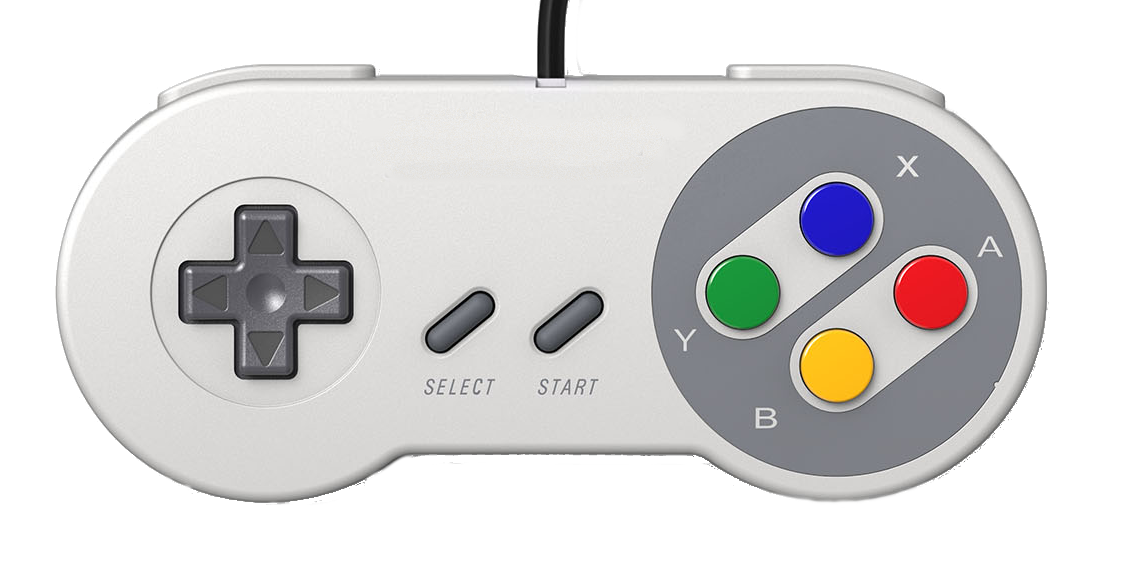
The Wombat is great for adapting USB keyboards and mice to classic ADB Macintoshes, and ADB keyboards and mice to modern USB computers. But what about game controllers? They’re not supported. It’s an often-requested feature, but one that’s not as easy to implement as it might seem. The main problem is that unlike keyboards and mice, there doesn’t exist any uniform standard for communicating with game controllers: neither for ADB nor for USB.
In the past when people have asked about game controller support, it’s not always clear if they’re asking to use USB game controllers via the Wombat on a vintage Mac, or if they’re asking to use classic ADB game controllers like those from Gravis via the Wombat on a modern PC. From reviewing the comments and emails I’ve received, I think interest is roughly evenly split between USB-to-ADB and ADB-to-USB game controller support.
I’m using the term “game controller” here to include both joysticks (typically analog) as well as gamepads (typically a collection of buttons with digital on/off status). The challenges involved in both are similar, but the details differ.
USB-to-ADB Game Controller Implementation
Of the two possible directions for adapting game controller communications, this is probably the easier one: connecting USB game controllers via the Wombat to play classic games on a vintage Macintosh. For the moment, let’s limit our thinking to just gamepads with digital buttons. A simple way to implement basic support might be to program the Wombat to make gamepads appear like a keyboard to the Mac, with a fixed key map. For example the D-pad buttons could send arrow key press events, ABXY could literally type A, B, X and Y, and the Select button, Start, and shoulder buttons would send other keyboard key events.
This may be doable, but there are some difficulties. The main issue is that as far as I understand, there’s no true standard way for USB game controllers to communicate their state to a USB host. Some use DirectInput, some use XInput, some use regular USB HID as if they were a standard keyboard or mouse. The Wombat would probably need to support all of these methods, and somehow determine which one to use. DirectInput and XInput differ from regular USB HID, and supporting those input methods would require developing a new feature for the Wombat firmware.
The other big challenge is that apparently there’s no standard order in which USB game controllers report the state of their buttons. One might report its D-pad as buttons 0 through 3, another as buttons 2-5, another as buttons 6-9. That would seem to prevent the Wombat from using any kind of fixed button-to-key mapping, like automatically treating the D-pad buttons as arrow keys, because it wouldn’t know which are the D-pad buttons.
Maybe the games themselves could be configured in their preference settings to expect directional movement input from a weird key combination like X/1/B/A, but I don’t know if all games are that flexible. Probably some are hard-coded to expect arrow keys for movement and space bar to jump or shoot. Users would also probably be confused or frustrated if the behavior and default button-to-key mapping were different depending on the exact brand of USB gamepad they used, seeing different behavior from nearly identical-looking gamepads.
It would be better to include a configuration / mapping layer somewhere, but where? The Wombat lacks any UI of its own, and isn’t suited to that task. Maybe a text configuration file could be loaded from a USB thumb drive. It seems clunky, though.
The USB gamepad wouldn’t necessarily need to appear as a standard keyboard to the ADB Macintosh. Another option could be to make it appear as if a Gravis gamepad were present. This would also require installing the Gravis control panel on the Mac. Fortunately the Gravis ADB protocols have been documented by Tashtari, so it is technically possible, but I’m not sure it would really solve any problems. If the Wombat doesn’t know whether USB gamepad button 1 is D-pad right or the Start button, then it can’t do a sensible job of emulating a Gravis gamepad, no matter how the Gravis control panel is set up. Ultimately I’m not sure that emulating a Gravis device would provide any clear benefit over emulating a keyboard and/or mouse.
Maybe the situation isn’t as bad as I fear, and in practice USB game controllers are more consistent than I think? I could buy a sample set of the 5 or 10 most common or most popular USB game controllers, and analyze how they work. But that could be expensive and time-consuming.
As for joysticks, I know a lot less about how they work, both on the ADB and USB side. According to one report, typical ADB joysticks behave like a mouse+keyboard to the Macintosh, where the “cursor” snaps back the same distance it traveled in the axis when pressure is no longer applied to the stick, and the buttons get mapped to keyboard buttons. I’d probably need to purchase some ADB joysticks to experiment with, to confirm their behaviors and see if there are differences across models and brands.
ADB-to-USB Game Controller Implementation
I’ve thought much less about this direction. To me, it seems the less compelling of the two. There are real reasons to want USB-to-ADB game controller support: you want to play a classic game on your classic Mac, but classic ADB game controllers are very hard to find. A USB game controller plus the Wombat could then serve as a substitute. The purpose of ADB-to-USB game controller support would be more for nostalgia or for laughs maybe. Yeah you could use your ADB Gravis Mousestick II to play a modern game on your Windows machine, but it’s a little silly when you probably already have a perfectly good USB joystick, or can purchase one for a few dollars.
Putting aside the question of rationale, Gravis protocol support would be a must for ADB-to-USB game controller support. All of the most popular ADB game controllers were made by Gravis, so the Wombat definitely would need to know how to talk to them. Translating the input from the Gravis controller and emulating a USB game controller or joystick might be simpler than the reverse task, because I could probably just choose one of the three common interfaces (DirectInput, XInput, USB HID) instead of needing to support all three. And I wouldn’t need to worry about non-standard button mappings, since I’d only need one mapping, and could just copy the mapping from any popular USB game controller. I think.
As you can see, this is all about as clear as mud, and maybe it gives you more appreciation for why game controllers have remained unsupported by the Wombat. It’s just not a straightforward task, and there’s no obvious “best” solution. I’m sharing my thoughts here and looking for your feedback on all of this. Which direction of game controller emulation would be most valuable to you? How would you imagine it working, exactly? Have I overlooked or misunderstood anything important about the implementation details? Do you have any experience with USB game controllers and how they typically work, how they select between the various communication protocols and so on? If you all can help me sketch out a plan that makes sense here, I’ll try to implement it.

 点赞
点赞 收藏
收藏 点踩
点踩 分享
分享