The Mother of All USB Wombat Firmware Updates
For three years, the ADB-USB Wombat firmware sat quietly at version 0.3.9. Everything worked well for most people, most of the time, but the key word in that sentence is “most”. My customer support inbox had many stories describing specific models of keyboards that didn’t type, mice that didn’t move, and KVMs that didn’t cooperate. Too many of those stories ended with an unsatisfying “sorry, that device isn’t compatible.” Most of it seemed to be due to limitations of Microchip’s USB stack code, which I didn’t write and don’t understand well.
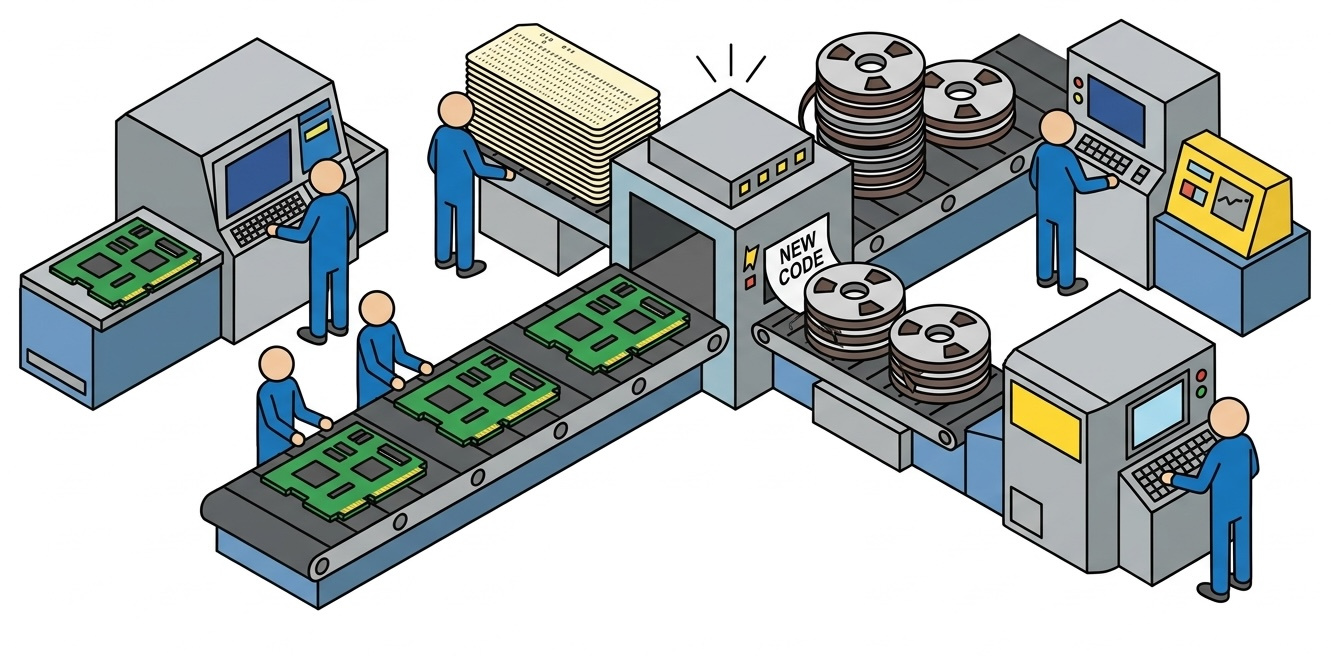
This fall, with the help of fancy new AI coding tools, I decided to work through that whole list of issues. Between late September and early October, the firmware went through eleven releases, from 0.3.11 to 3.21. Most of them never received any public announcement or release, so everything in 0.3.11 to 3.21 is effectively one giant update. If you have a Wombat, it’s time to update your firmware!
About the version numbers: Yes, it jumped from 0.3.16 to 3.17. I decided to ditch the leading zero, which served no practical purpose.
Greatly Improved USB Device Compatibility
This was the biggest problem, and it had many causes. The first one was a basic byte/word size discrepancy in the USB stack code. When the Wombat fetched a USB device’s HID report descriptor, the code stored the length of the descriptor in an 8-bit variable. Later it checked that value against the expected length, a 16-bit variable. Any descriptor longer than 255 bytes got its length truncated, the length check failed, and device enumeration silently stopped. No keyboard, no mouse, nothing. Simple USB devices have small descriptors, but anything with complex features or lots of buttons can easily exceed 255 bytes. The Logitech Bolt receiver’s touchpad interface alone has a 429-byte descriptor. After fixing this bug, a huge number of devices that had never worked with the Wombat suddenly did.
To fix more compatibility bugs, I realized that my biggest limitation was testing. I could go broke buying hundreds of keyboards and mice and plugging them into the Wombat to see how they were handled. Then I realized that compatibility issues were almost always related to the USB report descriptor, and if I had the descriptor, I could “virtually” test a device against the Wombat without having a physical sample. So I put together a corpus of descriptors from about 200 devices, common ones and weird ones, harvested from forums and bug trackers all over the web. I created a simulator to test how the Wombat handled enumerating and processing sample reports from each device. This proved to be super useful and revealed all sorts of additional Wombat issues.
One big issue uncovered by the corpus testing was keyboards that report their keys as a bitmap instead of as a traditional array of pressed keys. This is common on gaming keyboards that support N-key rollover. The old firmware decoded those bitmaps as if they were key arrays, with entertaining results: on one keyboard tested, pressing the space bar consistently typed the letter “m”. Bitmap keyboards are now fully supported, including keyboards that send both formats on the same interface.
Then there were keyboards running QMK, VIA, Keychron, and Keyboardio firmware, which need to be explicitly asked to switch to the simpler “boot protocol” mode, gaming keyboards that split their keys across several separate USB interfaces (Logitech G810 and some Razer models), gaming mice and KVM switches whose buttons and scroll wheels were ignored by the Wombat, devices that combine a keyboard and mouse in one, and the Apple Magic Keyboard, which misbehaved after pressing Caps Lock because of a bug in how the Wombat sent keyboard LED updates.
Multiple Simultaneous Keyboards and Mice
A notable limitation of the old firmware was that it managed exactly one keyboard and one mouse. If you plugged in more, all but one of them would be ignored, and it wasn’t easy to predict which one would actually work. That caused a lot of confusion, especially because some gaming mice also pretend to be keyboards for their macro buttons, and some keyboards also pretend to be mice. This meant that a real keyboard could end up being ignored because the Wombat was managing the mouse’s macro button keyboard instead.
Now every attached USB keyboard and mouse works at the same time. Keys from all keyboards are combined, mouse movements are added together, and buttons from all mice are merged. It all just works.
To accomplish this, it required more than just code changes to poll additional USB devices and combine their reports. The PIC microcontroller struggled to manage polling and processing of up to 8 USB devices at once while also responding to ADB commands fast enough to meet the timing requirements. I created a special measurement build of the Wombat firmware to capture timing and profiling data, testing it on an Apple IIgs and all of my Macs to find the most challenging environment. The most demanding was the Mac IIci, which fires about 244 ADB commands per second in bursts during startup, with only about 500 microseconds between them. After optimizing the code and carefully reviewing interrupt priorities, the Wombat is now able to handle the heavier USB load while simultaneously processing high-frequency ADB commands, no matter how many devices are attached.
In ADB-to-USB mode, the Wombat now supports up to two ADB keyboards and two ADB mice at the same time, like an Apple Extended Keyboard plus a separate numeric keypad, or a keyboard, a trackball, and a mouse in one daisy chain. ADB devices can also now be plugged in and unplugged while the Wombat is running.
A Real Preferences Menu
The Wombat has no display screen and no buttons except a power key, so how do you configure its settings? Previously the answer was a collection of ugly tricks. Depending on the setting, you might short-click or long-click the mouse wheel, press a magic key combination, or change an option that was incongruously included in the key mapping table. Nobody remembered any of these methods, including me. Only one of these settings was actually preserved when power was turned off, so the rest had to be reconfigured every time.
Now the Wombat has a real preferences menu! Open a text editor or go to the BASIC prompt, press Control-Shift-Capslock-P, and the Wombat “types” a menu into your document:
BMOW Wombat ver 3.21 preferences
1 Keyboard layout is US
2 Mouse speed is 3 of 6
3 Right button is CTRL LEFT CLICK
4 Scroll wheel arrow keys are ON
0 Restore defaults
1234 change, RETURN save, ESC cancel
Press a number key to change a setting. Settings are saved in the Wombat’s flash memory, and survive power-off and firmware updates.
To correctly support this method of virtual typing for menus, the Apple IIgs needed some special love. In GS/OS, the IIgs couldn’t keep up with the speed of the Wombat’s virtual typing. Longer messages apparently overflowed a keyboard buffer in the OS and came out garbled. I didn’t want to slow down the text output for everybody, though, so I developed a way to fingerprint the host computer and detect when it’s a IIgs running GS/OS, based upon the rate of ADB commands received and the mix of commands. That enabled me to slow down the text for GS/OS only.
At the IIgs BASIC prompt, every line of menu text ended in a Return keypress, so BASIC tried to interpret it as a code statement and replied with ?SYNTAX ERROR to each line. That was super annoying, so I developed another fingerprinting technique to detect when the host computer is a IIgs running BASIC. When in BASIC, the Wombat now ends each line of text with Control-X instead of Return, which cancels the line instead of running it.
No Stone Left Unturned
Beyond those three big changes, there was a long list of other fixes and improvements:
- Stuck and lost keys – Several bugs that caused keys to get stuck down, go missing, or arrive in the wrong order are fixed, in both directions.
- Caps Lock – At least half a dozen separate bugs caused the Wombat, the keyboard, and the computer to disagree about whether Caps Lock was on. Caps Lock is now in sync everywhere, including the latching Caps Lock key on Apple Extended Keyboards.
- Startup key combinations – Combinations held down during startup or reset now work reliably: Control-Apple-Reset and the self-test on the Apple IIgs, Command-Option-P-R to reset a Mac’s PRAM, Command-Option-O-F for Open Firmware, and others.
- Screensavers and sleep – In ADB-to-USB mode on a modern computer, the Wombat no longer prevents the computer from going to sleep or starting its screensaver.
- Boot prompts – The Wombat now works correctly in environments that poll the keyboard but never poll the mouse, like the Linux disk encryption password prompt and some BIOS screens.
- ADB devices – Kensington Turbo Mouse 4.0 and 5.0 trackballs work better, and the right button of MacAlly 2-button mice now works.
- USB hubs – The Wombat supports up to 8 hub ports in total, and older firmware crashed if you exceeded that. It now ignores the extra ports, and the -I help command tells you how many were ignored.
Weird Bugs
A few of the bugs that I found were especially interesting.
The hourly screw-up – A few customers had reported problems that occurred regularly after about an hour of Wombat use. One person even told me that after 30-60 minutes of use, their mouse started typing keys on their Mac. I must admit I didn’t give these reports much weight, and thought it must be a coincidence or caused by something else. Ha ha. The actual cause was the Wombat’s microsecond timer, a 32-bit counter. 2^32 microseconds sounds like a long time, but it’s actually only about 72 minutes. When the counter wrapped around, a time comparison in the firmware went wrong and the Wombat thought the Mac had sent an ADB reset. This reset all the ADB devices and a bunch of related state data, without properly reinitializing it again. Chaos ensued.
Intermittent failures – In one of my tests, the USB keyboard occasionally didn’t work after power-up, but I couldn’t figure out why. After much digging, the cause turned out to be the Microchip USB stack’s internal event queue. It held only four events, and when it was full, it silently threw away new events. Because nobody will ever experience more than four USB events before they can respond to them, right? If an event related to enumerating a newly-attached device was lost, that device got stuck waiting forever. A deeper queue plus a timeout fixed this.
Microchip Tools and Automated Testing
Years back when I originally selected the PIC32 for the Wombat, a BMOW reader warned me against it. Not for any hardware reason, but because he said the Microchip tools made him angry. I can now appreciate why.
Virtually every time I return to Wombat development after an extended break, I find that some Windows update or who-knows-what has caused my PICkit 3 programmer to stop working. Again, and again. This time was no exception. Was it a Windows 11 thing? Java update? A USB driver issue? It didn’t help that Microchip themselves discouraged people from buying the PICkit even when it was an active product, and it’s since been discontinued.
I’d been carefully avoiding updating MPLAB X, the Microchip IDE, because it had been such a pain to get configured the first time. But in an attempt to solve my PICkit woes, I finally bit the bullet and updated my 2017 installation of MPLAB X 3.61 to a shiny new MPLAB X 6.20, the most recent version still with PICkit support. I was pleasantly surprised to discover that I could use the 6.20 GUI and debugging tools, but keep the compiler and toolchain from 3.61, so a painful project reconfiguration wasn’t needed. That mostly resolved my PICkit issues, although I’ve still had some mysterious failure episodes where I needed to unplug everything and plug it in again.
Once I had the PICkit mostly working, and attached a serial cable to read the Wombat’s debug output, it opened up some very cool opportunities for automated testing. My AI coding tool created scripts that would flash a new firmware version to the Wombat, run it, look at the serial log output to collect data on timing and USB events, then apply fixes to the firmware based upon the collected data, compile and flash the new firmware, and try again. It modified, tested, and fixed itself in a repeating dev cycle while I sat there drinking beer and watching it work, nodding my head. Impressive stuff.

 点赞
点赞 收藏
收藏 点踩
点踩 分享
分享