VLM Enhanced Metadata For My Icon Galleries

Confession: I got nerd-sniped by Sam Henri Gold’s request for my icon galleries:
I'd like to humbly request artwork-level searching in macosicongallery.com
What follows is a train-of-thought blog post as I play with what an implementation might look like.
I’ve actually long-wanted something like this, e.g. let me search for “coffee” and show me all icons that have some depiction of coffee in them.
Similarly, I’ve wanted some kind of “related” representation for icons. I have this today via existing metadata, e.g. “Show me other icons in the category ‘Productivity’” or “Show me other icons tagged as ‘orange’”. But I’ve wanted a more robust representation of this, so if you were looking at an icon that had a microphone in it, the site would say “Here are other icons that also have microphones in them.” And the relationship would be rich/smart enough to know that “microphone” was meant broadly, i.e. dynamic mics, condenser mics, ribbon mics, etc.
So how would you do this? I could go through every icon one-by-one and classify/tag any attribute of its design that comes to mind, but that would take ages! Seems like a good use case for a vision model.
Trying CLIP
First, I’ll look at Sam’s suggestion: run every image through CLIP.
I’m not familiar with CLIP so I start with a little research: What is it? How would I use it? And most importantly: is it free/open (because I ain’t spending a ton of money to send my thousands of icon PNGs to an AI provider via their API)?
Ok, so CLIP will take an image and spit back an embedding (basically a bunch of numbers representing features of the image). When you do it with multiple images, you can then compare those embeddings to see what the model considers similar (and, if you like, set a threshold for what constitutes a “match”).
After getting a sense of the task in front of me, I work with the LLM to come up with a proof of concept. I don’t need to fit this into my existing site. I just want to make one-off HTML pages where I can feel out, “Can this process create anything useful? What’s the amount of work required?”
- Write a script that runs a sampling of icons through CLIP’s image encoder
- Read the file locally, e.g.
./ios/256/${icon.id}.png - 256x256 pixel icons seem to be enough, as the CLIP model I’m using preprocesses them to ~224px anyway.
- Read the file locally, e.g.
- Create a dataset representing the “embeddings” (an array of numbers) for each icon that I get from CLIP, e.g.
Array<{ id: String, embedding: Array }> - Create a dataset representing the top matches between different embeddings, e.g.
{ [id: String]: [id, id, …] } - Create a
clip.htmlfile has both datasets (plus supplementary icon metadata I already have), render all the sampled icons, and support anonclickfor each icon that shows therelated[id]icons.
This is enough to create a single HTML file where I can click on an icon and see other icons that look like it.
However, I realize quickly that I’ll need to process my entire icon library to really get a good sense for how well these are matching. So I do that.
[Computer goes brrrr…]
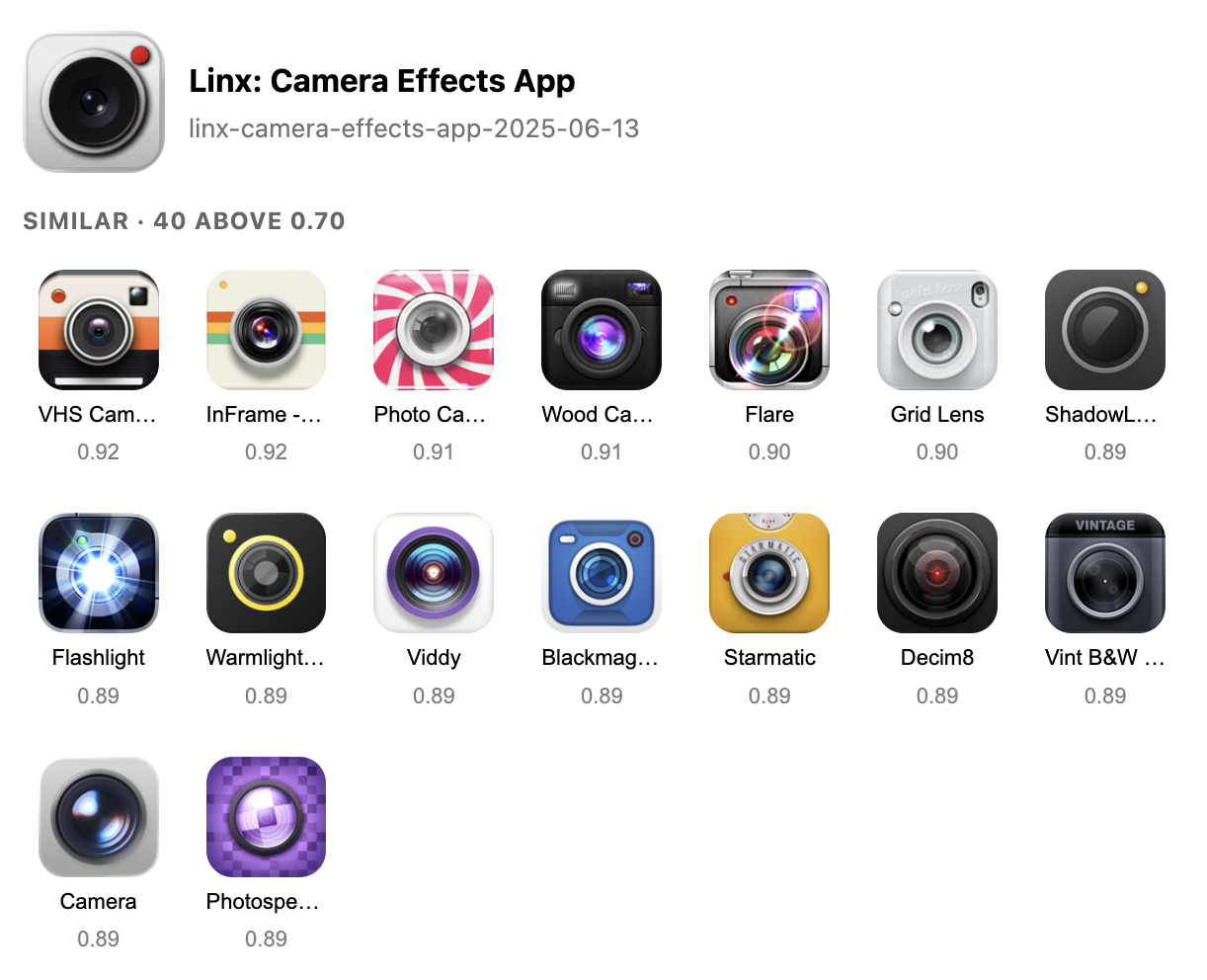
Ok, now when I click on an icon that looks like a camera, I see other icons that look like cameras.
Or if I click on an icon that has a checkmark in it, I see other icons with checkmarks in them — sort-of.
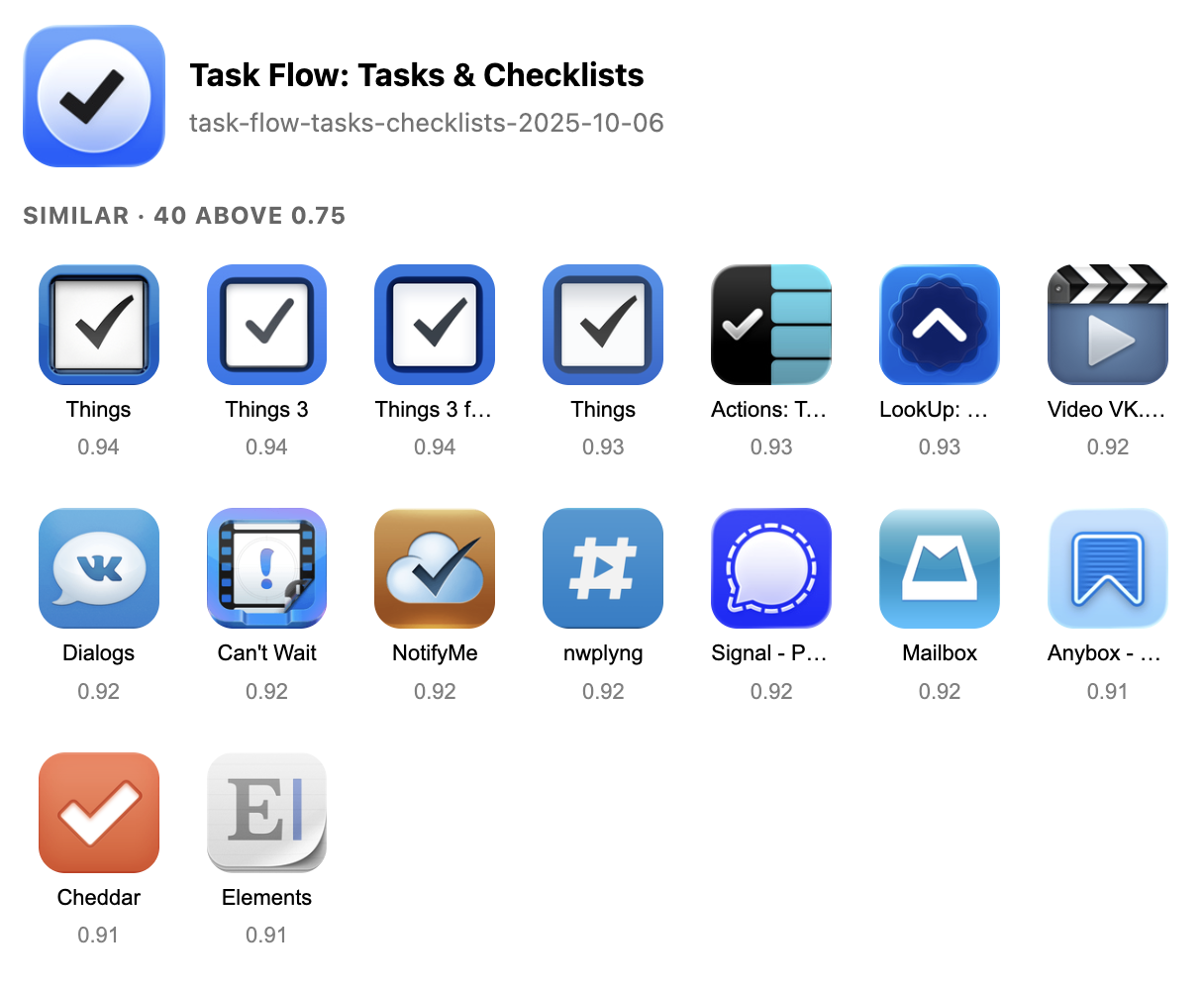
But the results aren’t that great unless an icon is visually distinctive. I share some thoughts with Sam. He has a few other suggestions I follow.
DINOv2, SigLIP2, and More
Sam mentions SigLIP2 so I start with that as a keyword. The LLM recommends DINOv2 so I say, “Let’s try it”.
I give that a try, creating a separate dataset and prototype (e.g. embeddings-dinov2.json and embeddings-dinov2.html) so I can continue to view these different prototypes and compare their outputs.
It’s fine. Different from CLIP. Honestly not much better.
So I figure let’s try another one. I go with SigLIP2. I ask the LLM to create a page where I can compare the results.
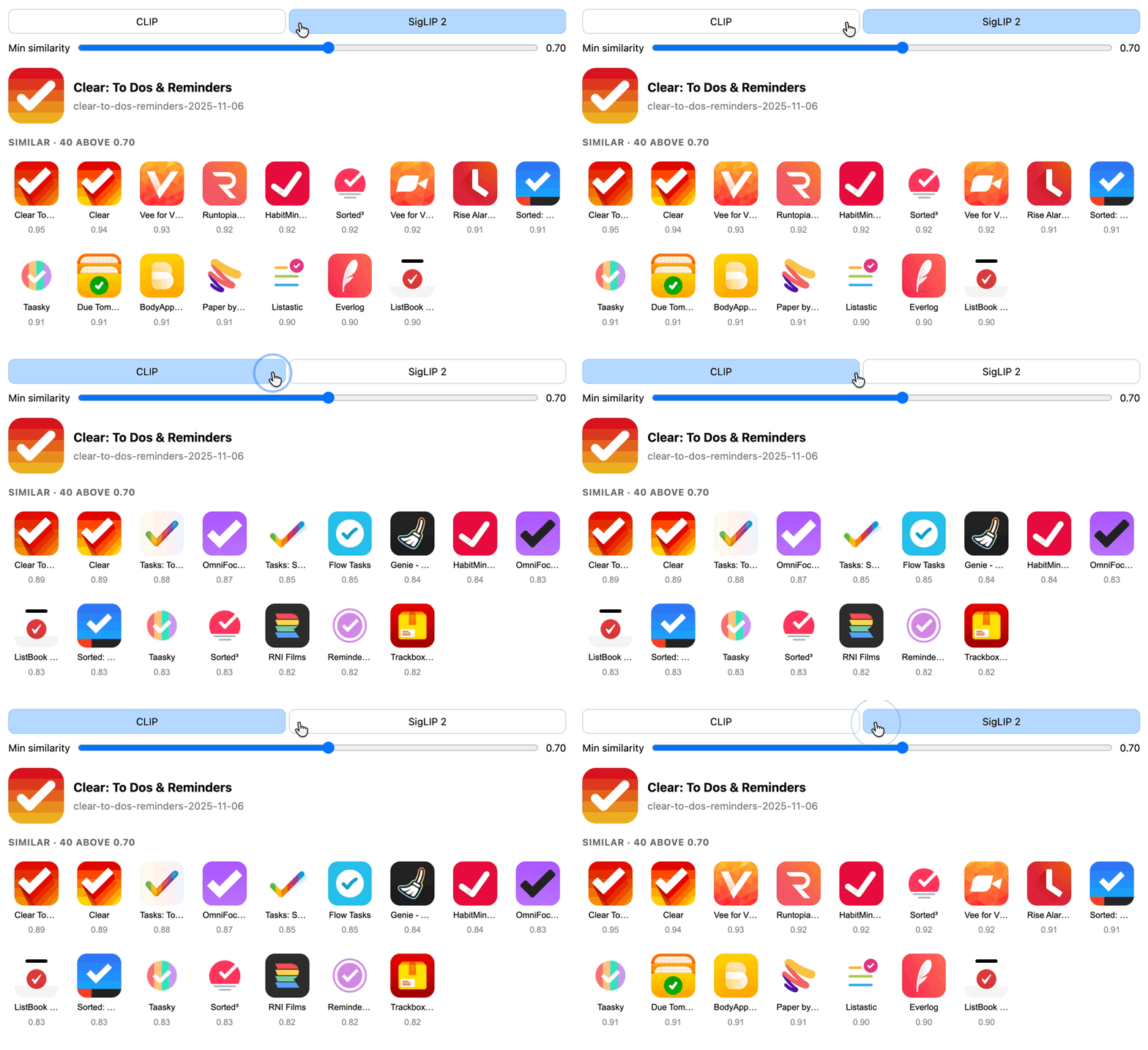
Seems like six of one, half dozen of another. One does better on some kinds of icons, worse on others. The LLM recommends that, at this point, I be done shopping models. They’re roughly the same class of tool with different tradeoffs. None are breakthroughs.
So now what?
Try Tagging Icons With Keywords
Sam recommends another approach:
You could also try handing all icons over to a VLM, having it write up a description, and embedding THAT text against what people might search for.
A thoroughly detailed person might’ve done this from the start, e.g. for an icon that’s a checkmark, add the keyword “checkmark” to its metadata.
That would take me forever to go back through all my icons and do — a perfect task for a computer that never tires.
So I give this a try. First I need a free/open VLM. After a little research I decide to try Moondream via Ollama.
I have the machine go through each image and caption it, then pull out “tags” from the caption. For the Clear app icon, I get data like this:
{
  "id": "clear-todos-2021-01-10",
  "caption": "The image features a red and orange gradient background, with a white checkmark in the center. The checkmark is slightly tilted to the right, giving it a dynamic appearance. The background transitions from red at the top to orange at the bottom, creating a sense of depth and movement. The checkmark is the main object in the image, occupying most of the space and drawing attention to itself.",
  "tags": [
    "red",
    "orange",
    "gradient",
    "white",
    "checkmark",
    "slightly",
    "tilted",
    "dynamic",
    "appearance",
    "transitions",
    "creating",
    "sense",
    "depth",
    "movement",
    "object",
    "occupying"
  ]
}
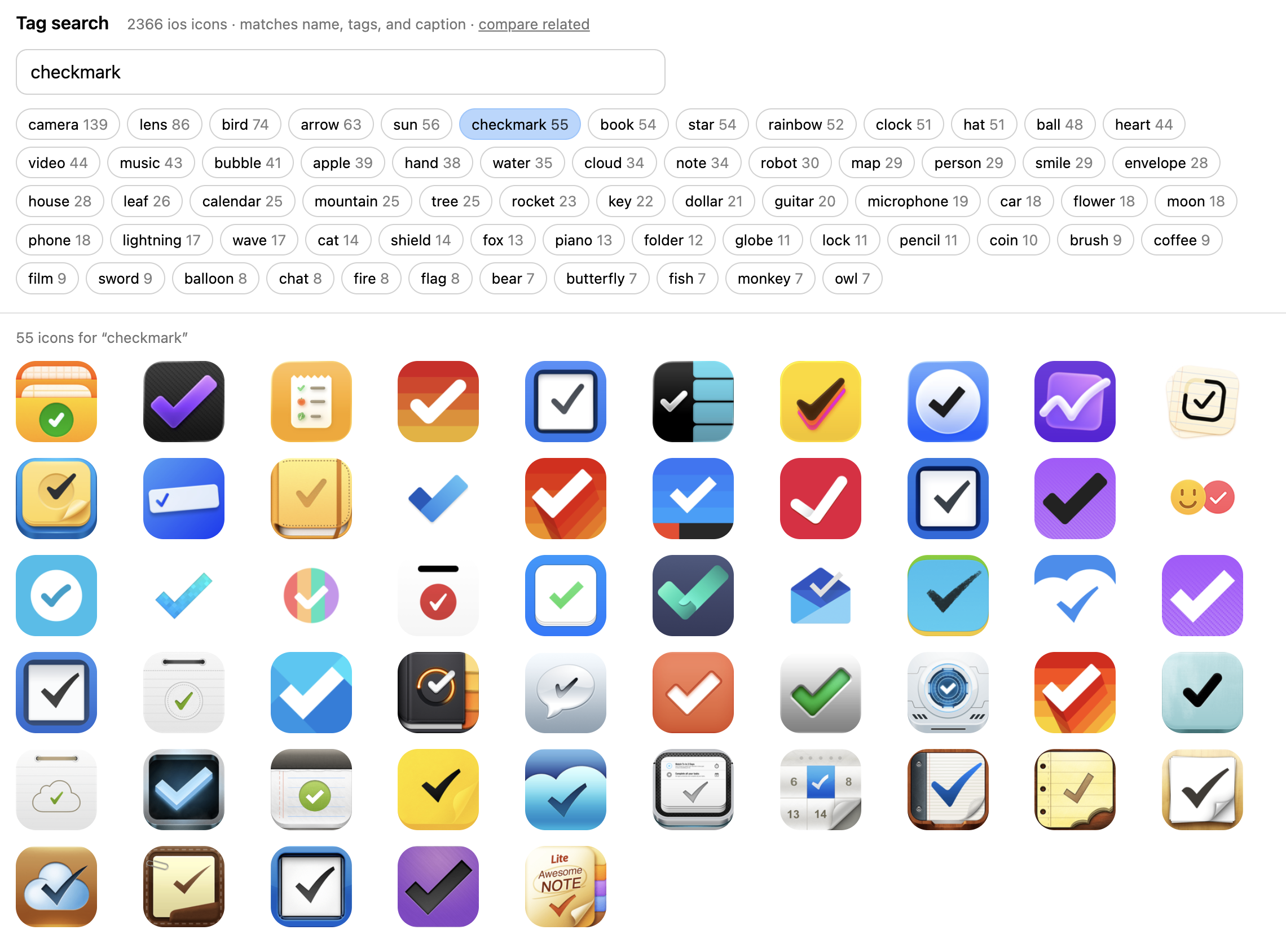
Then the LLM creates a single search.html file where I can test icon matches by searching for tag overlaps (or choosing one of the popular ones).
So, for example, on the search page I can click on “checkmark” and see all the icons with a checkmark.
Or click on “fox” and see all the icons with a fox.
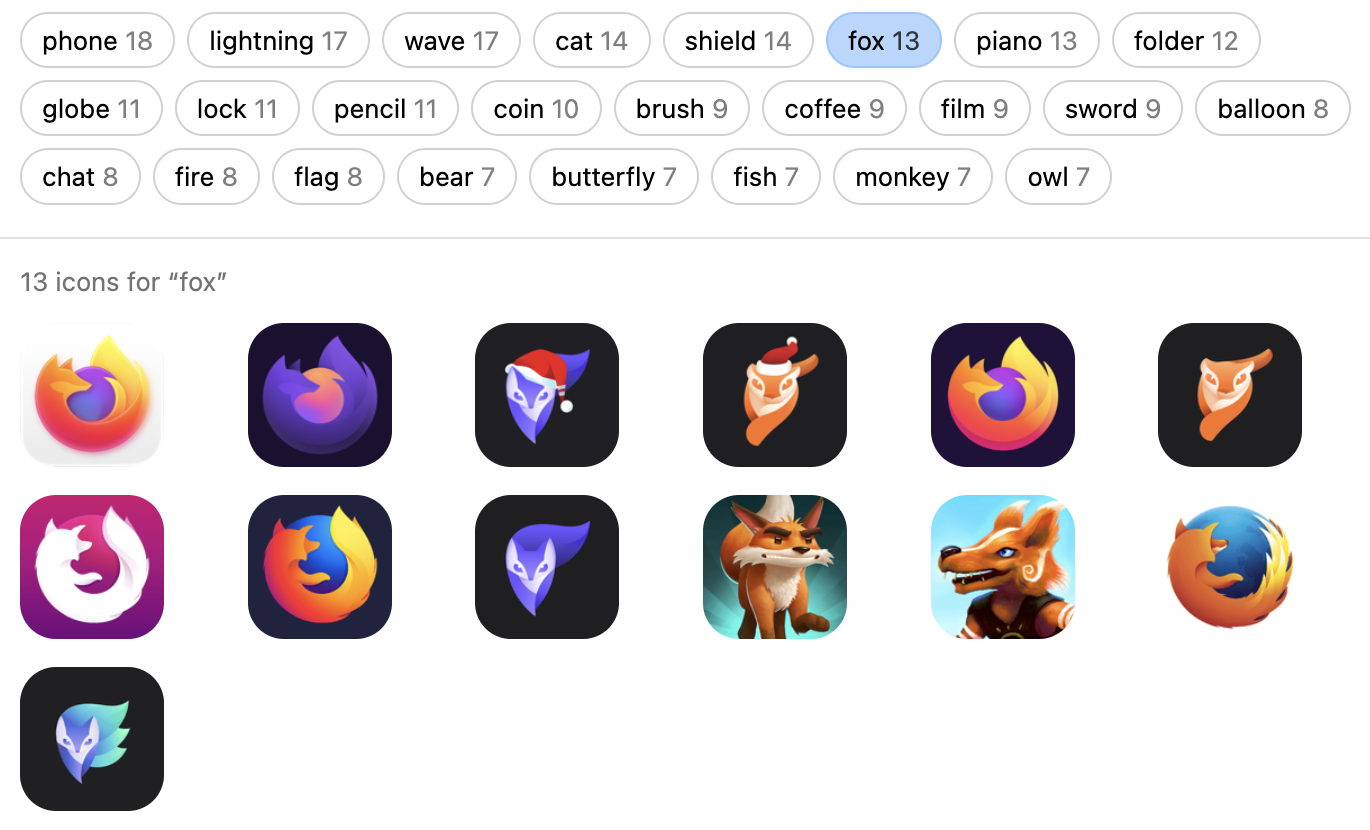
Matches are pretty spot to be honest.
But that’s a different kind of test than what I was doing with CLIP.
- CLIP: click on an icon and see other icons like it.
- Tags: click on a keyword and see other icons with that keyword.
Can I leverage tags for the same kind of “related icons” work that CLIP is doing?
CLIP vs. Tags
I get the LLM to cook up a single-page HTML file where I can compare “click on this icon and find other icons like it” where I’m using embeddings from CLIP vs. matching on keywords.
The results seem to fare much better for CLIP. For example, here I matched on what I think of as a “checkmark icon”.
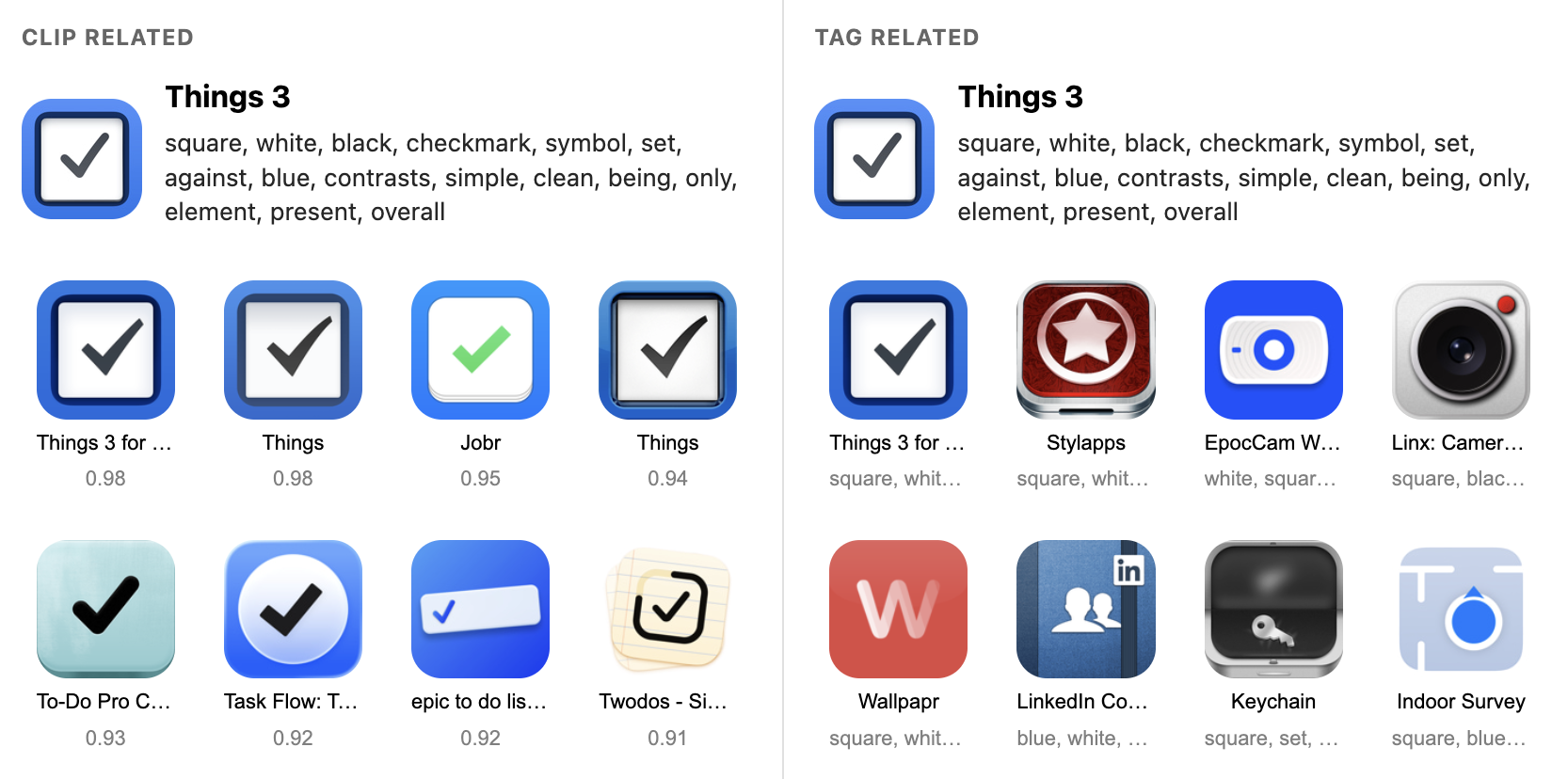
You can see the approach that matches on tags didn’t work too great. I believe this is because with my simple tag-overlap approach, a distinctive keyword like “checkmark” gets diluted amongst generic tags like “square”, “blue”, and “simple”.
Whereas with CLIP, if you click on an icon with a checkmark, you get other checkmarks (and not other icons that also have related tags like “square”, “blue” and “simple”).
Which all makes sense. Pushing on the implementation here could help, but that’s separate work to do.
So Now What?
I’m not sure.
While doing all of this was an interesting technical exercise, there are a few important considerations I need to think through before implementing anything, such as:
- What kind of functionality do I actually want?
- A “related icons” feature? Does it match on keywords or embeddings?
- A “search” feature that matches on keywords?
- Both?
- How do I build these features into my codebase now, given the thousands of icons that already exist?
- How do I maintain this feature in the future?
- e.g. every time I add a new icon to my gallery, is a VLM now a dependency of this project?
- Given all the above, what’s the time and money cost?
I’m very picky about adding new dependencies to these icon projects. I like to think that’s why I’ve been able to maintain and continue contributing to them after so many years — because I make it easy on myself (good job, Past Jim).
So, for example, if I make a VLM a dependency of this project such that every time I add a new icon I have to run it through to create the embeddings, that’s a big dependency cost IMO. I’m not sure I want to do that.
That said, Apple now ships foundation models in macOS 27 available through the CLI (go ahead, try typing fm in your Terminal if you’re on Golden Gate). So if my Mac continues to be the primary machine where I add/update metadata for my icon projects, using fm would be a really easy/low-cost way to process each new icon to generate a caption and keywords for matching in search.
But again, I don’t know if I want to do that. I wrote this post to try and work through what I want to do, but I am still undecided.
So I guess the only thing for me to do at this point is hit “Publish” on this post and keep simmering on a decision.

 点赞
点赞 收藏
收藏 点踩
点踩 分享
分享