ruvnet/RuView

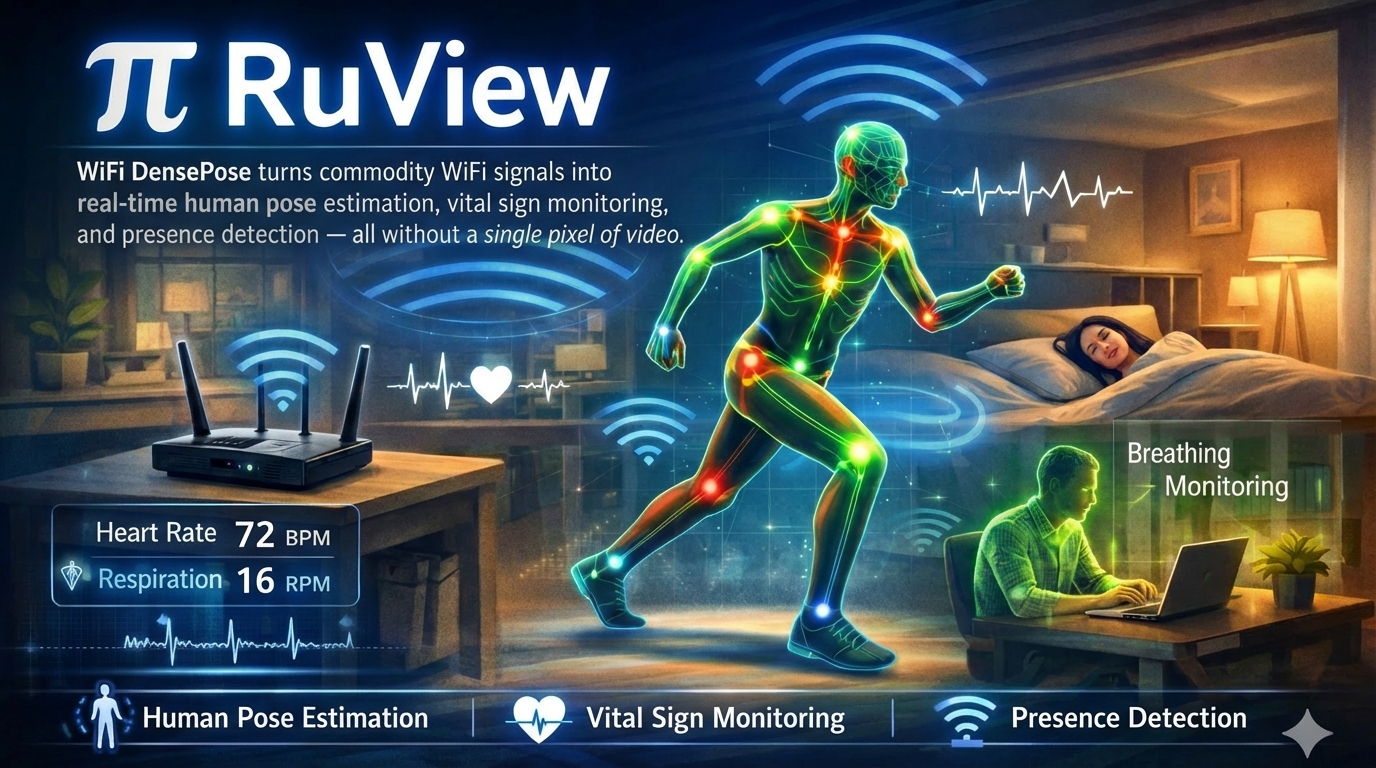
π RuView turns commodity WiFi signals into real-time spatial intelligence, vital sign monitoring, and presence detection — all without a single pixel of video.
π RuView
cognitum.one/seedcognitum.one/seed
See through walls with WiFi
Turn ordinary WiFi into a spatial intelligence / sensing system. Detect people, measure breathing and heart rate, track movement, and monitor rooms — through walls, in the dark, with no cameras or wearables. Just physics.
Works natively with the four major smart-home ecosystems: Home Assistant via the HA-DISCO MQTT publisher, Apple Home & HomePod as a discoverable HAP-1.1 bridge, Google Home + Amazon Alexa via the same HA bridge or a Matter endpoint. Siri, Google Assistant, and Alexa can voice presence and vitals by room with zero custom skills.
raw.githubusercontent.com/ruvnet/RuView/main/docs/integrations/home-assistant.md raw.githubusercontent.com/ruvnet/RuView...-122-bfld-ruview-ha-matter-exposure.md raw.githubusercontent.com/ruvnet/RuView/main/docs/user-guide-apple-homepod.md raw.githubusercontent.com/ruvnet/RuView/main/docs/integrations/home-assistant.md raw.githubusercontent.com/ruvnet/RuView/main/docs/integrations/home-assistant.md
Drop into any Home Assistant install with one --mqtt flag. Or pair into Apple Home / Google Home / Alexa / SmartThings as a Matter Bridge. Ships 21 entities per node (11 raw signals + 10 inferred semantic states: someone-sleeping, possible-distress, room-active, elderly-inactivity-anomaly, meeting-in-progress, bathroom-occupied, fall-risk-elevated, bed-exit, no-movement, multi-room-transition) plus 3 starter HA Blueprints. See docs/integrations/home-assistant.md · ADR-115.
π RuView is a WiFi sensing platform that turns radio signals into spatial intelligence.
Every WiFi router already fills your space with radio waves. When people move, breathe, or even sit still, they disturb those waves in measurable ways. RuView captures these disturbances using Channel State Information (CSI) from low-cost ESP32 sensors and turns them into actionable data: who's there, what they're doing, and whether they're okay.
What it senses:
• Presence and occupancy — detect people through walls, count them, track entries and exits
• Vital signs — breathing rate and heart rate, contactless, while sleeping or sitting
• Activity recognition — walking, sitting, gestures, falls — from temporal CSI patterns
• Environment mapping — RF fingerprinting identifies rooms, detects moved furniture, spots new objects
• Sleep quality — overnight monitoring with sleep stage classification and apnea screening
Built on RuVector and Cognitum Seed, RuView runs entirely on edge hardware — an ESP32 mesh (as low as $9 per node) paired with a Cognitum Seed for persistent memory, cryptographic attestation, and AI integration. No cloud, no cameras, no internet required.
The system learns each environment locally using spiking neural networks that adapt in under 30 seconds, with multi-frequency mesh scanning across 6 WiFi channels that uses your neighbors' routers as free radar illuminators. Every measurement is cryptographically attested via an Ed25519 witness chain.
RuView turns ordinary WiFi into a contactless sensor. A $9 ESP32 board reads the radio reflections off the people in a room, and a small pretrained model — published on Hugging Face at ruvnet/wifi-densepose-pretrained — tells you who's there, how they're breathing, and how their heart rate is trending. The model fits in 8 KB (4-bit quantized) and runs in microseconds on a Raspberry Pi. (The v2 encoder reports an honest, label-free held-out temporal-triplet accuracy of 82.3% — up from 66.4% raw; the older "100% presence" figure was measured on a single-class recording and has been retracted in favor of this.) No cameras, no wearables, no app on the user's phone.
Built for low-power edge applications
Edge modules are small programs that run directly on the ESP32 sensor — no internet needed, no cloud fees, instant response.
rust-lang.org opensource.org/licenses/MIT github.com/ruvnet/RuView hub.docker.com/r/ruvnet/wifi-densepose raw.githubusercontent.com/ruvnet/RuView/main raw.githubusercontent.com/ruvnet/RuView/main crates.io/crates/wifi-densepose-ruvector raw.githubusercontent.com/ruvnet/RuView/main
Browse the full 105-module catalog (with practical descriptions, sizes, and difficulty) below in 🧩 Edge Module Catalog, or visit seed.cognitum.one/store.
🤗 Pretrained weights: download from ruvnet/wifi-densepose-pretrained — see Loading the pretrained model below for one-command setup.
pypi.org/project/ruview pypi.org/project/wifi-densepose
Note
CSI-capable hardware recommended. Presence, vital signs, through-wall sensing, and all advanced capabilities require Channel State Information (CSI) from an ESP32-S3 ($9) or research NIC. The Docker image runs with simulated data for evaluation. Consumer WiFi laptops provide RSSI-only presence detection.
Hardware options for live CSI capture:
No hardware? Verify the signal processing pipeline with the deterministic reference signal: python archive/v1/data/proof/verify.py
Real-time pose skeleton from WiFi CSI signals — no cameras, no wearables
▶ Live Observatory Demo |▶ Dual-Modal Pose Fusion Demo |▶ Live 3D Point Cloud |▶ three.js Demos (5)
The server is optional for visualization and aggregation — the ESP32 runs independently for presence detection, vital signs, and fall alerts.
Live ESP32 pipeline: Connect an ESP32-S3 node → run the sensing server → open the pose fusion demo for real-time dual-modal pose estimation (webcam + WiFi CSI). See ADR-059.
three.js scene gallery at /three.js/ — five progressively richer ADR-097 demos: helpers, cinematic, GLTF skinned, FBX skinned, and a live MediaPipe→Mixamo retargeting feed driven by ESP32 CSI. Demos 04 and 05 require a local Mixamo X Bot.fbx (license boundary — not redistributed).
🤗 Pretrained model on Hugging Face
Pretrained CSI weights live at ruvnet/wifi-densepose-pretrained — 12.2M training steps on 60K frames / 610K contrastive triplets, 82.3% held-out temporal-triplet accuracy (up from 66.4% raw; the older "100% presence" figure was measured on a single-class recording and has been retracted), 4-bit quantized variant fits in 8 KB. The release includes a contrastive CSI encoder producing 128-dim embeddings (164,183 emb/s on M4 Pro) and a presence-detection head. Per-node LoRA adapters are included for environment-specific fine-tuning.
What works today vs. what's pending wiring:
Known gap: the HF model ships in JSONL RVF format, but v2/crates/wifi-densepose-sensing-server/src/rvf_container.rs only parses the binary RVF segment format. Pointing --model at model.rvf.jsonl currently errors with invalid magic at offset 0: expected 0x52564653, got 0x7974227B and the live pipeline degrades to null output rather than falling back to heuristic mode — so for the live sensing-server, run without --model until a JSONL adapter lands (or the model is re-published as binary RVF). Use the weights from Python / training in the meantime.
Quantization choices (all in the HF repo): model-q2.bin (4 KB) · model-q4.bin ⭐ recommended (8 KB) · model-q8.bin (16 KB) · model.safetensors full (48 KB)
The separate 17-keypoint pose-estimation model is now published at ruvnet/wifi-densepose-mmfi-pose — 82.69% torso-PCK@20 on MM-Fi (single model) / 83.59% (3-model ensemble + TTA), beating the prior published SOTA MultiFormer (72.25%) and CSI2Pose (68.41%) on the matched random_split protocol. See Results & proof below.
Results & proof
Tracked in #509; see ADR-079 phases P7–P9 for the camera-supervised fine-tune path.
🧩 Edge Module Catalog
🧩 105 edge modules ready to install on a Cognitum appliance — live catalog from app-registry.json v2.1.0 (updated 2026-05-13). Browse + install at seed.cognitum.one/store or your local appliance /cogs.
Each module is a small signed binary (~400 KB) that runs alongside the WiFi-DensePose sensing stack on a Cognitum-V0 appliance. The catalog updates over the air — your appliance fetches it via GET /api/v1/edge/registry (ADR-102) and verifies each binary against an Ed25519 signature (ADR-100) before install.
🫀 Health — 14 modules
🔒 Security — 14 modules
🏢 Building — 11 modules
🛍️ Retail — 7 modules
🏭 Industrial — 7 modules
🔬 Research — 12 modules
🤖 Ai — 15 modules
🐝 Swarm — 11 modules
📡 Signal — 6 modules
🌐 Network — 1 modules
🛠️ Developer — 7 modules
ℹ️ Build your own cog: see ADR-100 for the packaging spec. The first cog this repo ships into the catalog lives in v2/crates/cog-pose-estimation/ (17-keypoint WiFi pose, ADR-101).
🔬 How It Works
WiFi routers flood every room with radio waves. When a person moves — or even breathes — those waves scatter differently. WiFi DensePose reads that scattering pattern and reconstructs what happened:
No training cameras required — the Self-Learning system (ADR-024) bootstraps from raw WiFi data alone. MERIDIAN (ADR-027) ensures the model works in any room, not just the one it trained in.
🏢 Use Cases & Applications
WiFi sensing works anywhere WiFi exists. No new hardware in most cases — just software on existing access points or a $8 ESP32 add-on. Because there are no cameras, deployments avoid privacy regulations (GDPR video, HIPAA imaging) by design.
Scaling: Each AP distinguishes ~3-5 people (56 subcarriers). Multi-AP multiplies linearly — a 4-AP retail mesh covers ~15-20 occupants. No hard software limit; the practical ceiling is signal physics.
🏥 Everyday — Healthcare, retail, office, hospitality (commodity WiFi)
🏟️ Specialized — Events, fitness, education, civic (CSI-capable hardware)
🤖 Robotics & Industrial — Autonomous systems, manufacturing, android spatial awareness
WiFi sensing gives robots and autonomous systems a spatial awareness layer that works where LIDAR and cameras fail — through dust, smoke, fog, and around corners. The CSI signal field acts as a "sixth sense" for detecting humans in the environment without requiring line-of-sight.
🔥 Extreme — Through-wall, disaster, defense, underground
These scenarios exploit WiFi's ability to penetrate solid materials — concrete, rubble, earth — where no optical or infrared sensor can reach. The WiFi-Mat disaster module (ADR-001) is specifically designed for this tier.
🧠 Self-Learning WiFi AI (ADR-024) — Adaptive recognition, self-optimization, and intelligent anomaly detection
Every WiFi signal that passes through a room creates a unique fingerprint of that space. WiFi-DensePose already reads these fingerprints to track people, but until now it threw away the internal "understanding" after each reading. The Self-Learning WiFi AI captures and preserves that understanding as compact, reusable vectors — and continuously optimizes itself for each new environment.
What it does in plain terms:
• Turns any WiFi signal into a 128-number "fingerprint" that uniquely describes what's happening in a room
• Learns entirely on its own from raw WiFi data — no cameras, no labeling, no human supervision needed
• Recognizes rooms, detects intruders, and classifies activities using only WiFi (named person-identity is an experimental, data-gated research capability — see below, not a shipped feature)
• Runs on an $8 ESP32 chip (the entire model fits in 55 KB of memory)
• Produces both body pose tracking AND environment fingerprints in a single computation
Key Capabilities
Architecture
Quick Start
Training Modes
Fingerprint Index Types
Model Size
The self-learning system builds on the AI Backbone (RuVector) signal-processing layer — attention, graph algorithms, and compression — adding contrastive learning on top.
See docs/adr/ADR-024-contrastive-csi-embedding-model.md for full architectural details.
🧩 Claude Code & Codex Plugin
RuView ships a Claude Code plugin (and Codex prompt mirror) that wraps the whole workflow — onboarding, ESP32 setup, configuration, sensing apps, model training, advanced multistatic sensing, CLI/API/WASM, mmWave radar, and witness verification — as 9 skills, 7 /ruview-* commands, and 3 agents. It lives in plugins/ruview/; the marketplace manifest is .claude-plugin/marketplace.json at the repo root.
Codex (OpenAI CLI): cp plugins/ruview/codex/prompts/.md ~/.codex/prompts/ — the seven /ruview- commands are mirrored as Codex prompts; plugins/ruview/codex/AGENTS.md carries the project rules. See plugins/ruview/codex/README.md.
Verify the plugin structure: bash plugins/ruview/scripts/smoke.sh. Full details: plugins/ruview/README.md.
Portable harness — npx @ruvnet/ruview: a lighter, host-portable companion to the in-repo plugin, minted via MetaHarness and hardened per ADR-182. It runs without cloning this repo and on more hosts (Claude Code, Codex, Copilot, opencode, …), exposing the RuView operator tools (onboard, verify, node_monitor, calibrate, node_flash) over an MCP server — plus the project's MEASURED-vs-CLAIMED honesty guardrail enforced in code (ruview.claim_check flags untagged or retracted-"100%" accuracy claims). v0.1: the onboarding/verify/claim-check paths are tested (17/17, verify.py → PASS); the hardware tools are fail-closed wrappers. Try npx @ruvnet/ruview to onboard, or npx @ruvnet/ruview claim-check --text "…". Source: harness/ruview/.
📖 Documentation
🚧 Beta software
Beta Software — Under active development. APIs and firmware may change. Known limitations:
• ESP32-C3 and original ESP32 are not supported (single-core, insufficient for CSI DSP)
• Single ESP32 deployments have limited spatial resolution — use 2+ nodes or add a Cognitum Seed for best results
• Camera-free pose accuracy is limited (PCK@20 ≈ 2.5% with proxy labels) — camera ground-truth training targets 35%+ PCK@20; the pipeline is implemented, but the data-collection and evaluation phases (ADR-079 P7–P9) are still pending.
Contributions and bug reports welcome at Issues.
📄 License
MIT License — see LICENSE for details.
🤝 Creator Affiliate Program
For TikTok · Instagram · YouTube creators — earn 25% on every Cognitum sale you refer. The RuFlo, RuView, and RuVector videos you're already making have done millions of views; get paid for the orders they drive. Click-tracking activates instantly; commissions activate after a quick manual review (usually under 24 hours).
Apply now → cognitum.one/affiliate
📞 Support
GitHub Issues | Discussions | PyPI
WiFi DensePose — Privacy-preserving human pose estimation through WiFi signals.

 点赞
点赞 收藏
收藏 点踩
点踩 分享
分享