
New Ways to Read Ebooks


I’ve been reading ebooks since 2003. That year, I read digital versions of several Michael Crichton novels, Arthur C. Clarke’s 2001, and Carl Sagan’s Demon Haunted World during commutes on the subway, and sitting in Central Park on my lunch breaks. This was around four years before Amazon came out with the Kindle, so these were all read on my PalmPilot’s low-resolution monochrome LCD screen.
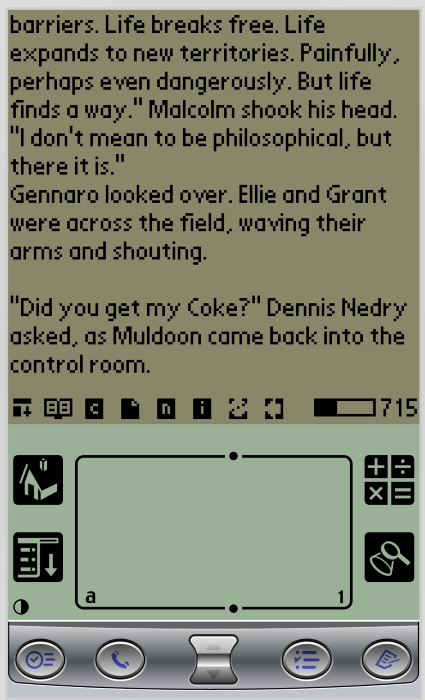
I confess that some of those books came from corners of the internet where people trade not-exactly-authorized files, but at the time the market for ebooks was tiny, so there weren’t many places to legitimately buy them yet.
The first ebook I actually bought was Al Franken’s Lies and the Lying Liars Who Tell Them, purchased in early 2004 from a company called Palm Digital Media.
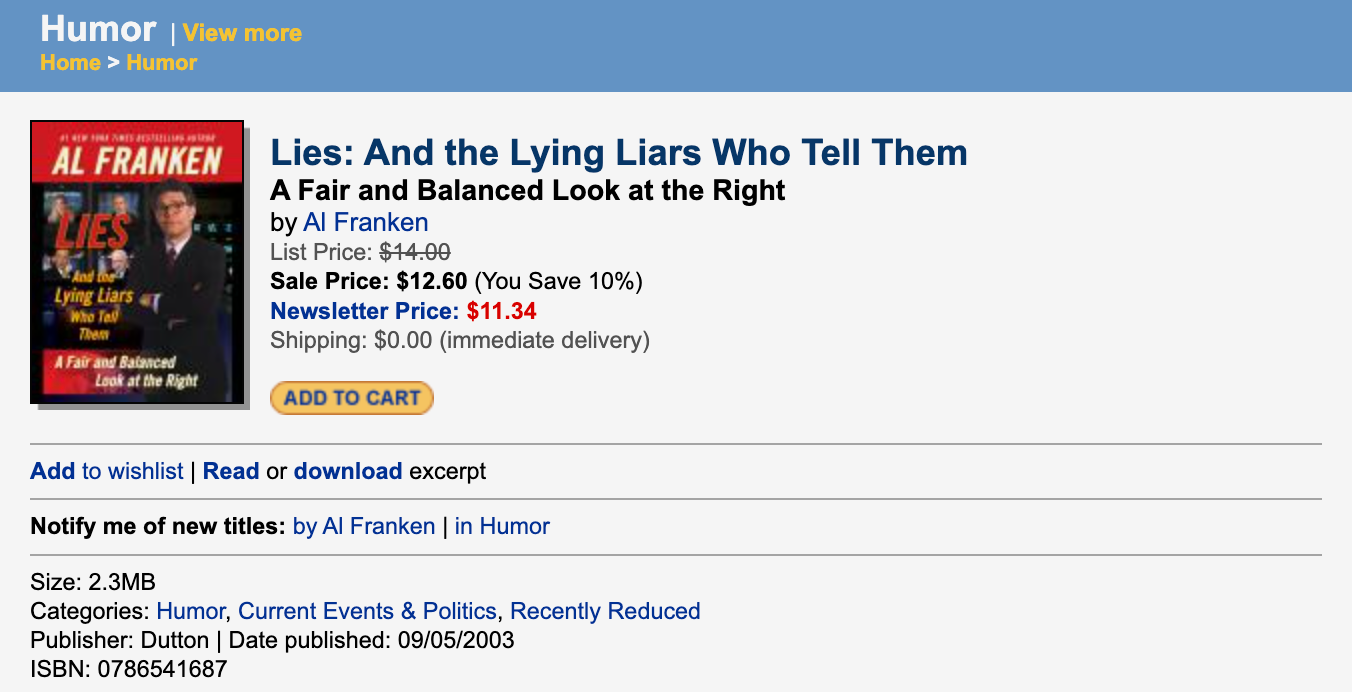
All these books were in the .pdb file format, which isn’t natively supported anymore by any modern e-reader device, although there is still some software that will let me open and read them. Ironically, though, the one book I actually paid for, the Al Franken book, is effectively impossible to open now because of DRM. At the time, to unlock the book on my device I had to enter the credit card number I used to purchase it. I have no idea what card that might have been. So even if I found an old PalmPilot and transferred the file over, I’d have no way to read the book I paid for without tracking down an old credit card number. The fact that I still have the file isn’t enough.
More than twenty years later, I still buy ebooks. But I learned from being burned. So now I make sure to have a DRM-free archival copy of everything I buy. There are tools to remove DRM from books, and I also buy ebooks from publishers and retailers who offer DRM-free books.
[Before I go on, I need to stress that when I talk about removing DRM from ebooks, I’m not talking about sharing them or pirating them. I’m talking about removing DRM from books that I paid for, just for my own archives, so I don’t have another Lies and the Lying Liars situation where I can’t read a book I bought. It’s like ripping a CD you own so you can listen to it on your iPod, not sharing mp3s on Napster. Authors should get paid for their work. I apologize for my PalmPilot-era transgressions.]
I kept all these files in a folder called “ebooks” for safekeeping, and never really looked at them. It was just an unorganized pile of files.
I knew that there’s a popular app called Calibre that people use for organizing their ebook files. I tried it. I wanted to like it but I couldn’t get over the fact that it’s so hideously ugly and feels like using software from 2001. It’s over-complicated to the point where they have a 15-minute instructional video on how to use it, plus another 15-minute video on how to adjust the UI to be mildly better. No thanks.
But I recently discovered an open source project called BookOrbit. It is a much more usable way to browse through an ebook collection, and it has completely changed how I handle my ebooks.
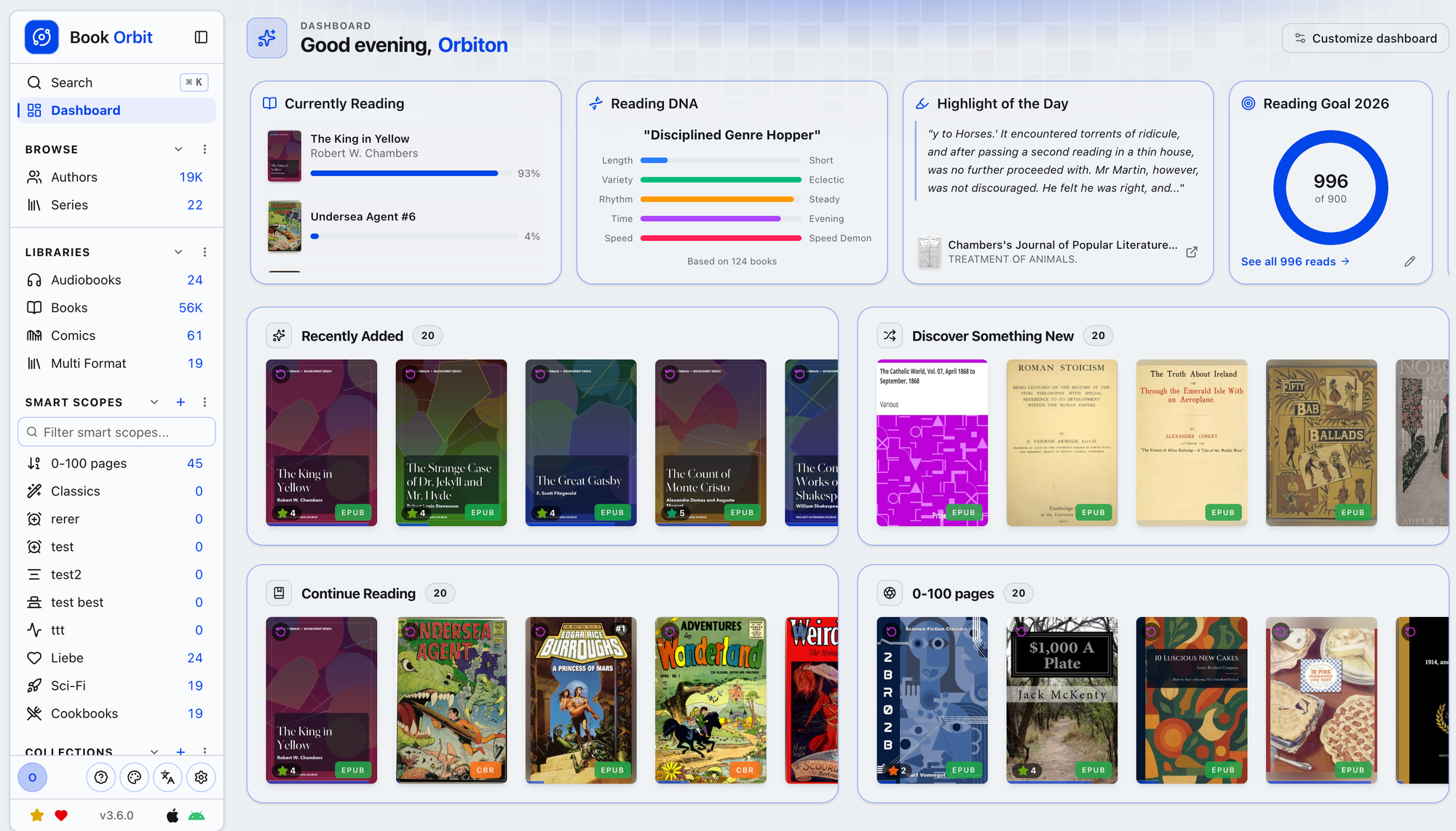
Are you familiar with Plex? Plex is software that you host yourself on a personal server, and it lets you organize and watch all your videos from any device anywhere. BookOrbit is basically that, but for your books. It was a little complicated to install, but there’s plenty of help to be found online.
If you go to the BookOrbit home page, you can follow their link to a live demo installation of BookOrbit and try it yourself.
It makes it so clear and easy for me to see all the books I have: the ones I bought over the years and downloaded for my archives, the nicely formatted public domain books I download from Standard eBooks, my collection of public domain Golden Age comics, the DRM-free graphic novels and books I get from Humble Bundle, and more.
You can create book collections. You can filter by author, genre, publisher, etc. And you can make smartlists like “Books I haven’t finished yet that are 4+ stars on Goodreads and shorter than 300 pages.”
To read books, you can access BookOrbit directly from your phone’s browser, and for a native experience there is a companion app for iPhone that just came out. There are even third-party apps that connect to BookOrbit. I actually prefer one called Apogee over the official app.
BookOrbit can also sync with Readwise, StoryGraph, and Hardcover, services that people use to track their stats, reviews, personal highlights, and connect with other readers.
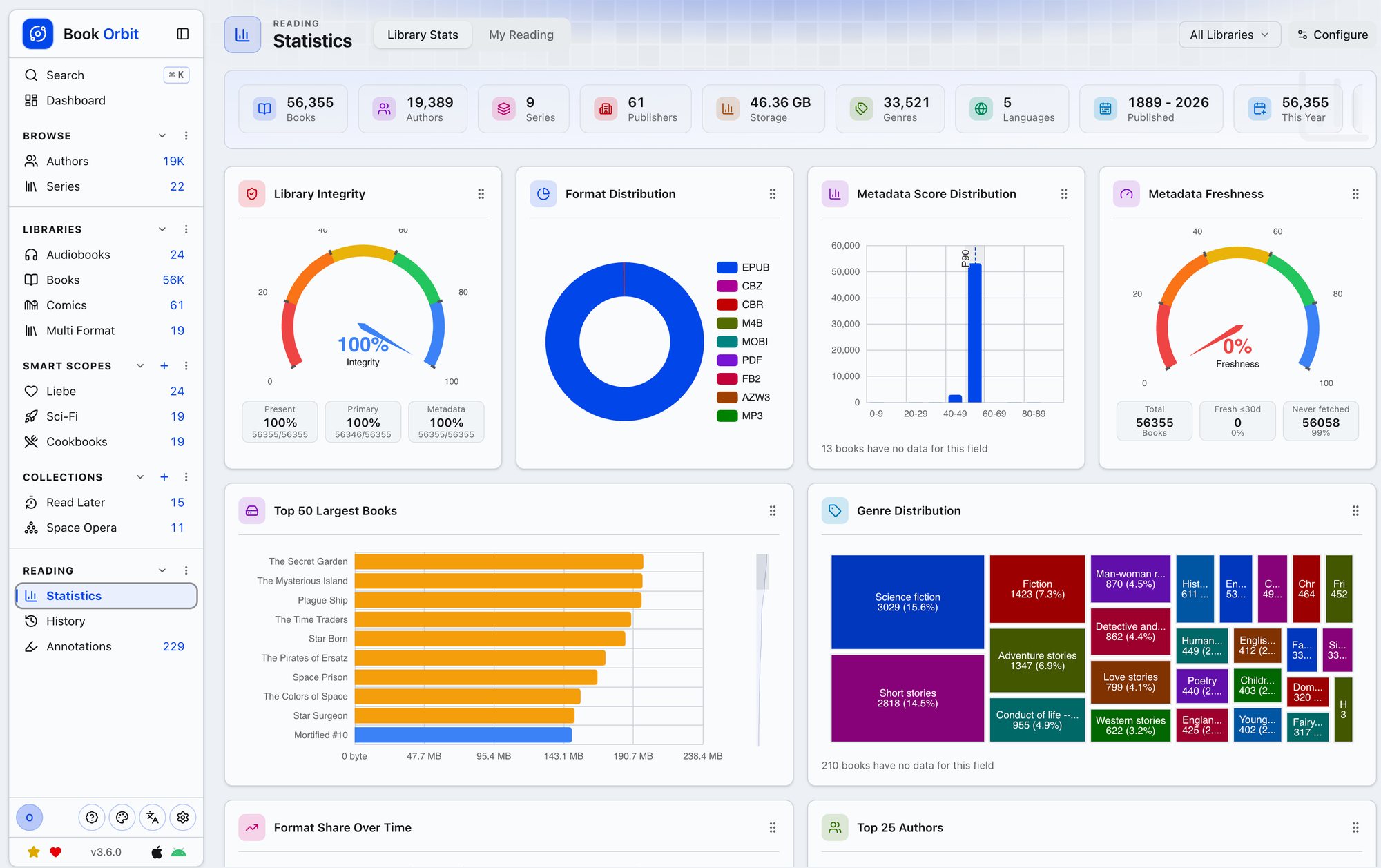
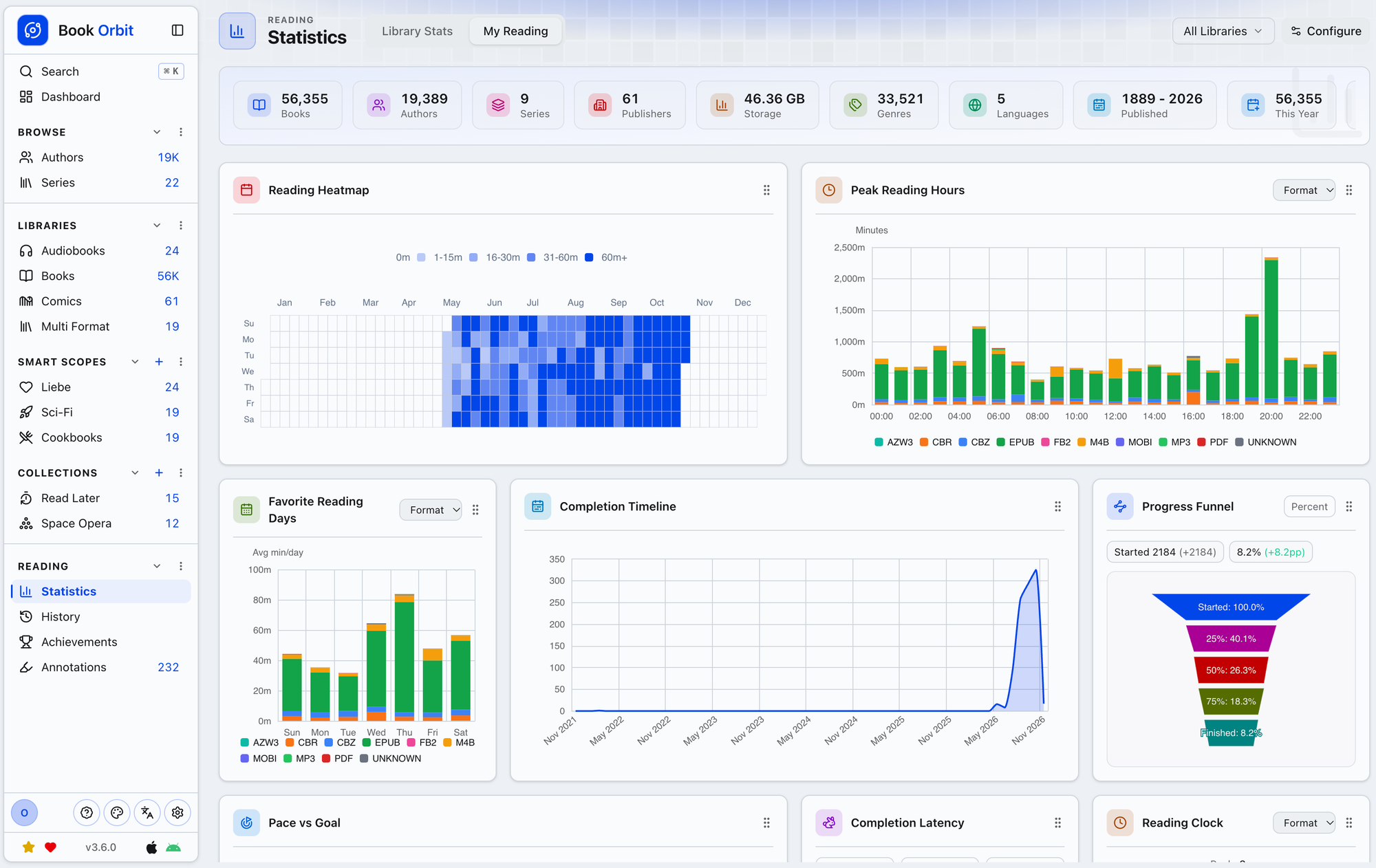
If you’re into data, there’s all sorts of statistics available about your collection and reading habits, like these (screenshots from the official live demo):
And if you want to gamify your reading, there are achievements and badges to earn in the app.
I haven’t gotten to the best part yet
But the best part is that BookOrbit syncs with e-ink readers, which opened my eyes to something else I had no idea about: There is a whole world of alternate interfaces for e-ink readers, aside from the interfaces they come with.
There’s a system called KOReader which you can install on your e-Reader that replaces the native interface. When first installed, it’s a powerful but very barebones document viewer. You literally just navigate a file system to find a book to read. But it’s the support for plug-ins that makes it shine. They can add functionality to your device including custom dictionaries, or to keep track of characters, install new fonts, or create AI-generated summaries to help remember where you left off in a book.
And there are plug-ins to give it a whole new look.
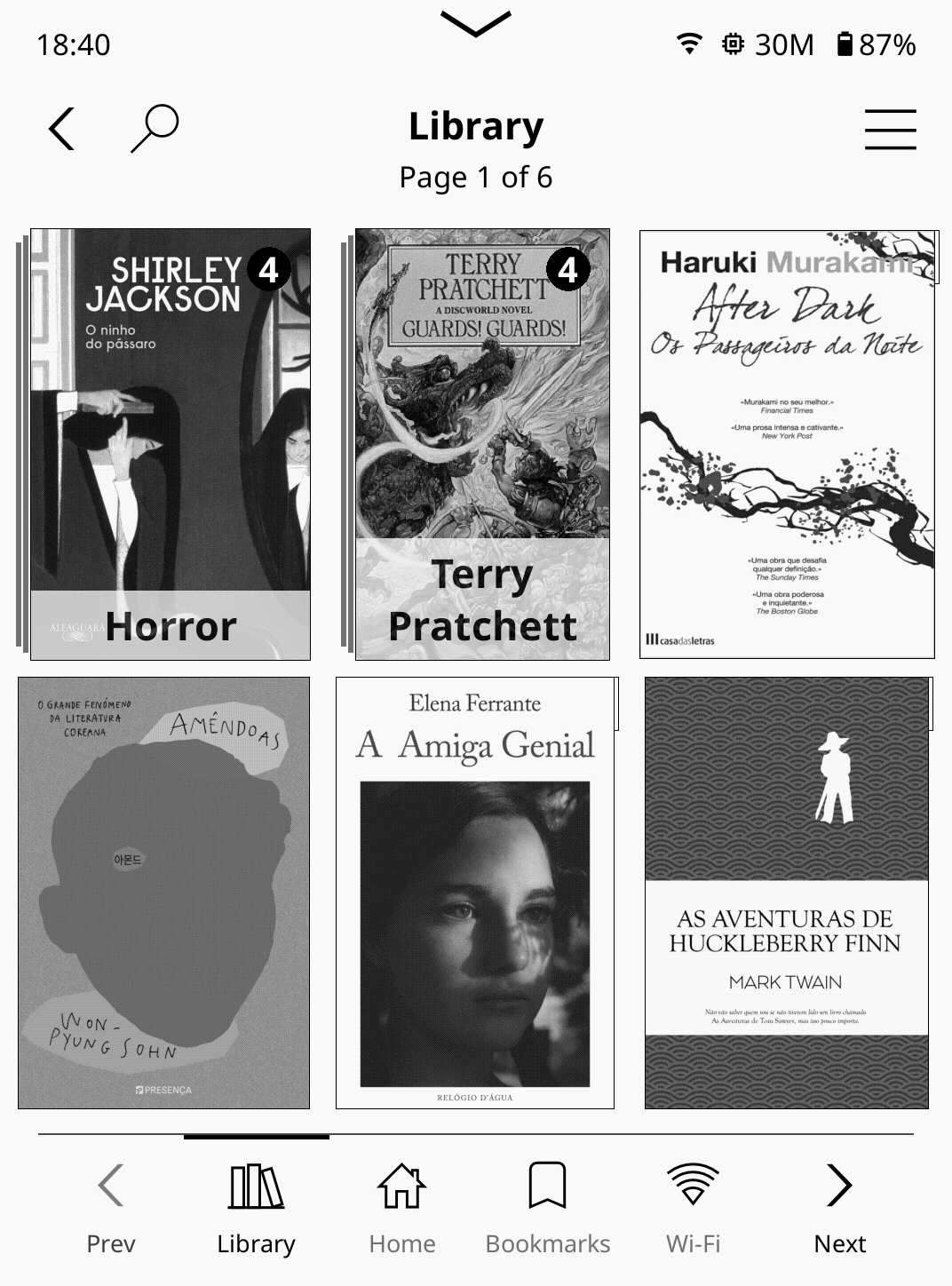
For example, there’s a clean interface plugin called SimpleUI for people who just want to browse books covers without any fluff:
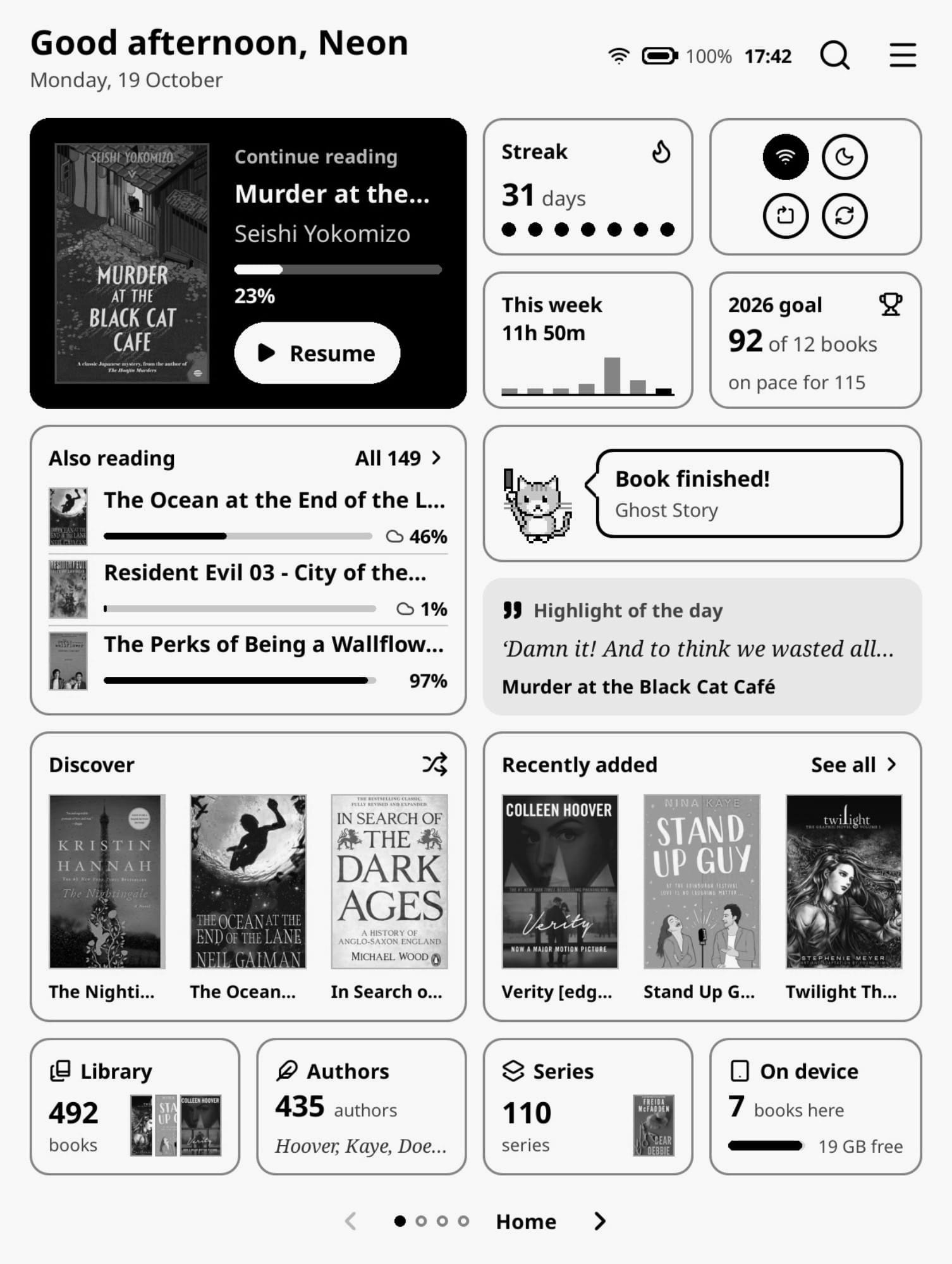
For the data lovers, BookOrbit has its own KOReader plug-in with bento-style widgets:
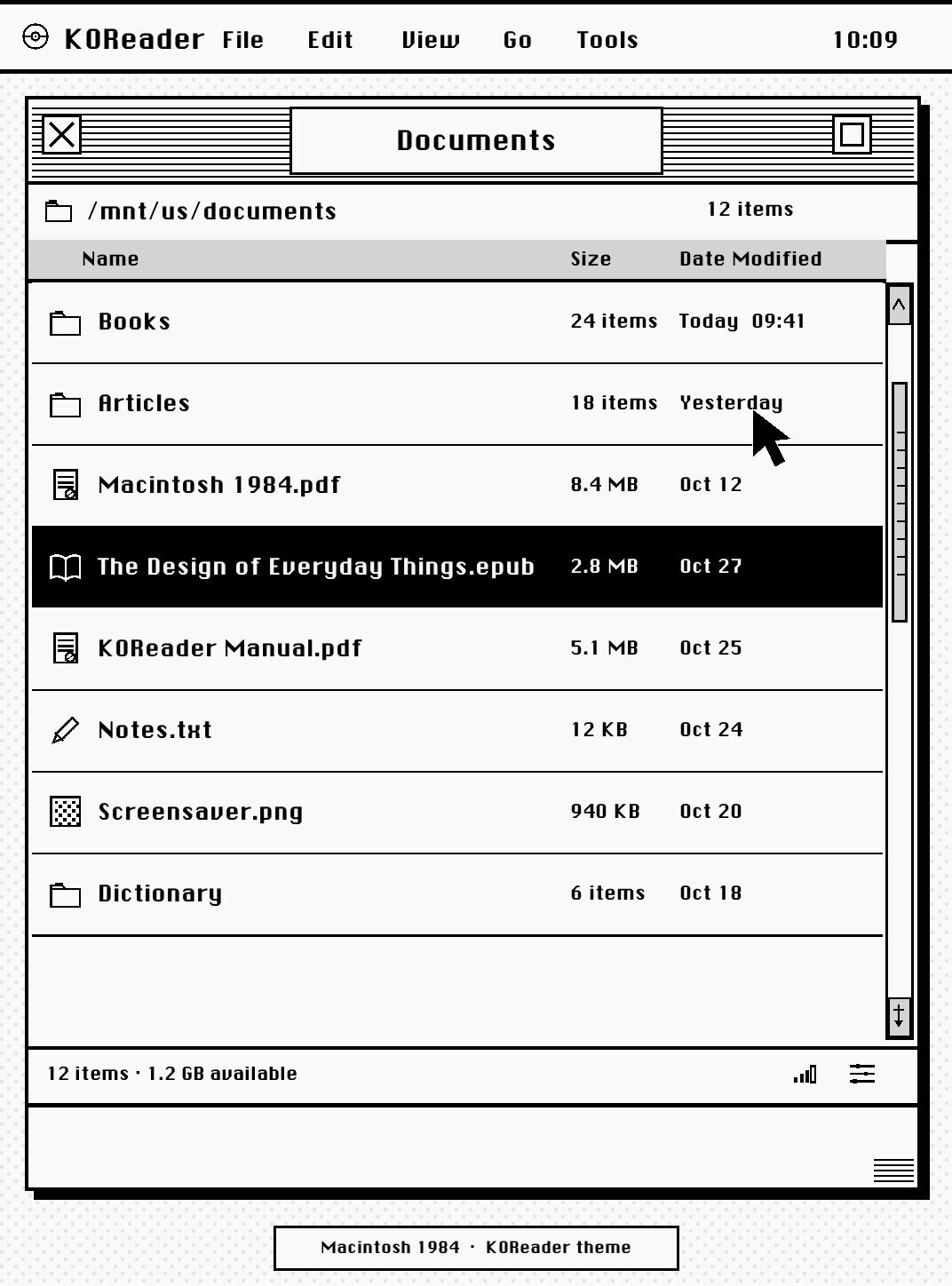
There’s a plug-in that makes your device look like a 1984 Macintosh:
And there’s a popular one called Bookshelf for people who enjoy customizing their eReader to fit their personality, like this person did:
Some people say they spend so much time getting Bookshelf set up to their liking that they don’t spend any time reading! Don’t get caught in that trap. I use Bookshelf with a basic setup that’s clean like SimpleUI but shows a bit more information. And now I’m reading more than ever before, rediscovering books I bought long ago that I still haven’t read, and re-reading old favorites.
KOReader can be installed on almost any device. It involves jailbreaking to install on a Kindle, but it was simple on my Kobo device, where you can easily switch between KOReader and the stock interface. This is great because Kobo’s native software supports library books, but KOReader doesn’t, so being able to easily switch back is important if you read a lot of library books like I do. And it works on Android devices, too, if you have one of those Boox readers or something similar.
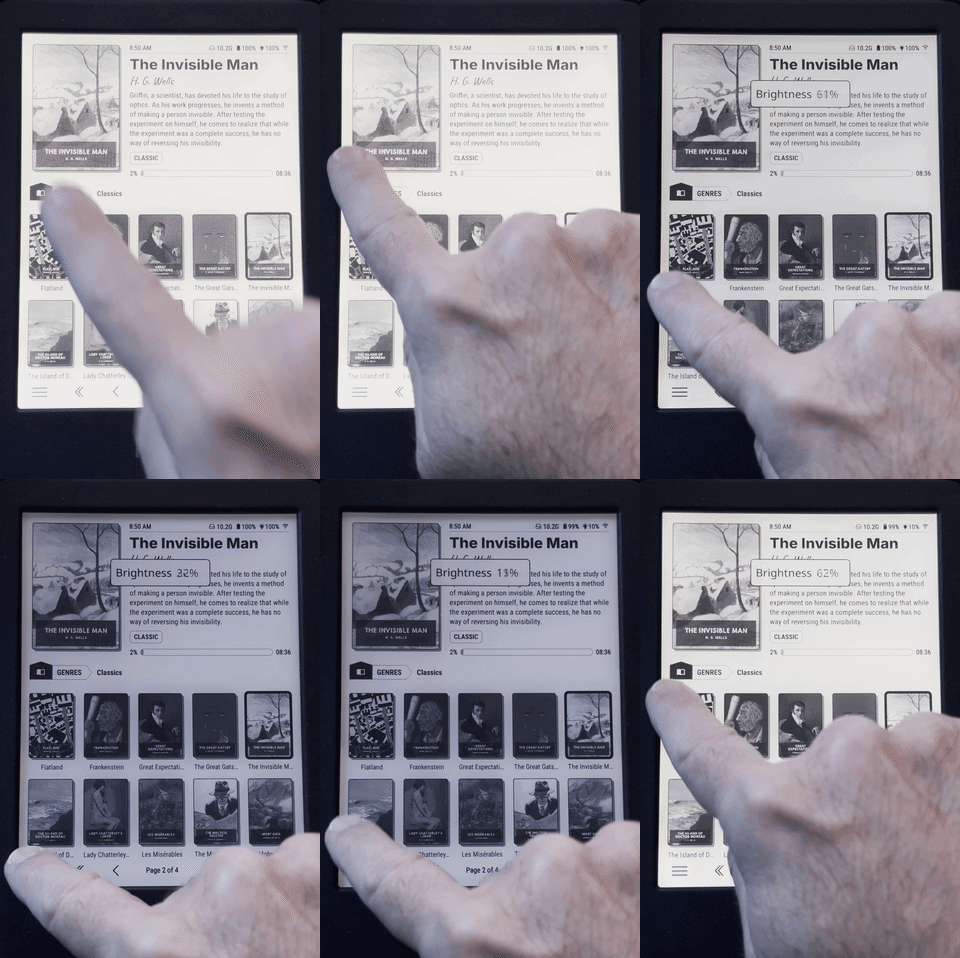
After I used KOReader for a couple days, I realized that there was a feature in the stock Kobo interface that I missed in KOReader: the ability to adjust the brightness and warmth by sliding my finger on the edges and seeing it change in realtime. So I asked Claude if it could write a plug-in to bring that feature to KOReader. It was maybe the easiest vibe-coding experience I’ve had. It worked great, and I shared it with the KOReader community on reddit, where people were very happy about it. It even brings this functionality to Kindles and other devices that don’t have it natively.
Okay, enough gushing. I’m not affiliated with BookOrbit or KOReader, so this is just me sharing enthusiasm for something that has got me excited about reading my book collection. Some of it requires a bit of tech-savvy but if you’re the kind of nerd who appreciates self-hosted, free, open source software, and loves reading, this could be a project worth your time.
I should clarify also that KOReader can work without BookOrbit. They are independent of each other.
It may seem like BookOrbit and KOReader have the same problem I described with Calibre: It takes some work to set up as you like it. But I think Calibre just starts from such an ugly place, I couldn’t get motivated to use it. BookOrbit and KOReader are actively developed and were already looking like my kind of software when I discovered them.
Anyway, happy Reading!
Sometimes I write about artsy things. Sometimes I write about technical things. I guess this time I kinda did both. Is self-hosted software too technical for you? Is this topic too niche? I typically just write about whatever’s interesting to me and trust that enough of you will also find it interesting, but maybe I should get to know my readers a bit better. What are you interested in reading about in the forgotten or unknown corners of culture (which is how I typically describe my focus)? What kind of articles that I write interest you most? The ones about tech? Things like the index of giant museum whales? Interviews with people like the Gremlins guy? Let me know!
And that’s it for another newsletter. Thanks as always for reading. See you next time!
David