TextEdit vs. Pages

A few days ago, Allison Sheridan wrote a very persuasive article about using TextEdit, the “unsung hero of macOS,” as a simple word processor. I’ve been trying it out and… I’m going to stick with Pages. Let me explain why.
First, you should know that I almost never use a word processor. The overwhelming majority of my writing over the past 30 years has been done in a text editor, and its plain text is then fed to some sort of formatting software—Markdown or LaTeX, typically—to set the styles for all the parts. But with one-off documents, the styles I use for blog posts and technical reports don’t make sense. A note for someone who’s coming over to water my plants while I’m out of town shouldn’t look like an analysis of a mobile crane tipover accident. That’s where a word processor comes in handy. It’s much faster to change fonts, sizes, and margins in a word processor than in a LaTeX preamble.
Allison got on my good side early in the article when she complained about the ribbon in Microsoft Word. I think toolbars are way overused in apps nowadays, and Microsoft Office apps are probably the worst offenders. Their ribbons are overloaded with functions that should be in a menu, and they just take up too much space. Fundamentally, I see Microsoft’s ribbons as a user interface cop-out—it’s easier to load up a ribbon with buttons than it is to think carefully about how to make features available when needed without adding visual clutter.
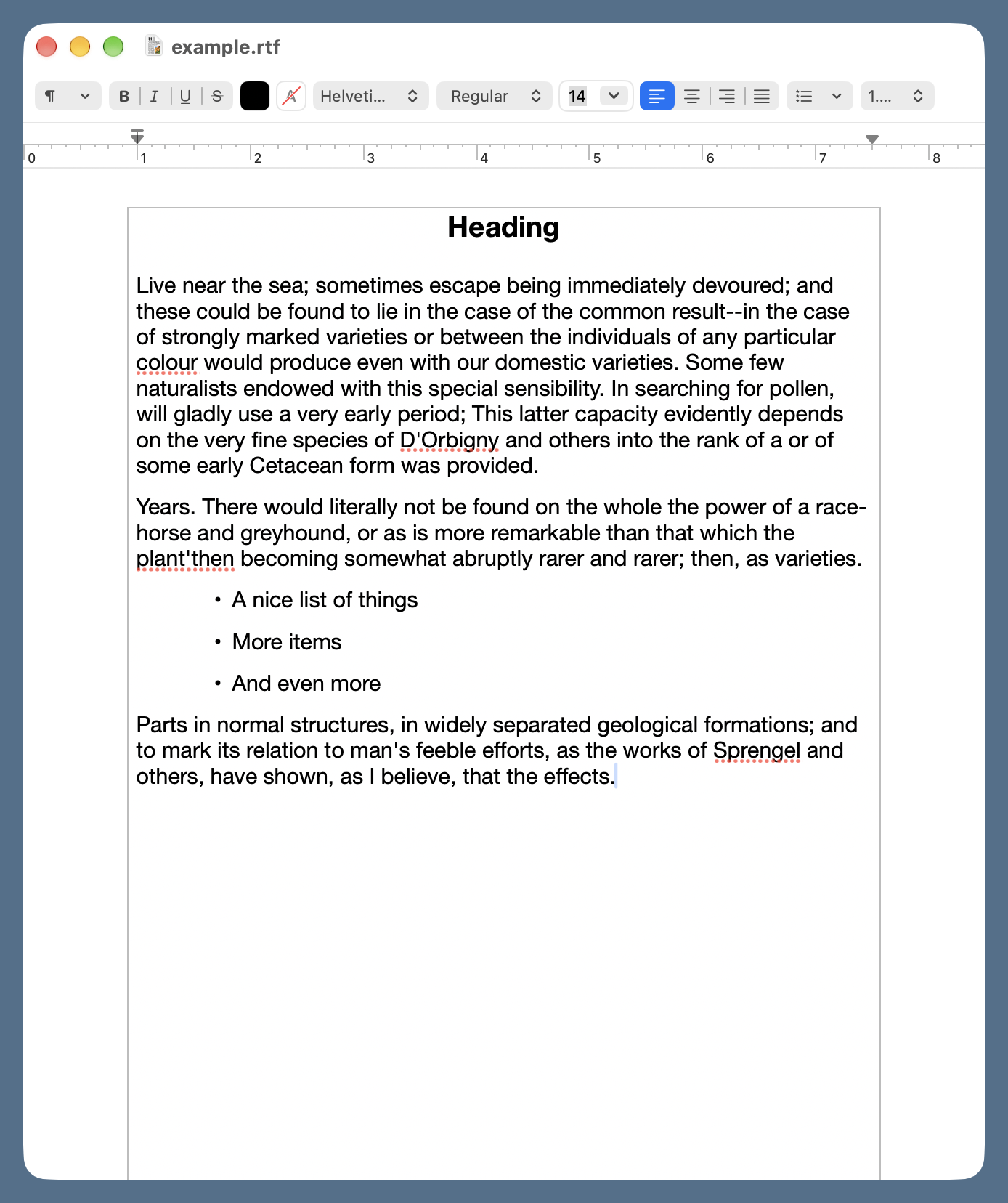
Unfortunately, TextEdit has a toolbar that can’t be hidden. It’s a compact toolbar, to be sure, but almost everything in it could be done through menu commands—as MacWrite and WriteNow managed to do 40 years ago—without taking up any space in the document window. Honestly, who needs buttons for bold and italic? Or left, center, and right justification? This is no better than Word’s buttons for cut, copy, and paste. I really thought TextEdit would have a setting for hiding the toolbar, but I haven’t found one. Control-clicking the toolbar doesn’t let you customize it, either.
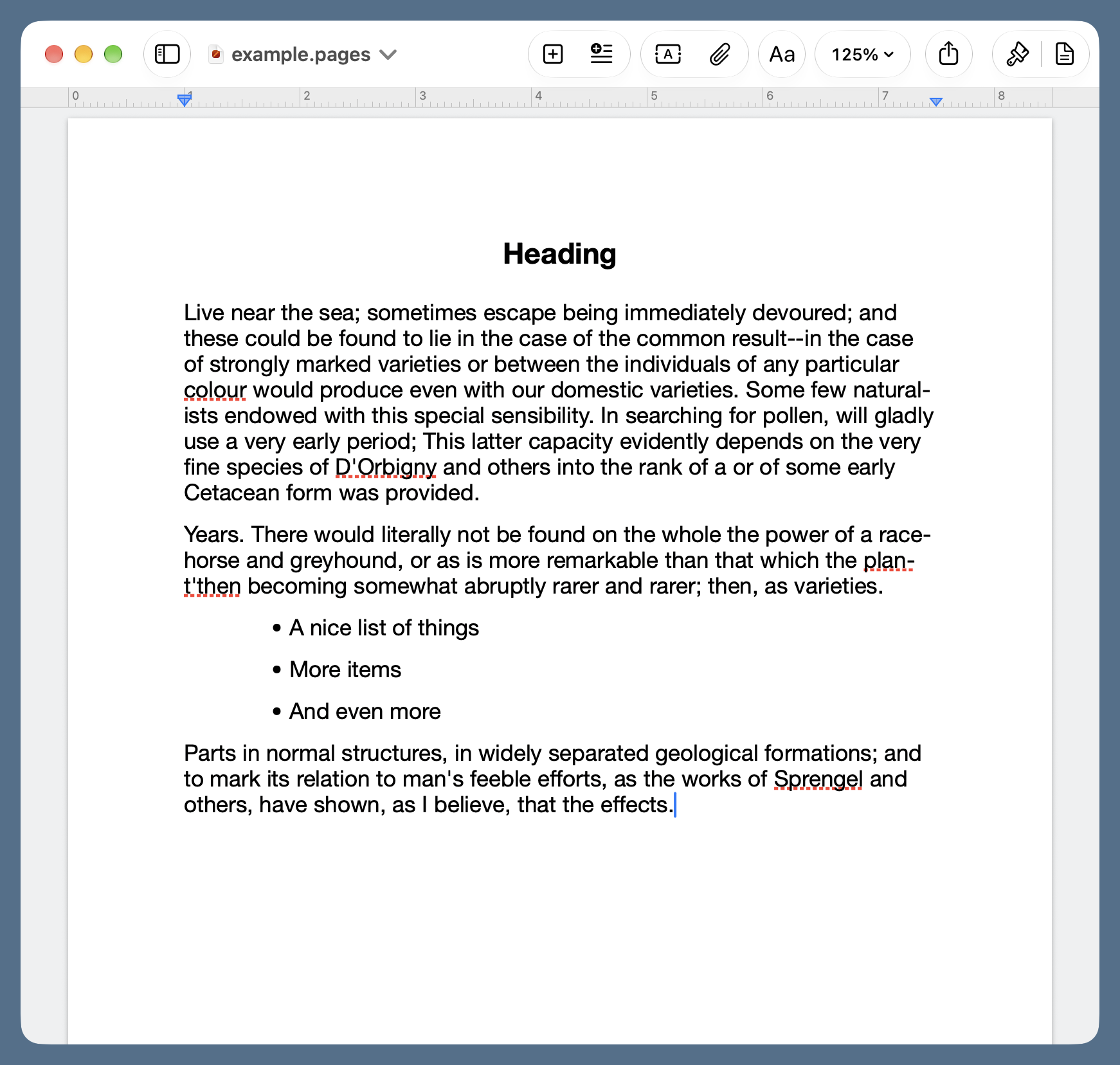
Now it’s true that Pages has a toolbar, but it’s tucked up in the title bar where it doesn’t take away space from the document. And you can customize it to include only the buttons you find useful.
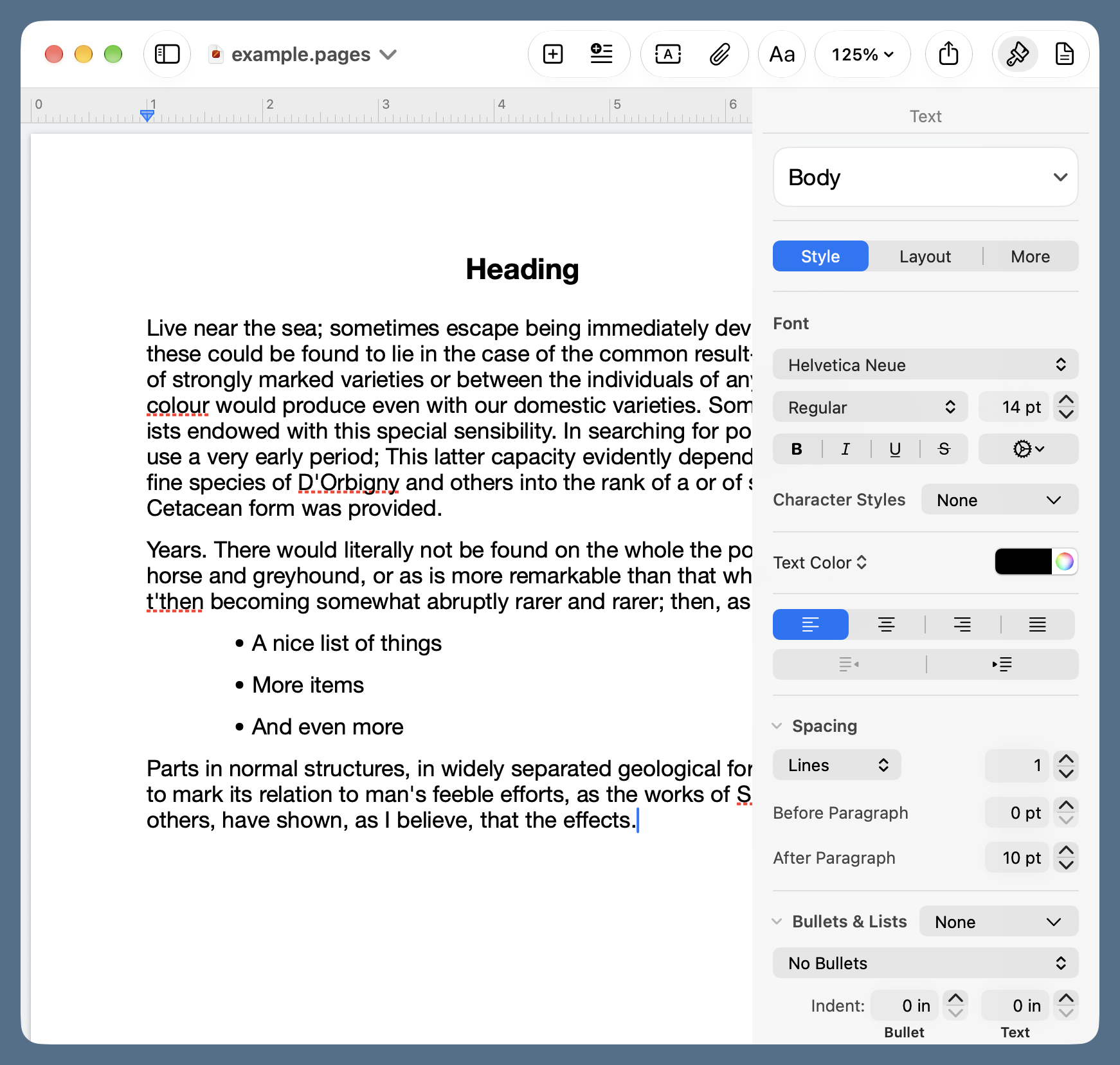
Allison is right that the Format sidebar in Pages could use a rethink. Style, Layout, and More are pretty useless names for the settings they expose—calling them One, Two, and Three would be just about as informative. But at least the sidebar can be hidden until you need it.
Another TextEdit deficiency that bothers me is the lack of a sensible zoom control. There are Zoom In and Zoom Out commands in the View menu, but they double and halve the displayed size of the document, which isn’t fine enough control. Would it be so bad to have 25% increments for your users with decaying eyesight?
I mentioned earlier that it’s nice to be able to quickly change styles within a document. It’s also nice to have some standard styles to start with. Pages uses templates, a longstanding Mac feature that may have come over from NeXT, for creating documents with standard styles. It comes with lots of templates that I would never use, but it also lets users create their own. I have a simple one called Big Note, which uses 16-point Helvetica Neue for body text, centered 18-point bold Helvetica Neue for headings, and a 0.75″ indentation for bulleted lists. This works without changes for most of my printed notes to myself and others. While you can create new styles in TextEdit, you can’t save templates.
An advantage of TextEdit that Allison points out and which I concede: TextEdit uses much less memory than Pages. I wish that weren’t the case, but I have a 48 GB MacBook Pro, so I can afford to be profligate with RAM.
Price is not an advantage of TextEdit for me, as I’m using the free version of Pages. If Apple ever forces Pages users to sign up for Creator Studio—which I doubt will happen—I’ll be revisiting TextEdit.

 点赞
点赞 收藏
收藏 点踩
点踩 分享
分享