Introducing Agent Skills in Octonous

Agent Skills provide a way to store reusable instructions and context in Markdown files. Octonous now supports Skills, enabling you to maintain a personal or team-wide shared Skills library that can be invoked when relevant to a task or automation.
Skills can be used for writing guidelines, product information, research methods, operational procedures, review criteria, and more. Keeping such information in a Skill reduces repeated setup and provides a shared reference for related tasks.
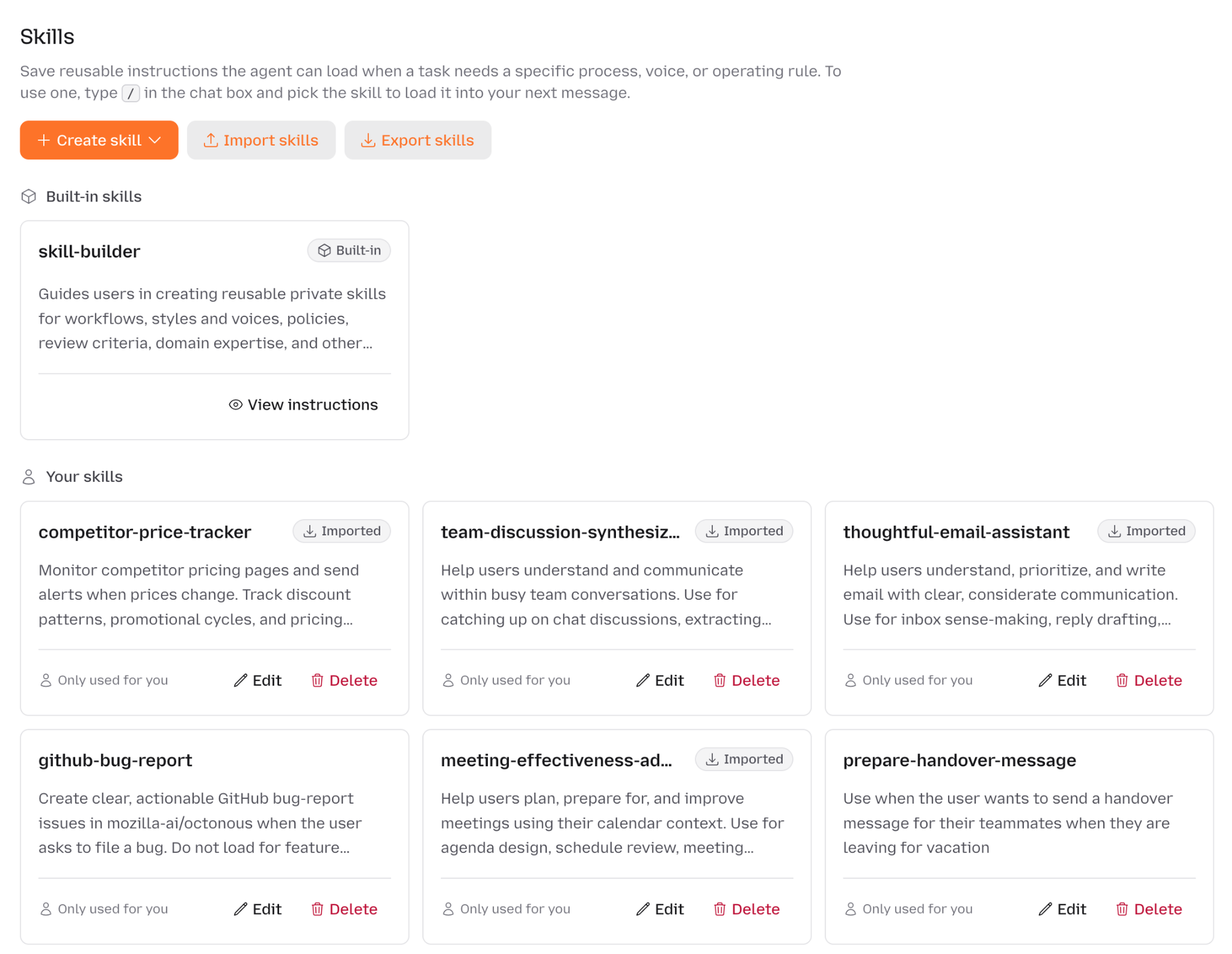
Skills
Prompts are useful for task-specific instructions, but they are not always the most practical place to maintain information that applies across many tasks. Details such as terminology, workflow steps, quality criteria, and organizational context may need to be reused by several people or workflows.
A Skill is a named set of instructions or context that agents can load when it is relevant to a task. Storing it separately can make it easier to review, update, and apply consistently. Once created, it can be reused across conversations and workflows. Skills are written in plain Markdown and follow the open Agent Skills format.
Creating or Importing a Skill
Octonous supports 3 ways to add Skills to your library:
- Write one manually. Create a new Skill by giving it a name and description, along with the necessary instructions.
- Draft it with Octonous. Octonous includes a built-in Skill called `skill-builder`. It asks relevant clarifying questions about the workflow, expected outcomes, and constraints, then produces a Skill draft for you to review and approve.
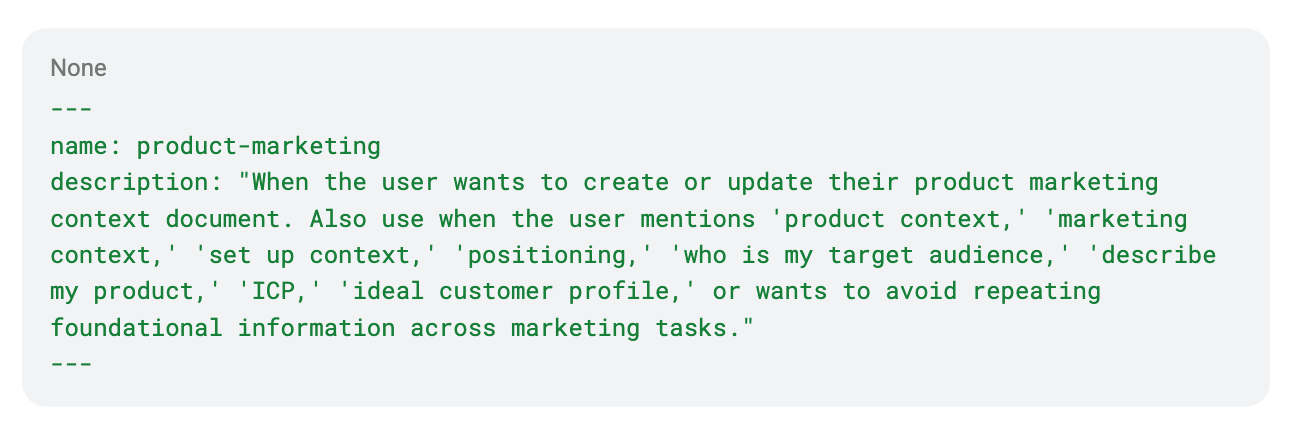
- Import it. Alternatively, users can provide the GitHub URL of a `SKILL.md` file or upload it directly. For example, here is a publicly available product marketing Skill:
Workspace Sharing
New Skills are private by default, but they can also be shared with a workspace when they are intended for broader use.
A workspace-shared Skill gives team members a common source of instructions and context. When that information changes, the shared Skill can be updated in one place rather than requiring each user to maintain a separate copy.
Skills and Automations
Skills and automations serve related but distinct purposes.
Automations determine when a task runs, while Skills provide reusable instructions and context for how it runs.
For example, an automation can run a task on a schedule, such as drafting a newsletter every Thursday or summarizing campaign performance each month. Its configuration determines when the task runs.
Reusable context, such as product positioning, may apply to several automations as well as live conversations. Keeping it in a Skill allows the same context to be used across multiple workflows.
In Octonous, Skills can be attached to automations. Each scheduled run can then use the instructions and context from its attached Skills.
Try Skills in Octonous
Skills are now available to all Octonous users. Open the Skills page to create or import Skills for your agentic workflows, then invoke them in a conversation using the / slash command. Sign up to get started.

 点赞
点赞 收藏
收藏 点踩
点踩 分享
分享