Update Chrome now: Two critical vulnerabilities fixed

Chrome is rolling out an update for its desktop versions. The update includes 15 security fixes, two of which address critical buffer overflow vulnerabilities.
The stable channel has been updated to 151.0.7922.169/.170 for Windows and Mac, and 151.0.7922.169 for Linux.
How to update Chrome
If you don’t want to wait for the rollout to reach you, manually updating is easy.
The easiest option is to allow Chrome to update automatically. But you can end up lagging behind on updates if you never close your browser or if something goes wrong, such as an extension preventing the update.
To update manually, click the More menu (three dots), then go to Settings > About Chrome. If an update is available, Chrome will start downloading it automatically. Restart Chrome to complete the update, and you’ll be protected against these vulnerabilities.
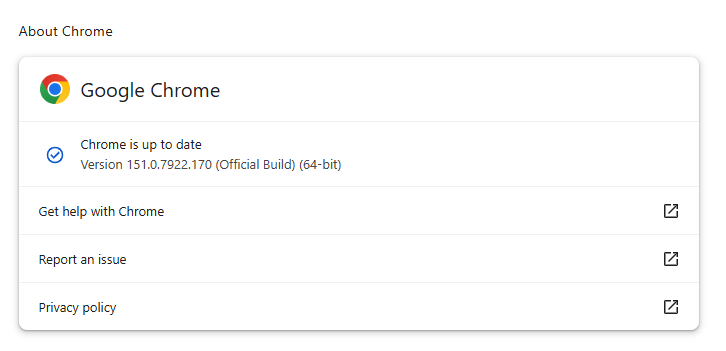
You can find an explanation of the version numbering system and step-by-step instructions in our guide: How to update Chrome on every operating system.
Technical details
As mentioned earlier, the two vulnerabilities rated critical in this update are both buffer overflow flaws.
A buffer overflow is a type of software vulnerability that exists when an area of memory within a software application reaches its address boundary and writes into an adjacent memory region. In software exploit code, two common areas that are targeted for overflows are the stack and the heap.
The first one is tracked as CVE-2026-76034 and was found in WebGL (Web Graphics Library). WebGL is a JavaScript application programming interface (API) that allows web browsers to render interactive 2D and 3D graphics smoothly. A remote attacker can exploit this vulnerability to execute arbitrary code outside the sandbox via a crafted HTML page.
The second critical vulnerability is tracked as CVE-2026-76036 and sits in Dawn, the underlying open-source library that implements the WebGPU standard. It acts as a bridge, allowing web apps to talk directly to computer graphics hardware. This vulnerability also allows a remote attacker to execute arbitrary code outside the sandbox via a crafted HTML page.
Chrome vulnerabilities that enable remote code execution outside the browser sandbox are particularly valuable to attackers because they can turn a visit to a malicious or compromised website into direct code execution on the underlying operating system, often without requiring additional exploitation steps.
The sandbox normally limits a compromised renderer process’s access to files, devices, and other sensitive system resources. Bypassing it substantially expands an attacker’s ability to steal data, establish persistence, deploy malware, or move further through an enterprise environment.
From reporting threats to removing them.
Cybersecurity risks should never spread beyond a headline. Keep threats off your devices by downloading Malwarebytes today.

 点赞
点赞 收藏
收藏 点踩
点踩 分享
分享