Of printers and pianos

“Printing seems like one of those constants of the computer world that should be so simple as to require next to no thought” -- Marcel Gagné in: Linux System Administration (2002)
Oh, the printers...
I’ve personally owned a Philips VW0030 matrix printer screechingly bleaking ink ribbons, a Cannon BubbleJet promising photo quality colour prints on prohibitively expensive paper, at least two InktJets by HP and one by Brother, each of them more modern and more problematic than their predecessors but all except the Philips needing magenta and cyan and yellow to mostly print music parts’ black notes on white paper.
Yes grammar correction, that was all one sentence. I have really smart readers.
Anyway, I had a big headless machine with two external disks functioning as our home server (and consequently the platform from which you read this blog) sitting in a cupboard that also had a Pi-hole and two drawers with cables and phone projects, but I’ve replaced the server with a tiny Geekom A5 that now sits one HDMI cable length away from our living room TV because Jellyfin doesn’t do subtitles when casting, and the kids can read but can’t English.
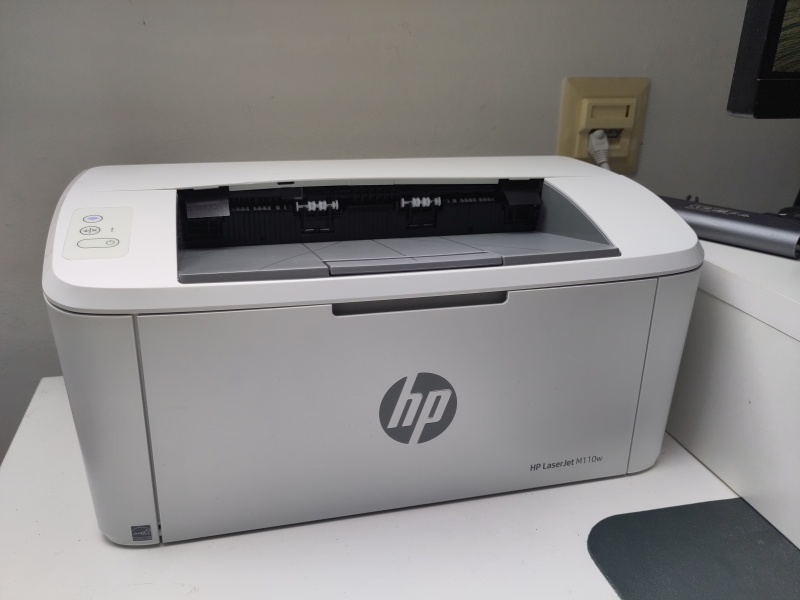
The HP LaserJet M110w
The Brother printer was sold to us as reliable, but after a few years I could only turn it on by murmuring sacred incantations while throwing chicken bones at the full moon, so I always left it on, which was not ideal.
Pinnacle
Without the big server and all the disks and after moving the contents of the drawers to empty shelves somewhere else (with much more space) and the Pi-hole to our meter cabinet, that cupboard was now only needed by the Brother printer, which I wanted to get rid of anyway.
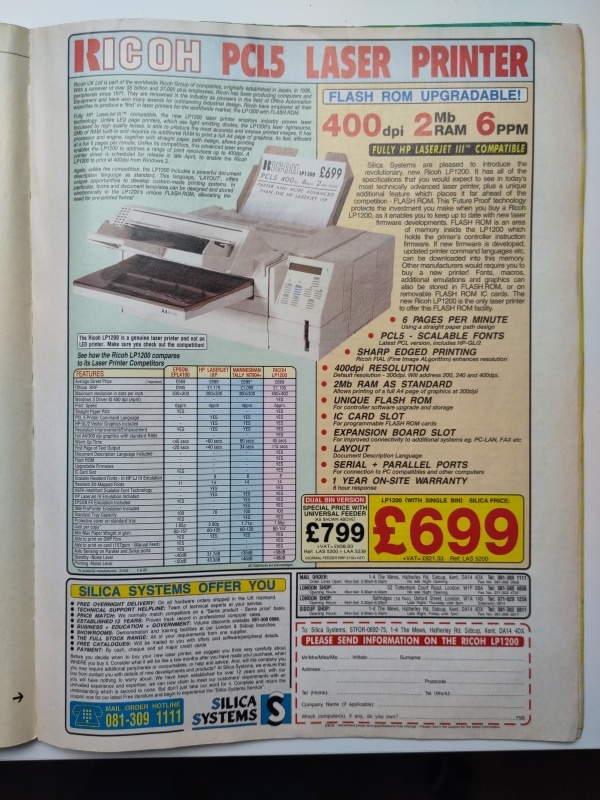
Without the cupboard, the only space available for a printer in the study was left of my monitor, so I went looking for a small printer. I found the HP LaserJet M110w. I’ve salivated over laser printers since they appeared in my magazines at the start of the nineties. They seemed the pinnacle of printing, certainly better than the Star NL10 that my father used with his Atari ST.
An ad for a Rikoh laserprinter, ST Format 35, june 1992, p141
But if you also count his earlier thermal ZX Spectrum printer, which I also used a lot, this LaserJet really is my fifth printing technology.
Never mind that.
When not in use, the LaserJet is really quite small, waiting modestly to the left of my monitor stand until it is needed. So in our study, where first was a white Ikea cupboard with a cursed printer on top, there is now room for a piano. Because what else.
Grumpy neighbour
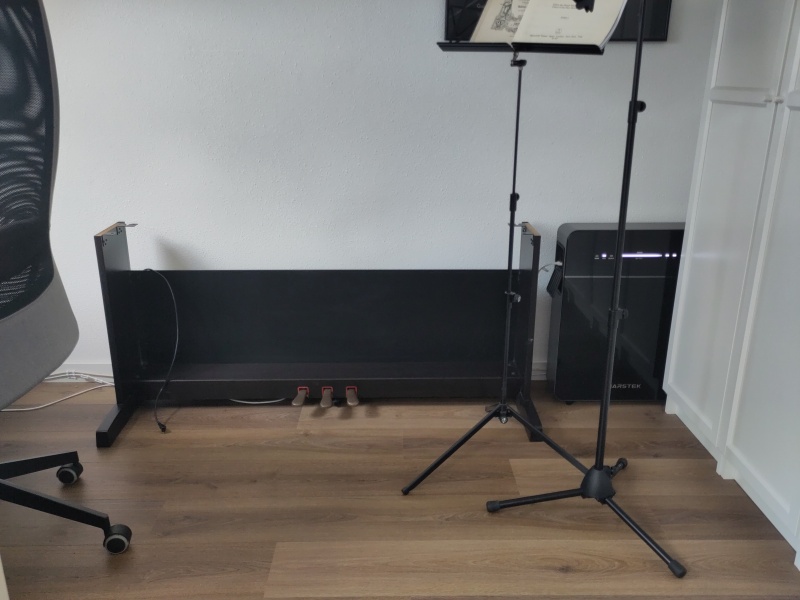
At the time of writing there sits just the lower half of what will once again become the electrical piano that my wife bought two decades ago. At that time, we had a grumpy old upstairs neighbour who didn’t like hearing us make music. Since we moved to our current home she's been playing on her actual piano and the electrical piano had been put in storage.
A piano in progess
White-hot pages
On my PC, after connecting a USB-A to B cable and installing hplib, I could configure the printer and send it printing commands, but somehow, all it did was produce fully white non-printed-on, but slightly heated, pages. Switching toners (I had bought two extra) didn’t seem to do the trick.
The printer itself has Wi-Fi, but to configure it, I needed to install the HP Smart app on an Android device. Kudos to HP for not requiring me to create an HP account to do that. As soon as the printer had an IP address, I found a web interface there, where I could update the firmware and turn off:
- HP Web Services (because privacy)
- Wi-Fi Direct (because security)
- Bluetooth Low Energy (because nonsense)
Afterwards, the printer didn’t show up on my phone as an available Wi-Fi network, and neither would it on the phones of people passing by my house.
DuckDuckGo helped me figure how to have CUPS approach the printer over the network:
ipp://172.16.1.182/ipp/printThe HP Smart app also illustrated that I had to pull away some protective ribbon from the toner before it would even print. That explained, and solved, the white pages problem.
After this, I had no need for the app any more, so I removed it from my phone and I could proceed to print two pages of music for one of my kids’ next bassoon lesson.
No chicken bones needed.

 点赞
点赞 收藏
收藏 点踩
点踩 分享
分享