ComfyUI Optimal Settings

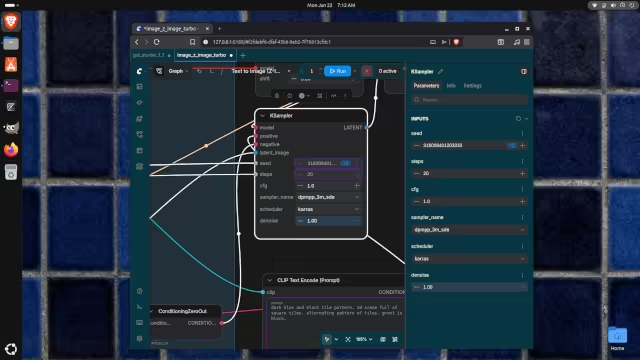
Recently I have been using ComfyUI to generate desktop backgrounds for my Ubuntu system. I have an Nvidia GPU (RTX 3060 12 GB) so I have been able to do it entirely locally. It took me a while to figure out the best ComfyUI settings and models.
ComfyUI KSampler
In ComfyUI, go to the Templates part of the application. I selected Z-Image-Turbo Text to Image, which is a template of models that can work together to generate an image. The models must be then downloaded (hope your Internet connection is fast).
After this, there are some additional steps. In ComfyUI, you can adjust the KSampler settings—I found that the Keras scheduler, and the dpmpp_3m_sde sampler (in sampler_name ) worked the best. Other options tended to produce either overly artificial (plastic) or abstract images. I found 20 steps produced more detailed images.
Then, I set the width and height of the image to 2048 and 1024, which is enough for an entire desktop background on my system. The RTX 3060 can generate the images in about 170 seconds. You can set "steps" to 1 to get a rough draft to see if the result is close to what you want, before waiting the 170 seconds.

 点赞
点赞 收藏
收藏 点踩
点踩 分享
分享