
MikanMessage — A Display Message action for Apple Shortcuts


I really don’t use Shortcuts on Mac for a whole lot, but I do have a couple nice shortcuts I use regularly. One of them I use all the time is setting the default browser to Chrome for work-related sessions. I hit cmd-space to trigger Launchbar, type SBC, and my Set Default Browser to Google Chrome shortcut appears, and I hit enter to run it.
For shortcuts like this, I like to have an on-screen indicator of success. I do not want a stupid Shortcuts modal or other dialog that I have to dismiss. I discovered sort of by accident that FastScripts 3 has a shortcuts “Message” function that just draws a little textbox overlay on the screen with whatever message you want, and I started using that for any shortcuts I wanted a result displayed from.
Unfortunately, I really was NOT making use of the rest of FastScripts, and I’m not one to leave stuff running in the menu bar if I don’t use it. You’d never believe that if you saw my menu bar, but it is true. I turned off FastScript’s run at login option, and said goodbye to it from my menu bar. This is not a diss, nor a de-recommendation. It’s a great app. I think I’d actually make more use of it if I could easily pass command line parameters to it (different parameter values, in other words).
This left me with the need for a replacement for its Shortcuts “Message” function, so I created MikanMessage — A Display Message action for Apple Shortcuts. As the name says, it just has s display message function for use in your shortcuts, and nothing else. A message appears with nice large text telling you what happened with your shortcut, and then fades away.
MikanMessage doesn’t need to be running to use it. The first invocation of it from a shortcut will open it and run it in the menu bar. At some point I’ll look at putting in an option to make it completely invisible and possibly stop running after some period of time.
Anyway, it looks like this in action:
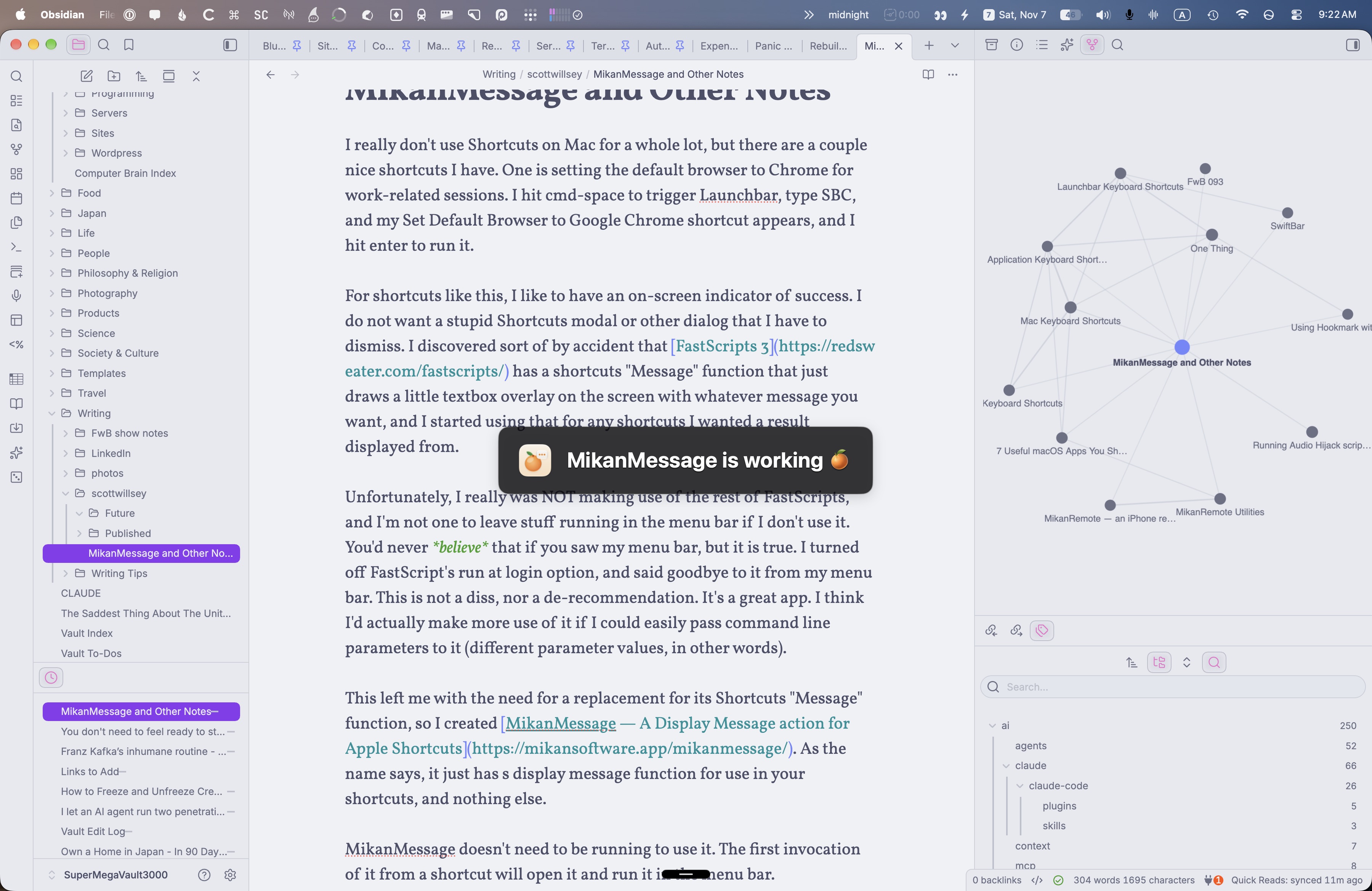
There it is, right in the center of the screen! Isn’t it beautiful?
Since beauty is in the eye of the beholder, even though I’m always right, I have no doubt I’ll make options regarding appearance and how long it hangs around before fading out.
You can download MikanMessage for free from the Mikan Software website. The app checks for updates, so any new features I add will be yours for that same lovely price.
- It actually is “Set Default Browser to Google Chrome 1” because Apple Shortcuts is a really terrible app and I’ve fight it, but that’s a whole other topic. Shortcuts wants most of my shortcuts to have a “1” at the ends of their names, and I’ve given up trying to remove them. They just keep coming back, like Bill Murray’s almost equally annoying character in “What About Bob?”