
GoLand 2026.3 Is Now Available!
 2


GoLand 2026.3 brings JetBrains Air into your Go workflow. You can run coding agents inside GoLand, review their changes alongside your code, and guide them with feedback tied to specific lines. A new GoLand skill helps agents use the profiler to investigate performance problems.
Additionally, this release improves Git worktrees, GoLand’s responsiveness, and support for working with remote projects. You will also find new ways to work with Figma designs and Kubernetes resources, automatic error and freeze reporting, and sound cues for IDE events.
JetBrains Air – one place to run your agents and verify their work
As of this release, JetBrains IDEs ship with Air, a new layer for agentic development. Work with the coding agents of your choice, and run, track, and verify multi-agent workflows inside your IDE, where code intelligence helps agents make fewer wrong turns and gives you the tools to review every change before it ships.
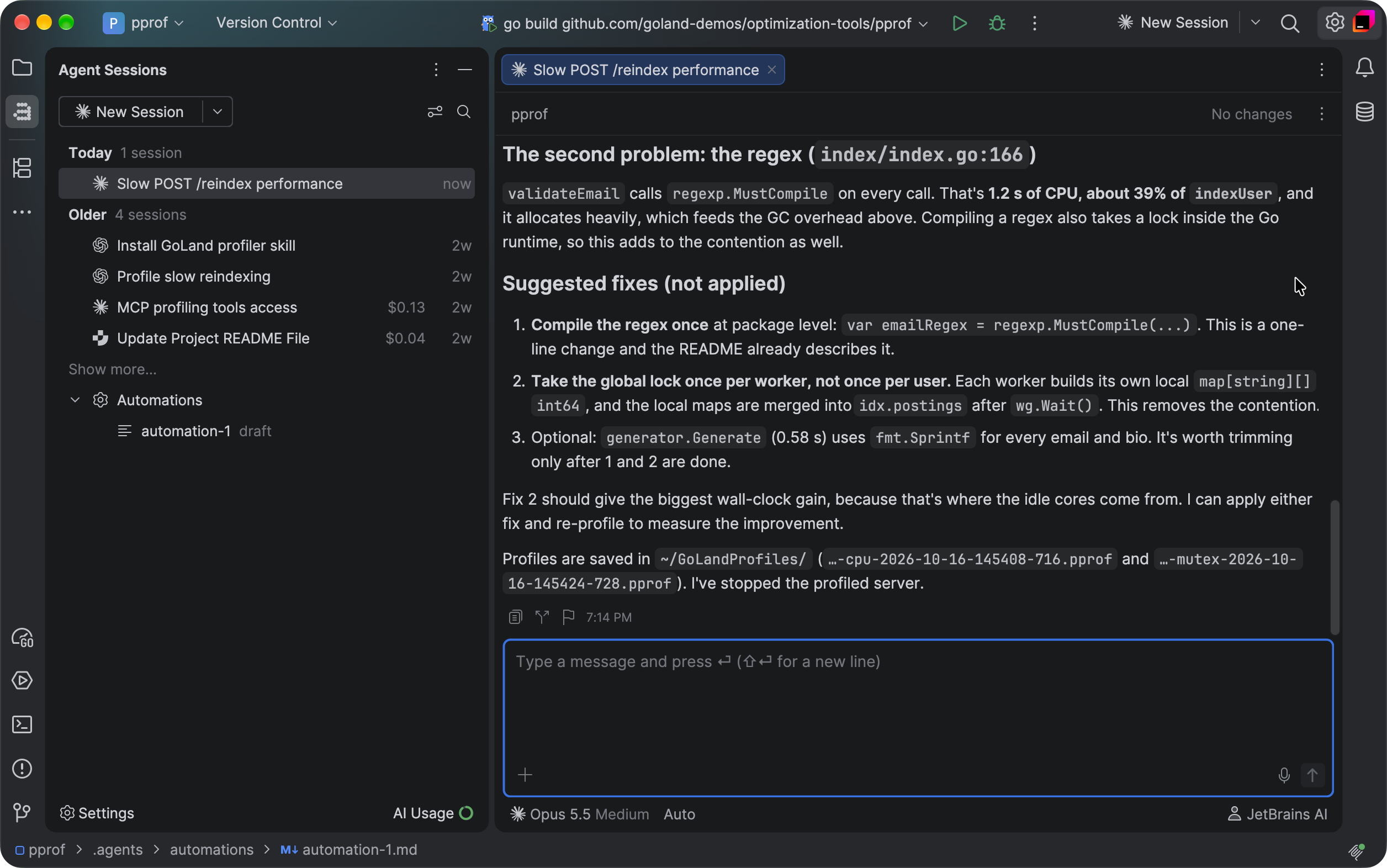
Your agents, your models, your subscriptions – with Junie Lite for free
Air works with Claude Agent, Codex, Gemini, GitHub Copilot, Junie, OpenCode, and other ACP-compatible agents. It detects the agents already installed on your machine so you can connect them in a click, and you can add more from the agent registry. Your existing setup carries over, too: Provider subscriptions, API keys, and even a custom base URL all work, with no JetBrains AI subscription required. Run Claude Agent on your Claude subscription in the terminal or in a full-screen IDE tab, use other agent subscriptions in the chat or terminal, and switch between subscriptions at any moment, even mid-session. Air includes free AI with the Junie Lite configuration, so you can use an agent without a subscription. You only need a JetBrains Account.
A central workspace to review changes and guide the agent
Review an agent’s changes with the surrounding code and your project tools in view, and send feedback straight back to the agent. Anchor a note to a specific line in the diff, or comment directly from the code, so the agent gets concrete context about the change you want. Work in the chat or the terminal, whichever suits you.
Still using AI Assistant? A notification will offer you a trial of Air. Moving to Air hides AI Assistant. If you wish to return to AI Assistant, follow the steps outlined here. Air automatically migrates your IDE skills, MCP configuration, agents installed through ACP, authentication, and chat history. Chat mode history isn’t migrated.
Option to profile Go applications with an agent
Agent skills are reusable instructions that tell an AI agent how to use GoLand’s tools for a particular task. The bundled profiler skill helps agents capture and analyze profiles, identify the functions and call paths that consume the most resources, and point you to source lines worth investigating.
This builds on the Go optimization tools introduced in GoLand 2026.2. Those tools bring profiling and performance data into the IDE. The new skill helps an agent use that data to investigate a slowdown and report what it found.
Improved performance
We investigated and fixed the most significant freezes reported through GoLand’s automatic reporting system.
Sound cues for IDE events and editor line marks
GoLand 2026.3 adds sound cues so you can hear important updates without looking at the relevant part of the screen. Builds, tests, and other background tasks use distinct sounds for success, warning, and error results. You can also hear when a breakpoint is hit.
For screen reader users, sound cues identify editor line marks: errors and warnings, lines added, changed, or removed under version control, and code folding. With screen reader support enabled, these cues and sounds for builds, tests, and breakpoint hits are on by default.
Agents in Air have sound cues enabled by default for everyone. You can hear when an agent finishes, stops with an error, or needs your input, and when dictation starts or stops.
Other sounds are optional. Explore and preview them on the Accessibility settings page, and use checkboxes in the Sound Signals section to enable cues for a notification group.
Git worktrees for parallel work and code reviews
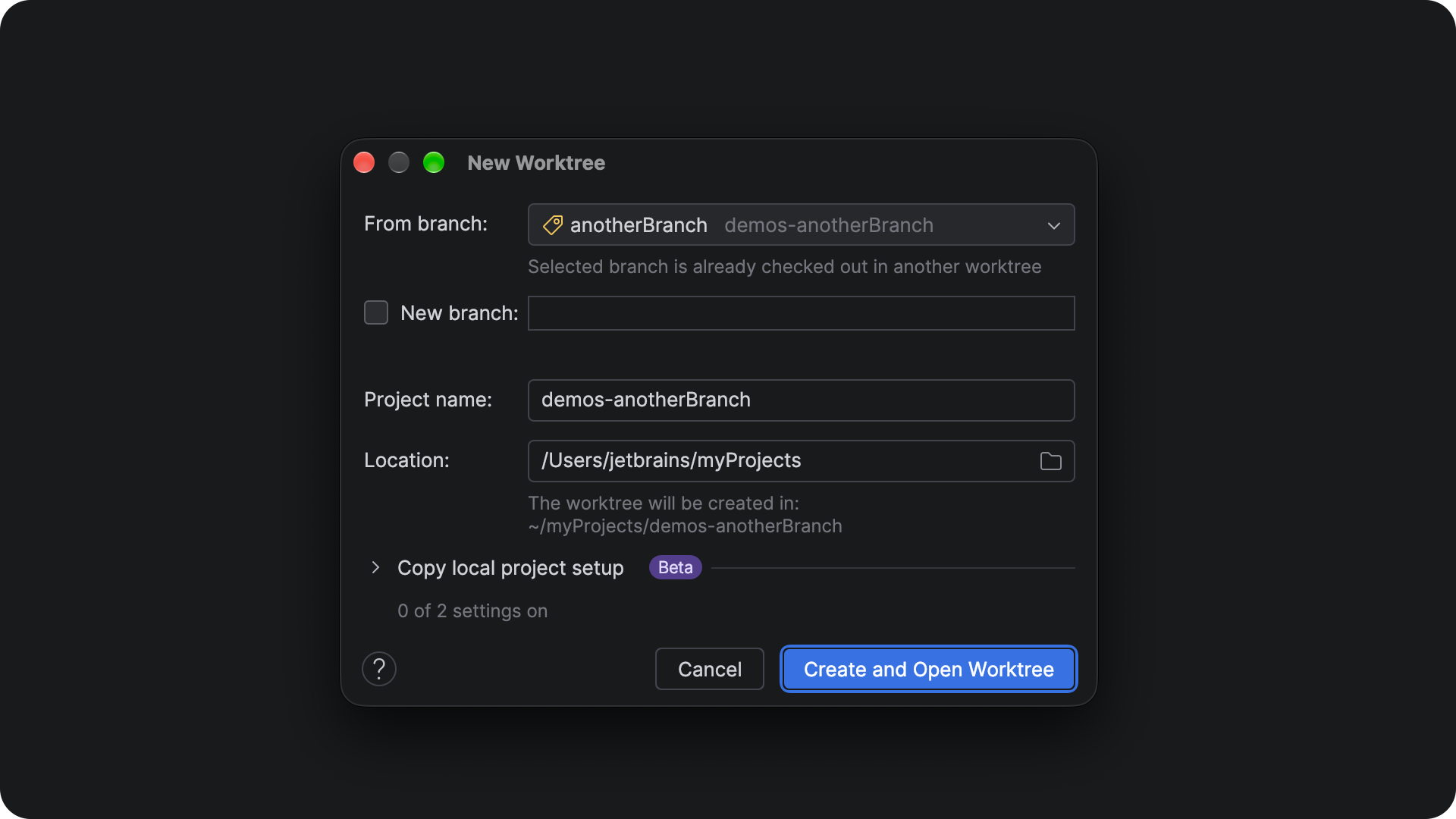
GoLand can now copy your local project configuration into new Git worktrees, including run configurations and other settings stored in .idea. You can keep your setup without committing these settings to Git or recreating them for each worktree.
You can also list local and ignored files in .worktreeinclude for GoLand to copy, and configure a script to run when a worktree is created, for example, to install dependencies.
Other worktree improvements include:
- Support for projects with multiple roots.
- More reliable worktree creation in repositories with submodules.
- The option to check out a branch that is already checked out in another worktree, using
--ignore-other-worktrees. - Automatic removal of deleted worktrees from Recent Projects.
- Improved support for WSL and container projects.
Ability to find and fix problems faster
GoLand 2026.3 automatically sends error and UI freeze reports to JetBrains. The reports help us find and fix problems that may otherwise be hard to reproduce. They may include stack traces, error messages, and system information. Sensitive information in error messages is masked where possible.
You can turn off automatic reporting in Settings | Appearance & Behavior | System Settings | Data Sharing.
Figma design context for AI agents
If your Go project includes a frontend, Figma Connect lets you send design context from a selected Figma layer to an agent in GoLand. The agent receives the layer hierarchy, spacing, and design variables, so it can work from the design rather than a text description alone. Install the Figma Connect plugin to use this workflow.
Remote development directly from GoLand
GoLand now has an integrated connection flow for remote development. Connect to a machine over SSH, start a development session, or return to an existing one without leaving GoLand.
For remote projects with a Linux backend, Light mode opens the project before the remote IDE finishes downloading and starting. You can edit files, use the terminal, and search immediately. When the remote IDE is ready, your session moves to Smart mode and keeps your work and state.
GoLand also uses OpenSSH for remote connections. This improves compatibility with the SSH setup you already use, including certificates and hardware security keys.
Improvements for work with databases and files in Kubernetes
GoLand makes two common container tasks easier. From the Services tool window, you can create a database connection for a Kubernetes pod or Docker container. GoLand extracts the connection details for you automatically.
Moreover, you can now browse, view, create, and edit files inside a Kubernetes pod from GoLand.
Quick tasks and edits without opening a project
Not every task needs an open project. The redesigned Welcome screen, now called the Home window, offers a simpler in-editor view with fewer actions, so you can get to work the moment GoLand opens. Edit a file, run a terminal command, or perform Git actions – all without waiting for a full project to load.
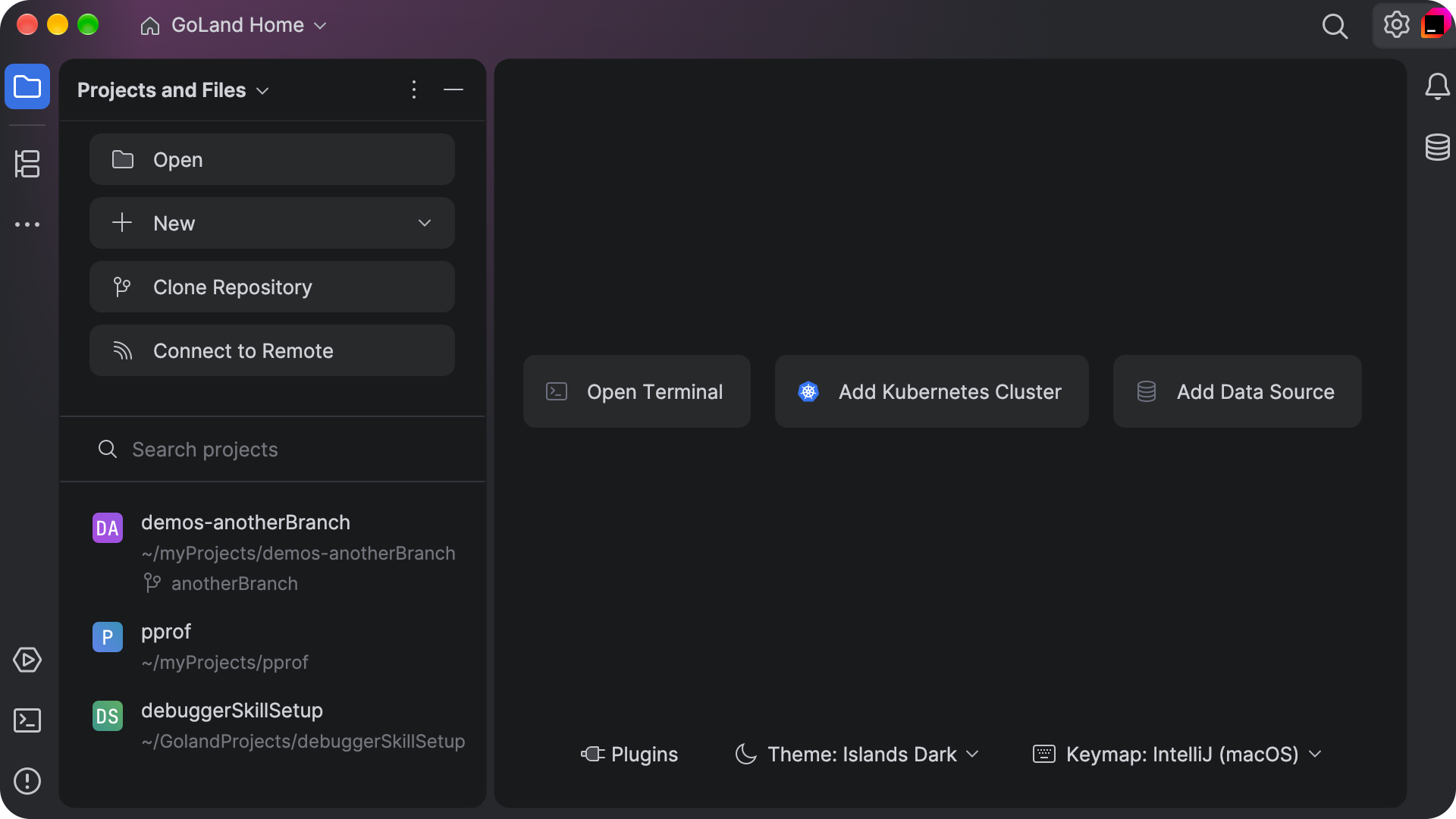
Create a standalone file and start typing immediately, choosing its name and location when you save. When you need the full power of the IDE, your recent projects, along with actions to open or create a project, are on the left.
That wraps up the highlights of GoLand 2026.3. We would like to hear what you think. Share your feedback on X or create a ticket in our YouTrack issue tracker.
Happy coding,
The GoLand team