
RubyMine 2026.3: JetBrains Air, Native Mode for WSL and Dev Containers, and More


RubyMine 2026.3 is out!
This release brings JetBrains Air for working with your preferred coding agents, native access to WSL and Dev Container projects, and smarter Ruby and Rails support. You’ll also find easier interpreter setup, improved navigation and refactoring, and updates that make everyday development more comfortable.
Download RubyMine 2026.3 from our website or update via the Toolbox App.
Now, let’s explore the highlights.
JetBrains Air
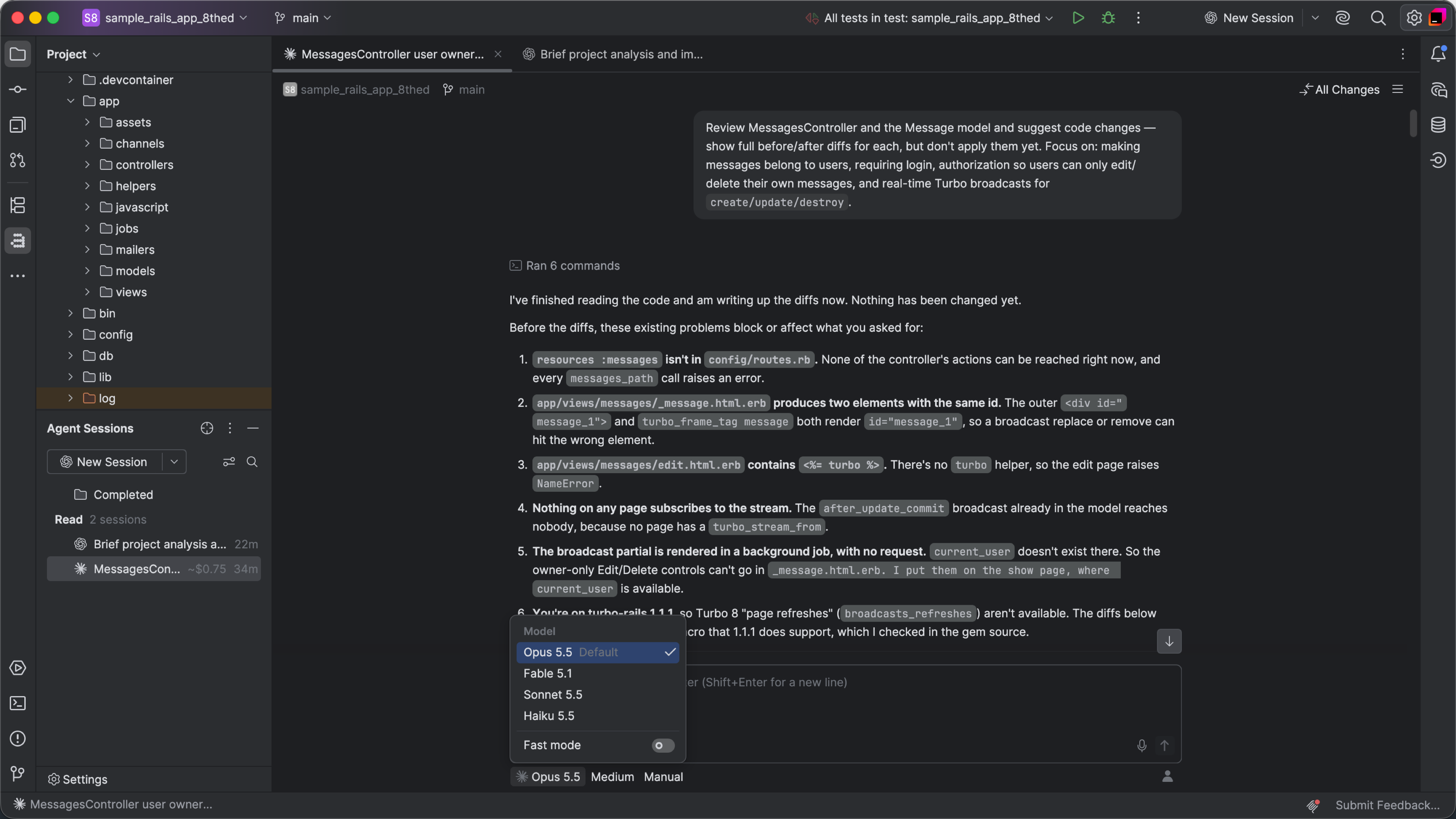
Your preferred coding agents, right in the IDE
Work with Claude Agent, Codex, Gemini, GitHub Copilot, Junie, and other supported agents without leaving RubyMine.
JetBrains Air brings agent workflows into your IDE, giving you one place to run tasks, follow their progress, and review the results. Connect an installed agent or add one from the registry, then get started with your existing provider subscription or API key. No JetBrains AI subscription is required.
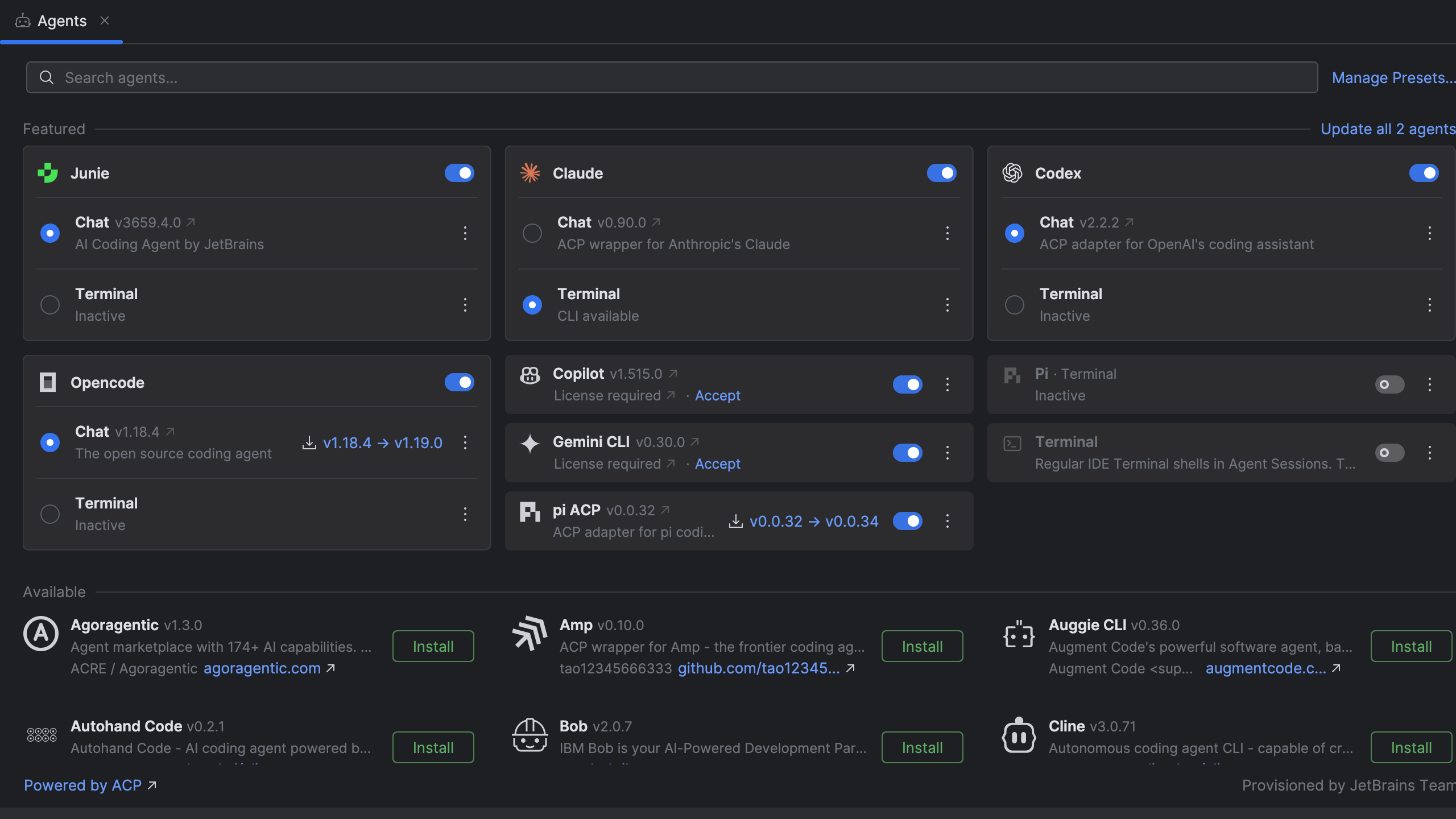
Review changes and guide the agent
Keep your project tools and surrounding code in view while reviewing an agent’s work. Add feedback to a specific line in a diff or directly from the editor, giving the agent the context it needs to make the next change.
Whether you prefer to interact via the AI chat or in the terminal, you can be involved at every stage of the task.
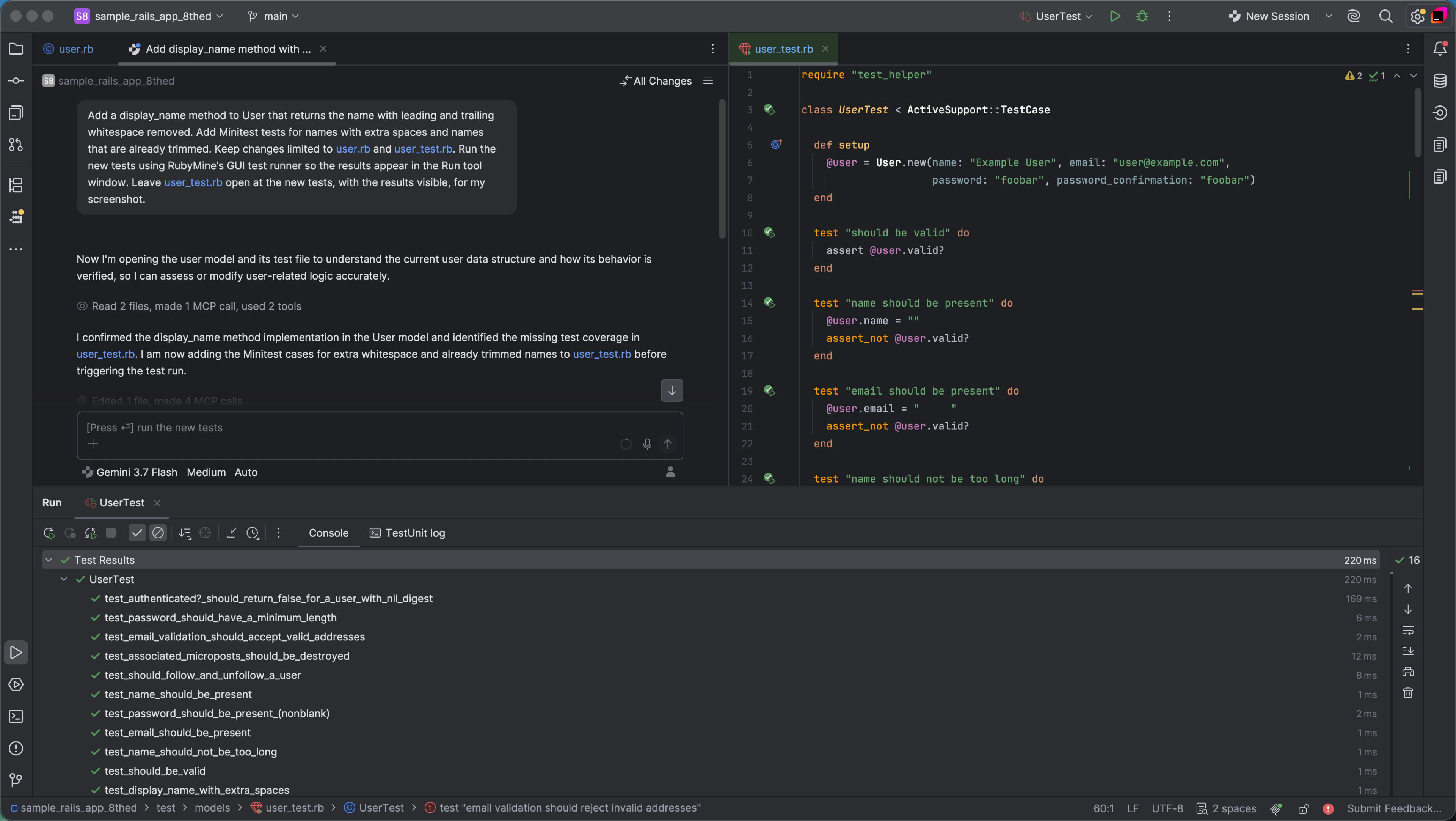
Free AI with Junie Lite
Try agentic development with Junie Lite, the free configuration of JetBrains’ coding agent, which is included in Air. All you need to get started is a JetBrains Account.
Already using AI Assistant? A notification will offer you an Air trial. Installing Air uninstalls AI Assistant, which you can reinstall from JetBrains Marketplace at any time. Air automatically migrates your IDE skills, MCP configuration, agents installed through ACP, authentication credentials, and chat history. Please note that Chat mode history isn’t migrated.
Native mode for WSL and Dev Containers
Your Linux environment, your local RubyMine
Work on WSL and Dev Container projects directly from your local IDE, while your code, Ruby installation, and development tools stay in Linux.
Native mode removes the need to run a full IDE backend inside the environment or launch a separate remote development client. It provides a lighter way to work with Linux projects while keeping the familiar RubyMine experience.
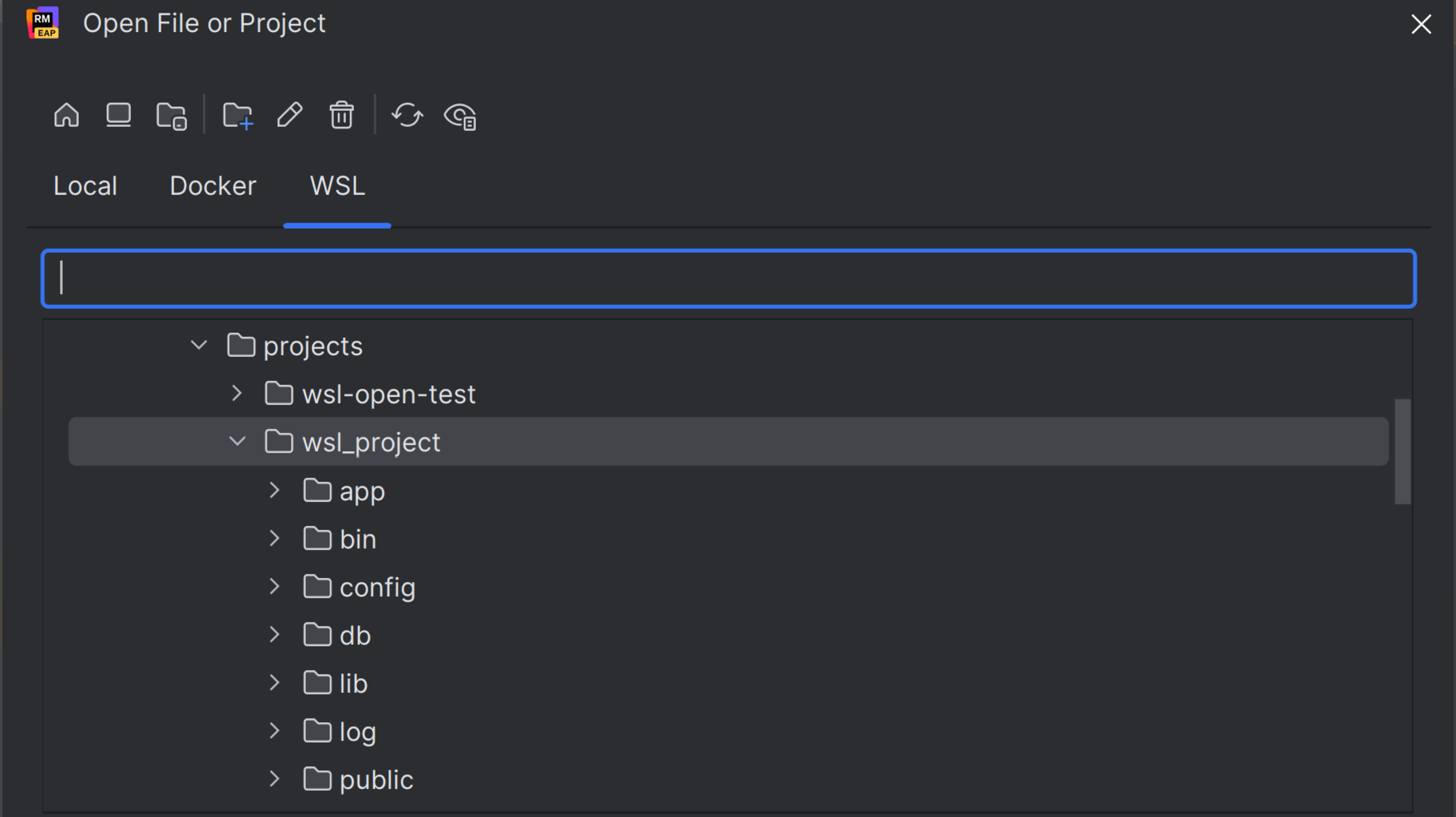
For WSL, simply open your project folder viaFile | Open. For Dev Containers, enable native opening in Advanced Settings, then open your project through Connect to Remote.
Ruby tools that work with your environment
Native Ruby interpreters bring your Ruby and Rails workflows into this setup, including the ability to operate the Rails console, use Bundler actions, and run tests with coverage.
New users get native WSL interpreters by default. Existing WSL configurations remain available, and you can switch in Ruby settings when you’re ready. Dev Containers, when opened natively, use native Ruby interpreters automatically.
Ruby and Rails improvements
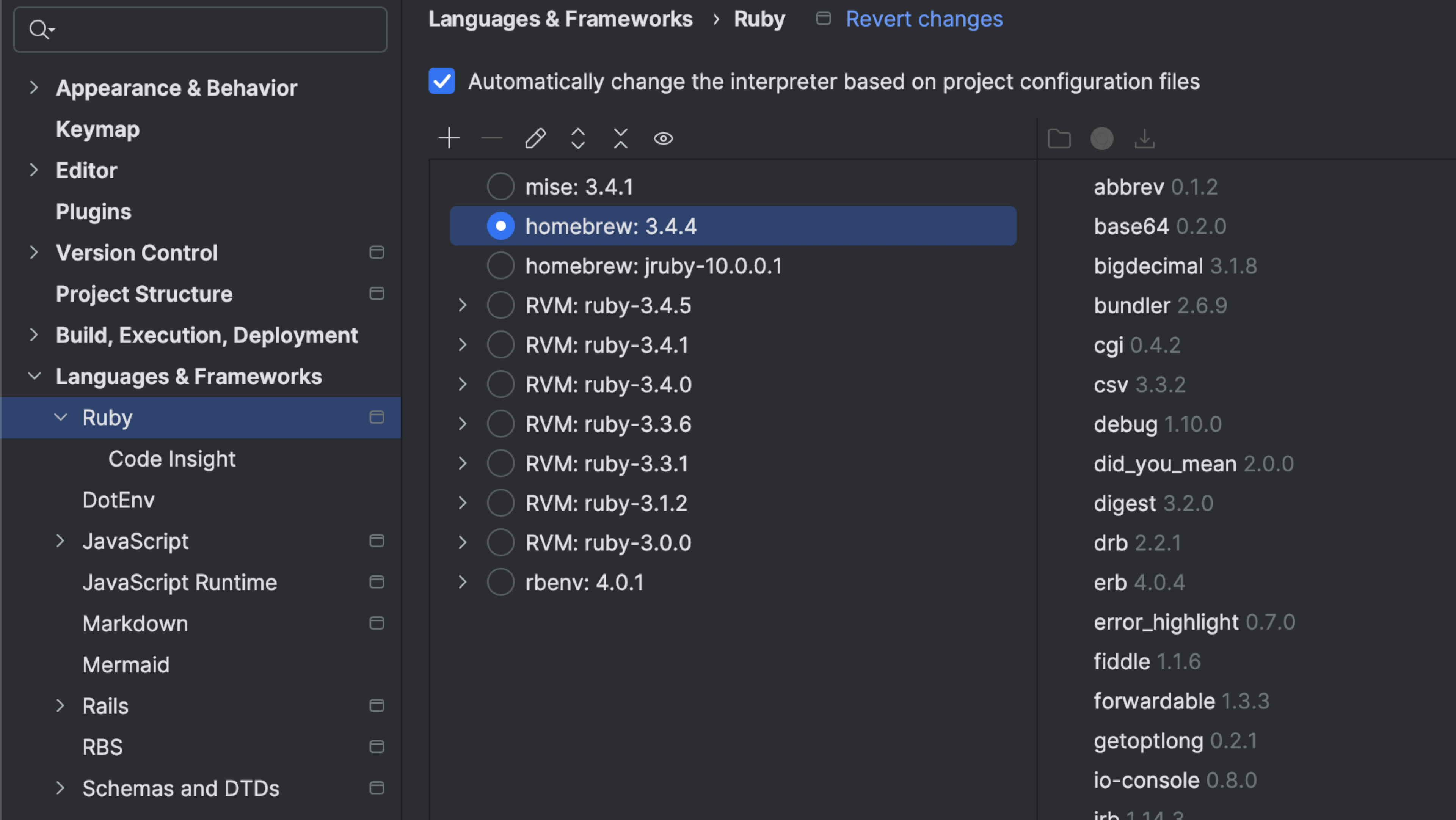
Easier Ruby interpreter setup
Spend less time configuring Ruby when you open a project.
Interpreter selection now takes version requirements in your Gemfile into account, including version ranges, while dedicated files such as .ruby-version keep priority. If several installed interpreters match, you choose which one to use.
RubyMine also detects Ruby installations managed by Homebrew automatically, so there’s no need to enter their paths manually.
Better understanding of Rails load hooks
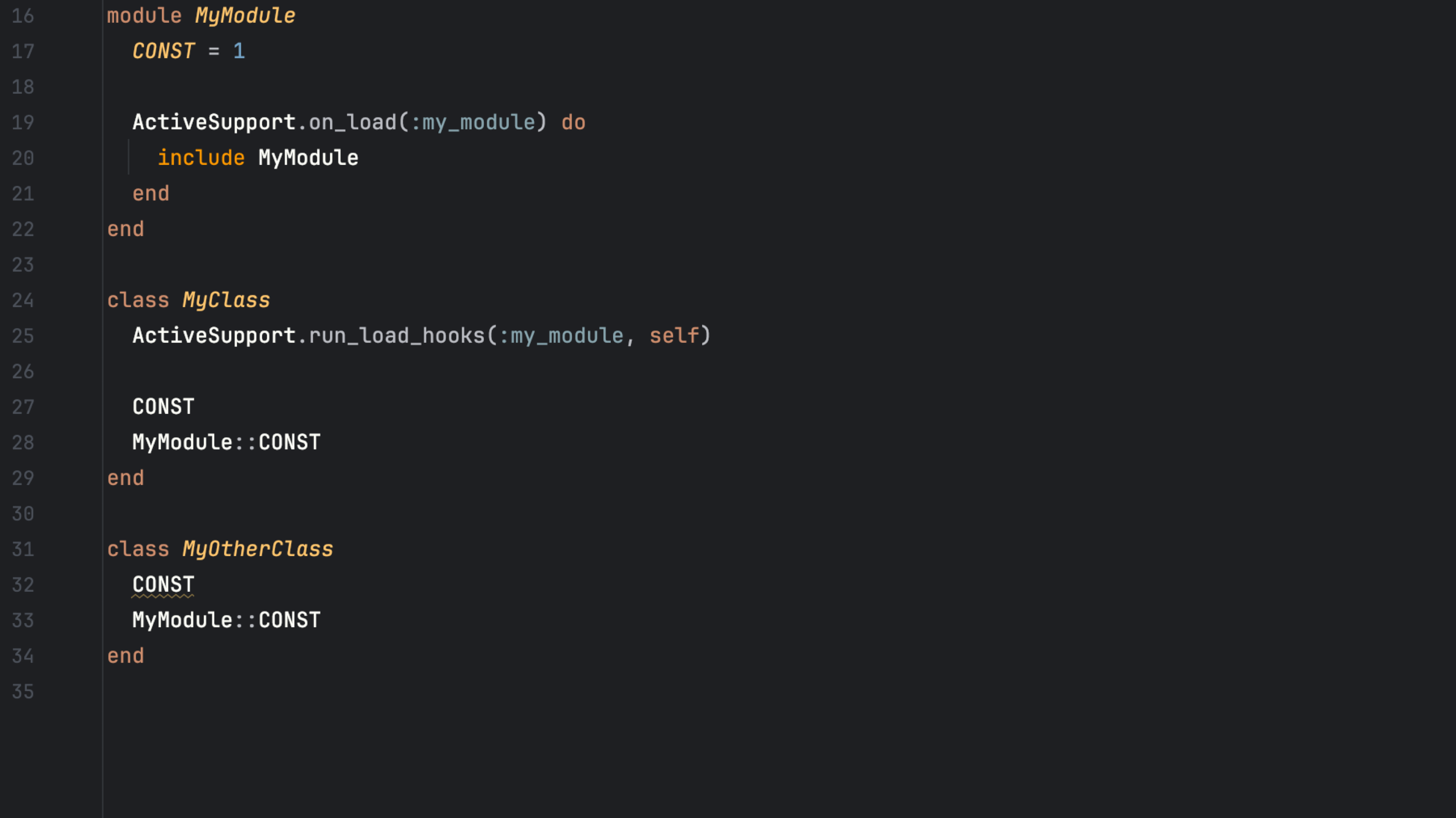
Rails uses ActiveSupport load hooks to bring modules into classes as they load. RubyMine now recognizes these relationships, improving its understanding of the constants available in your code.
This means fewer incorrect unresolved-reference warnings and cleaner constant references inserted through completion.
Rails queries without leaving the IDE
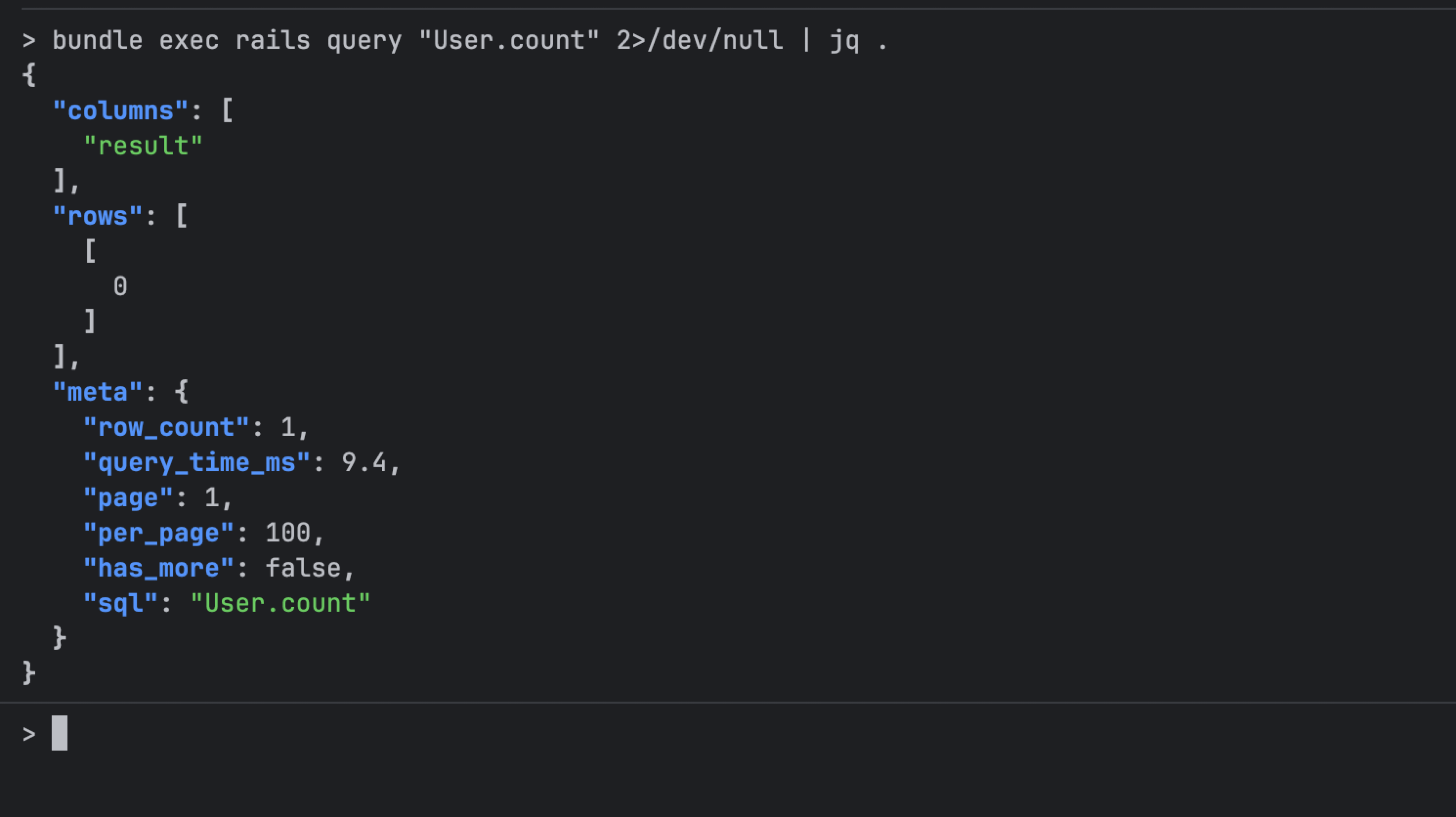
Use rails query from Run Anything or with terminal completion to explore your application’s data. Run Active Record queries or raw SQL, inspect schemas, browse models, and view query execution plans directly in RubyMine.
Code insight and navigation
Find Ruby classes and symbols with less typing
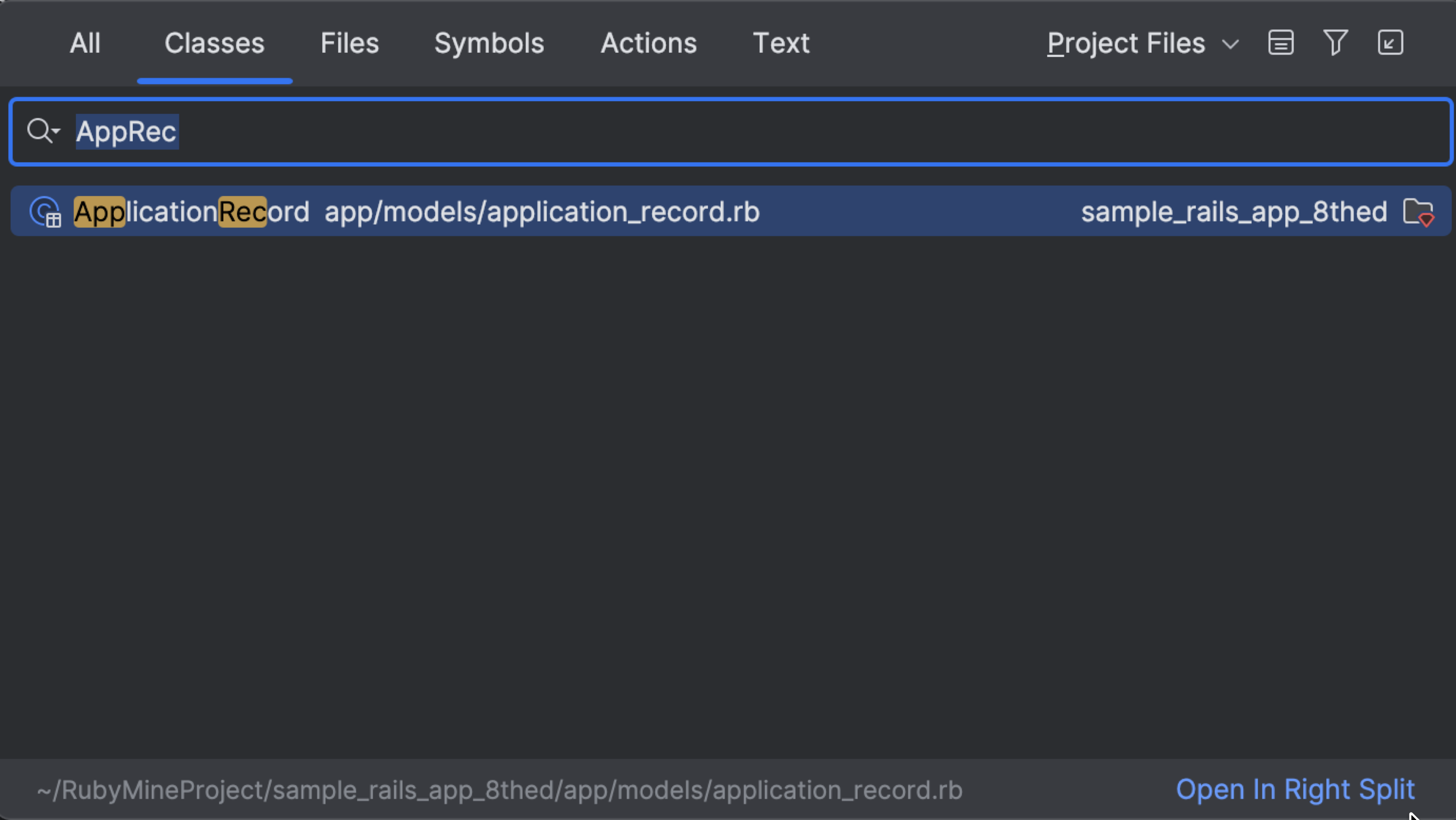
You no longer need to type a full nested name to find the declaration you need. Go to Class and Go to Symbol support fuzzy matching, so ActRecBase can find ActiveRecord::Base.
Clearer search results show the containing class or module alongside the file path, helping you distinguish declarations with the same name. Constants are also available in Go to Class.
Rename with more confidence
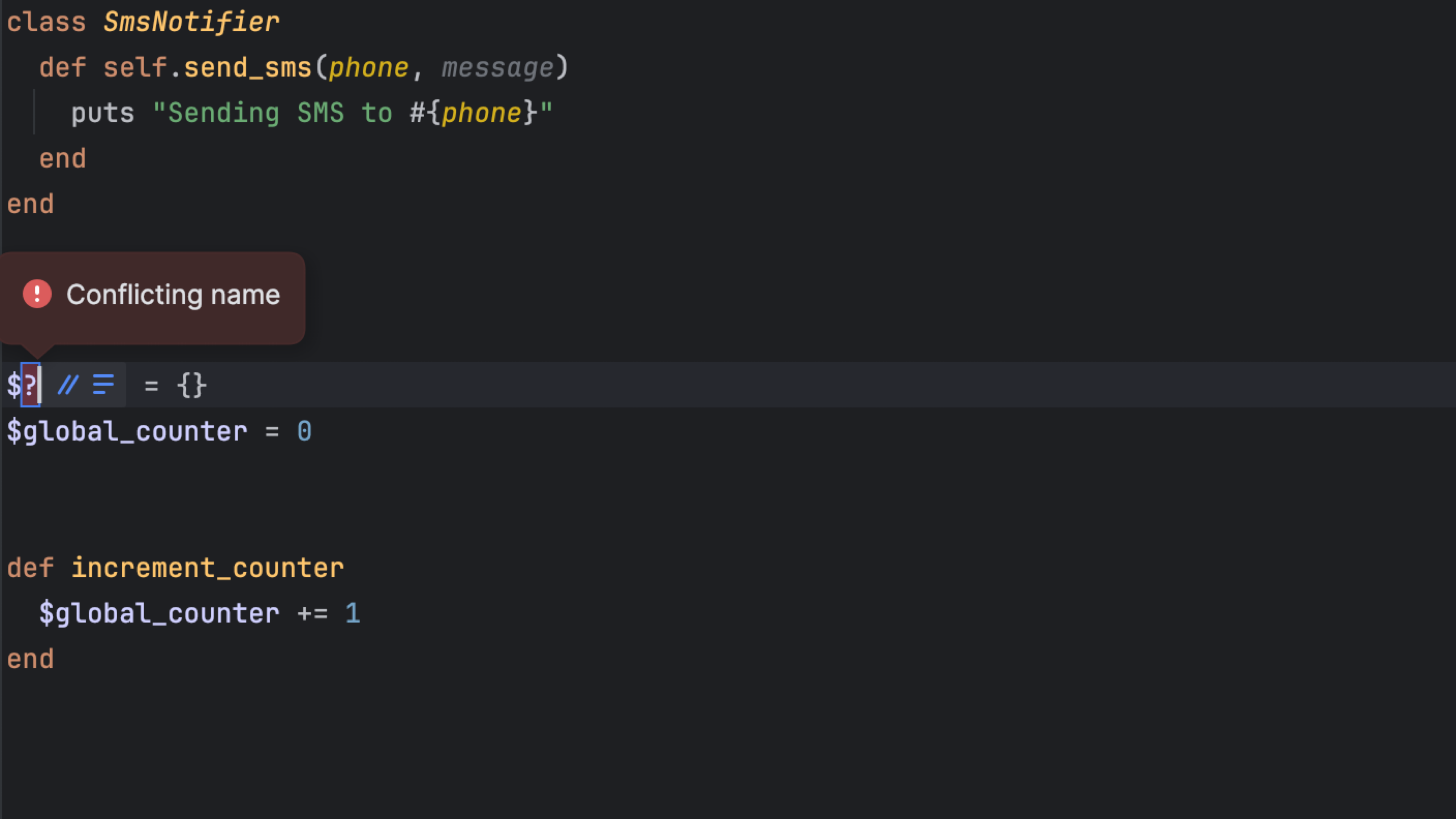
Catch naming conflicts before applying a refactoring. RubyMine blocks conflicting names when renaming global variables, classes, modules, and constants. For global variables, it also checks for invalid characters and reserved Ruby names.
Clearer breadcrumbs
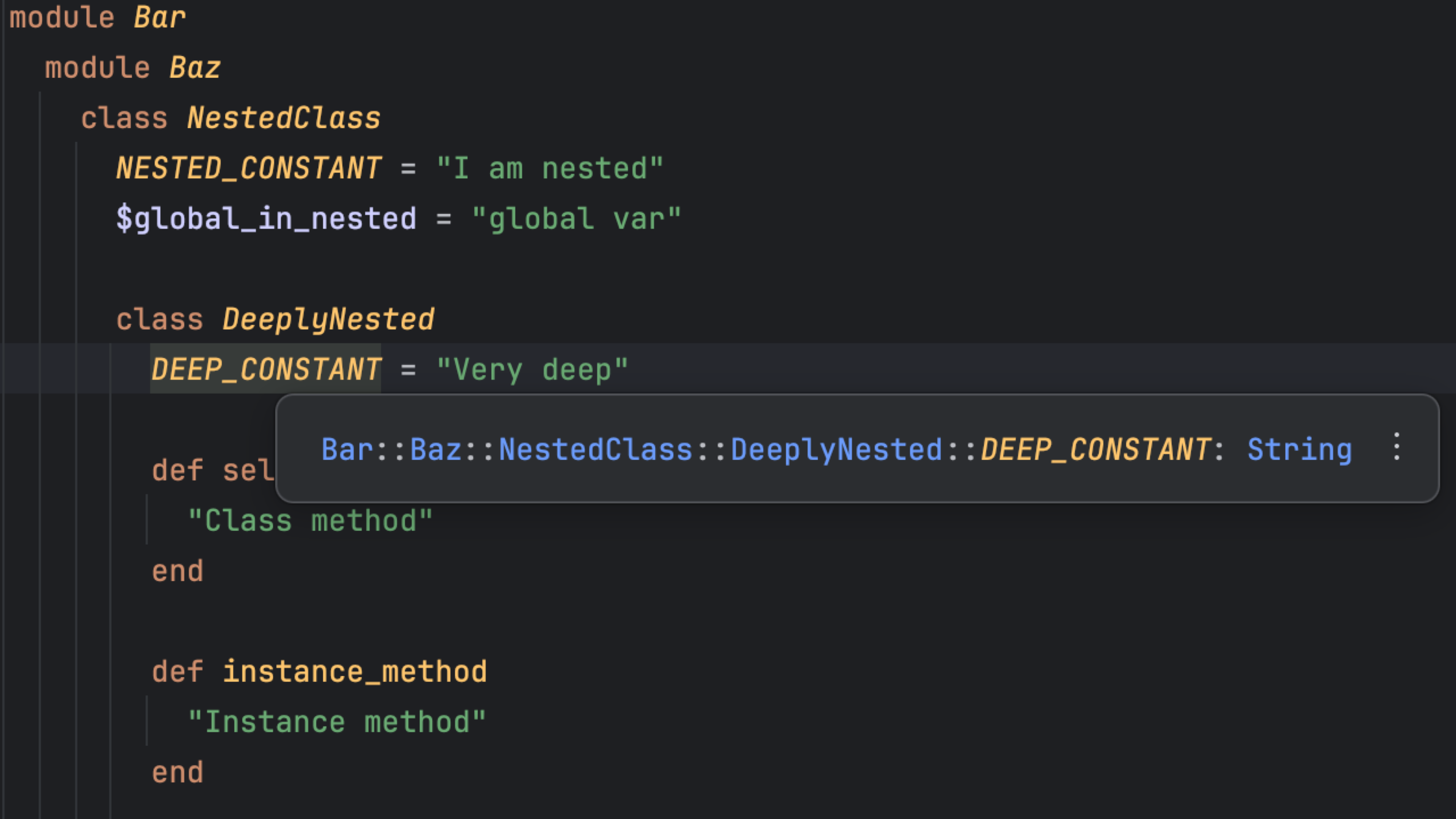
Keep track of where you are in a Ruby file with more informative breadcrumbs. Names preserve their namespaces, constants and global variables appear alongside other declarations, and tooltips provide extra context. Breadcrumbs also work more consistently with the navigation bar, reducing duplicate information.
Everyday IDE improvements
Git worktrees with less setup
Working on parallel tasks or reviewing another branch is now easier.
RubyMine can copy your local project settings into new Git worktrees, so you don’t have to recreate run configurations and other preferences. You can also bring along selected local files and run a setup script to prepare dependencies.
This release also improves worktree support for multi-root projects, submodules, WSL, and containers.
Audio cues that keep you informed
Hear when a build or test run finishes, when a breakpoint is hit, or when a background task needs attention.
New sound cues also help screen reader users identify errors, warnings, version control changes, and folded code. Explore the available sounds and customize them on the new Accessibility settings page.
Automatic error and freeze reporting
Automatic reports help us identify errors and UI freezes that interrupt your work and prioritize fixes.
Reports contain technical data, with personal details removed from report messages before they are sent. You can manage automatic reporting in RubyMine’s Data Sharing settings.
Share your feedback
To learn about the latest features as they come out, please follow RubyMine on X.
We invite you to share your thoughts in the comments below and to suggest and vote for new features in the issue tracker.
Happy developing!
The RubyMine team