
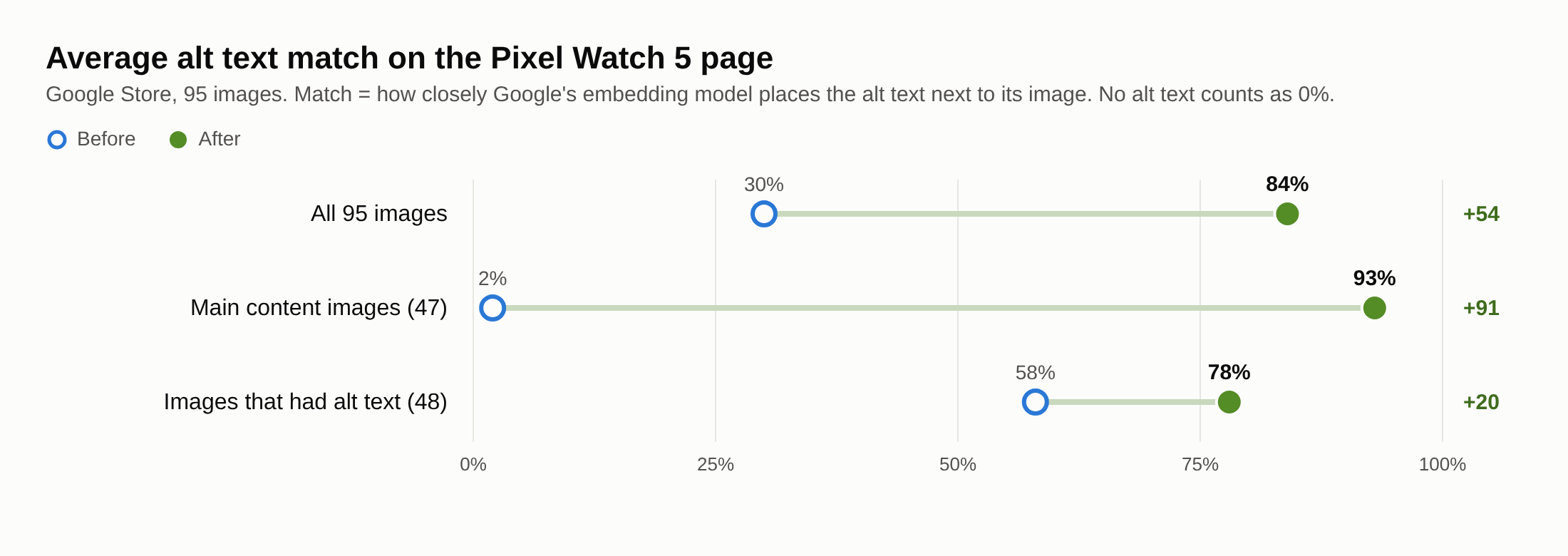
We rewrote the alt text on Google Store's Pixel Watch 5 page. Its images went from a 30% to an 84% match.
'%20fill-opacity='.8'%20d='M3.256%203.913a3.083%203.083%200%200%200-.003%204.397L8%2012.998l4.743-4.684a3.085%203.085%200%200%200%20.001-4.4c-.6-.593-1.4-.914-2.233-.914a3.17%203.17%200%200%200-1.91.635L8%204.087l-.601-.452A3.17%203.17%200%200%200%205.489%203c-.834%200-1.634.321-2.233.913m10.19%205.111-4.748%204.69a.996.996%200%200%201-1.397%200L2.549%209.02a4.083%204.083%200%200%201%20.004-5.82A4.17%204.17%200%200%201%205.488%202c.907%200%201.787.29%202.512.835A4.17%204.17%200%200%201%2010.51%202c1.093%200%202.146.422%202.936%201.202a4.085%204.085%200%200%201%200%205.822'%20/%3e%3c/svg%3e)
'%20stroke-opacity='.75'%20stroke-width='1.5'%20stroke-linejoin='round'/%3e%3c/svg%3e)

Google Store's Pixel Watch 5 page has 109 images. 47 of them had no alt text, and the menu images carried labels such as "Phones" and "Browse all offers". We ran the page through Image Optimizer's page scan in DEJAN App. Across the 95 images we report on, the average match between each image and its alt text rose from 30% to 84%. The page's main content images went from 2% to 93%.
The full scan is public: Google Store page scan, with every image, its old and new alt text and both scores.
What the page had
- 109 images: 63 in the page's main content and 46 in the site menu.
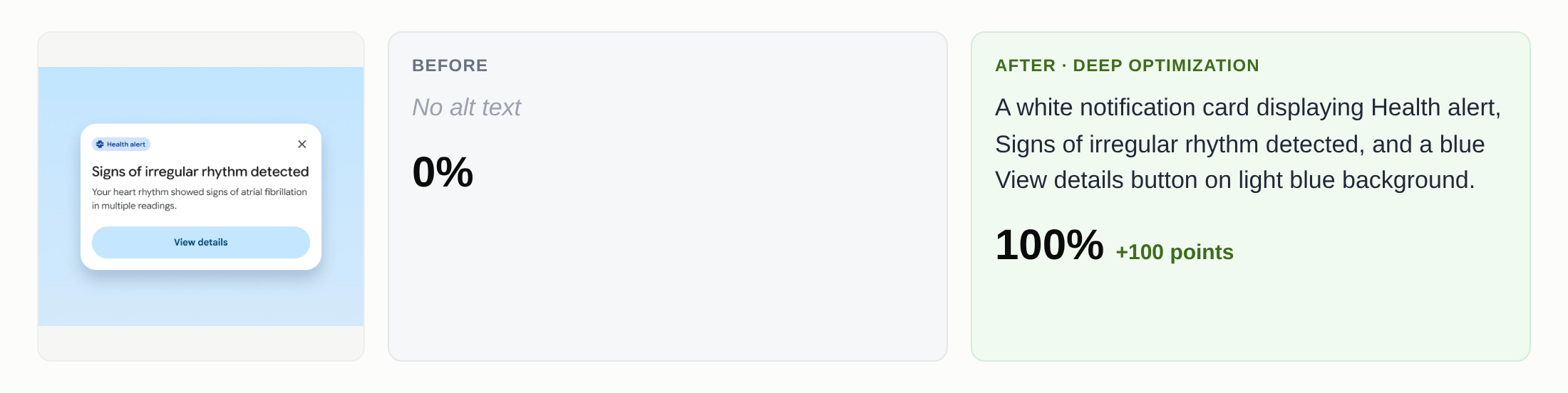
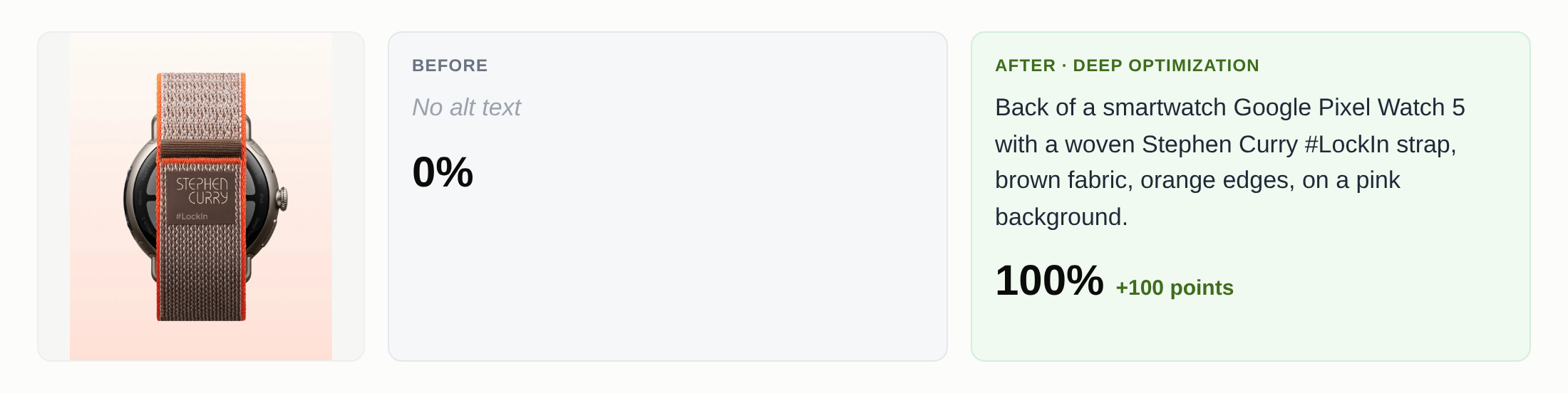
- 47 images with no alt text, 45 of them in the main content: product photos, watch faces, health and sleep screens.
- Menu images whose alt text is the menu label, such as "Phones", "Laptops" and "Browse all offers".
- Placeholder alt text: "Aria Label 2" on 8 images, and "Image 1 Desktop" and "Image 1 Mobile" on 3 each.
- One portrait of Stephen Curry whose alt text describes a different image: "A Pixel phone shows that it has detected a pair of Pixel Buds and asks the user if they want to connect."
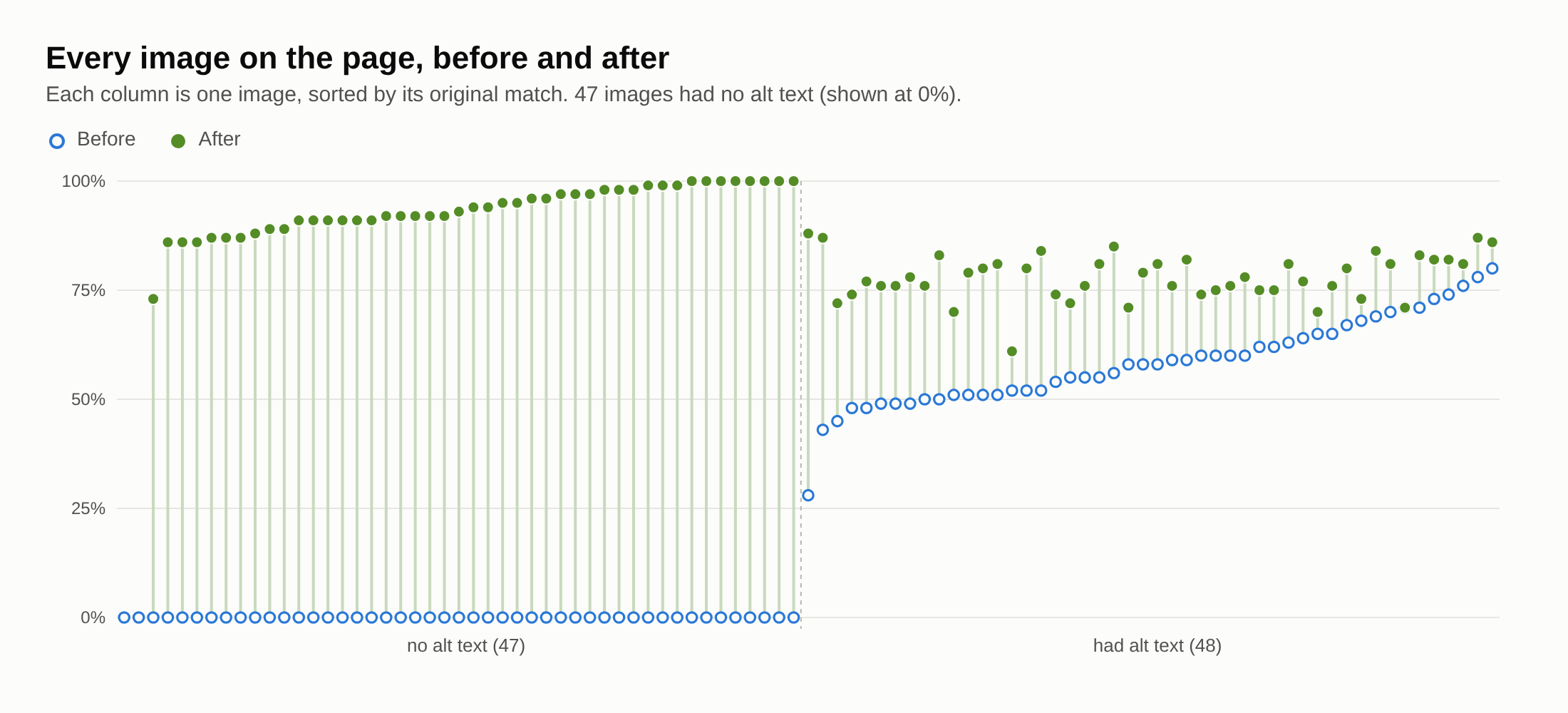
Of the 48 images with real alt text, 30 scored under 60%.
How the scan works

The scan fetches the whole page and lists every image with its alt text and where it sits. One AI call sorts the images into the ones the page is about and the rest (menus, icons, badges), and writes alt text for images that have none. Each image then gets one of three fixes:
- Fill: new alt text for images that have none.
- Quick Fix: one rewrite using the image, the page and the current alt text.
- Deep optimization: ten rewrites, each scored against the image, keeping the best.
We deep-optimized the 61 main content images and used Quick Fix on the 46 menu images. Two decorative images were marked to keep an empty alt.
The score is the match between an image and its alt text as Google's multimodal embedding model sees it: the model places both in the same vector space, and the closer they sit, the higher the score. Image and text pairs rarely go above a cosine similarity of 0.60, so the tool shows 0.60 as 100%. Product, model and brand names in the original alt text are kept as written.
One image, step by step
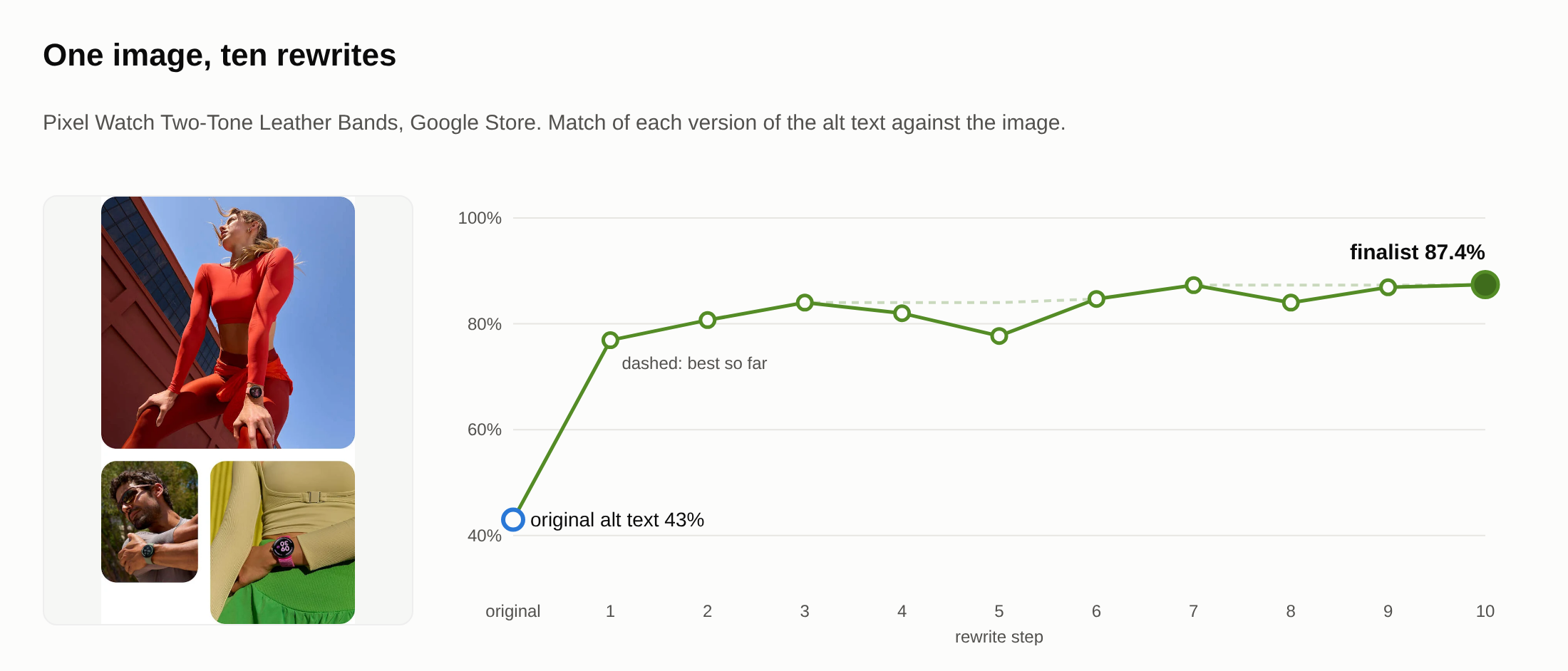
The store's alt text for this image describes "a macro shot of two Pixel Watch Two-Tone Leather Bands". The image is a collage of people wearing them. That text scores 43%. The first rewrite describes the collage and scores 77%. Each later rewrite sees the image and every earlier version with its score, keeps what raised the score and drops what lowered it. Step 10 won with 87.4%, 0.1 points above step 7.
| Step | Match | Alt text |
|---|---|---|
| Original | 43.0% | A macro shot of two Pixel Watch Two-Tone Leather Bands. One is in Porcelain color; the other is in Bay color. |
| 1 | 76.9% | Athletic people wearing Pixel Watch Two-Tone Leather Bands, including a woman in red sportswear outdoors and a man stretching in sunlight. |
| 2 | 80.7% | Fitness models wearing smartwatch bands outdoors: woman in red athletic wear, man stretching, and woman in green skirt with Pixel Watch Two-Tone Leather Bands. |
| 3 | 84.0% | Collage of active people wearing Pixel Watch Two-Tone Leather Bands: woman in red crop top, man stretching, and wrist with pink strap. |
| 4 | 82.0% | Collage of athletic models wearing Pixel Watch Two-Tone Leather Bands, featuring a woman in bright red activewear and a man stretching outdoors. |
| 5 | 77.7% | Three panel collage of athletic people wearing Pixel Watch Two-Tone Leather Bands: woman in red, man stretching, and wrist with pink strap. |
| 6 | 84.7% | Collage of active people wearing Pixel Watch Two-Tone Leather Bands: woman in red, man stretching in sunglasses, and wrist with bright pink strap. |
| 7 | 87.3% | Collage of active people wearing Pixel Watch Two-Tone Leather Bands: woman in red activewear, man stretching in sunglasses, and wrist with pink strap. |
| 8 | 84.0% | Collage of people wearing Pixel Watch Two-Tone Leather Bands: athletic woman in red activewear, man stretching wearing sunglasses, and wrist with pink strap. |
| 9 | 86.9% | Collage of active people wearing Pixel Watch Two-Tone Leather Bands: woman in red activewear, man stretching in sunglasses, and a wrist with pink band. |
| 10 | 87.4% | Collage of active people wearing Pixel Watch Two-Tone Leather Bands: athletic woman in red activewear, man stretching in sunglasses, and wrist with pink strap. |
Full run: Pixel Watch Two-Tone Leather Bands.
Results
| Before | After | |
|---|---|---|
| Average match, all 95 images (no alt text = 0%) | 30% | 84% |
| Main content images (47) | 2% | 93% |
| Images that had alt text (48) | 58% | 78% |
| Images with alt text under 60% | 30 | 0 |
| Images with no alt text | 47 | 2 (decorative) |
No image scored lower after the rewrite.
We report on 95 of the 109 images. On the 14 images with placeholder alt text, the rewriter kept the placeholder words, because it is told to keep names from the original alt text, so we left those images out.
Examples
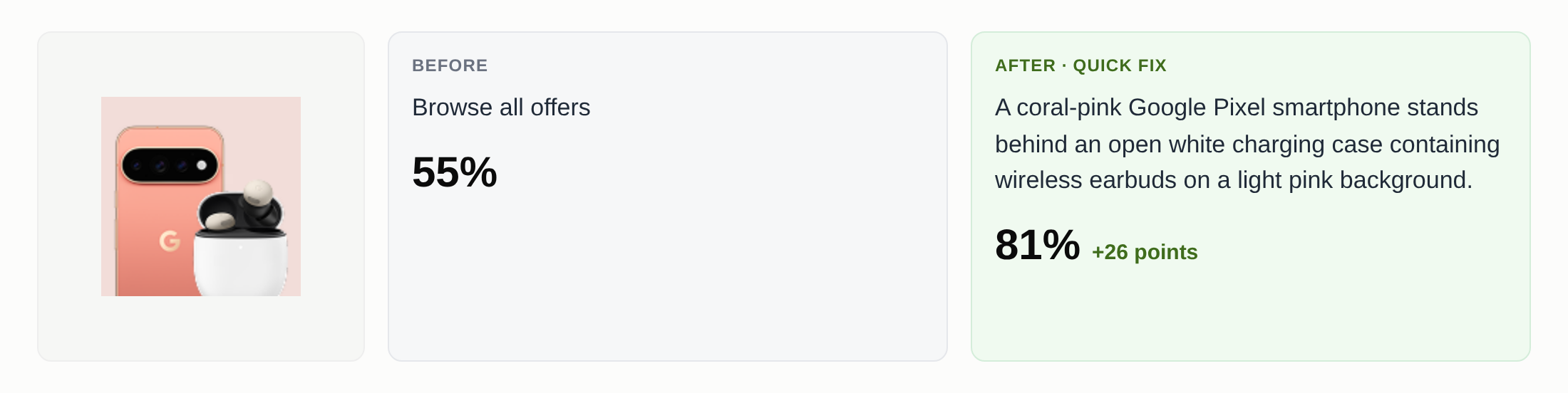
The menu image the store labels "Browse all offers":
The menu image labelled "Phones":
A health notification image with no alt text:
A Pixel Watch 5 with a Stephen Curry strap, also with no alt text:
Try it
The page scan is in DEJAN App, under Content Optimizer, Image, Page. A single image can be optimized for free with the public Image Optimizer. Our first look at the method walks through one Fitbit Air image step by step.