
Making a Custom Mixer Interface for the 1818VSL
'%20fill-opacity='.8'%20d='M3.256%203.913a3.083%203.083%200%200%200-.003%204.397L8%2012.998l4.743-4.684a3.085%203.085%200%200%200%20.001-4.4c-.6-.593-1.4-.914-2.233-.914a3.17%203.17%200%200%200-1.91.635L8%204.087l-.601-.452A3.17%203.17%200%200%200%205.489%203c-.834%200-1.634.321-2.233.913m10.19%205.111-4.748%204.69a.996.996%200%200%201-1.397%200L2.549%209.02a4.083%204.083%200%200%201%20.004-5.82A4.17%204.17%200%200%201%205.488%202c.907%200%201.787.29%202.512.835A4.17%204.17%200%200%201%2010.51%202c1.093%200%202.146.422%202.936%201.202a4.085%204.085%200%200%201%200%205.822'%20/%3e%3c/svg%3e) 2
2'%20stroke-opacity='.75'%20stroke-width='1.5'%20stroke-linejoin='round'/%3e%3c/svg%3e)

Now that LLMs have made many kinds of coding a matter of saying what you're looking for, many more programs make sense. This weekend it was audio mixing software, customized for my use case (live sound for contra dancing) and hardware (a specific obsolete audio interface).
In 2011 PreSonus released the 1818VSL, an 8-channel audio interface, with low-latency mixing software. I wrote:
All I really need is a box with some amplifying inputs that send tracks from the mic to the laptop and some outputs that let me send mixes back out again. Then any sort of complex eq, compression, or other effects can happen in software on the laptop. So I got one: it's a Presonus AudioBox VSL1818, with eight usable inputs and eight usable outputs.
At the time I did worry about how long I could expect it to be supported:
Less future proof. My old board is almost twenty years old and is still fully compatible with modern gear. In twenty years will I be able to attach this box to a computer at all?
This was indeed a problem: in order to get the latency down, PreSonus had written a custom kernel driver. This integrated very deeply with the laptop's operating system, so that it could mix and apply effects as quickly as possible. In 2015-09, when Apple released OS X 10.11, they made a ton of changes, including completely rewriting the USB driver system (IOUSBFamily to IOUSBHost) and adding System Integrity Protection. This broke their integration, and PreSonus deprecated the mixing software.
I was pretty grumpy about this, since this was why I bought it, and fell back to just using it as an audio interface.
Now that computers will just do things if I explain what I want, though, it seemed like a good time to pick this back up. I asked Opus 5.5:
I have a PreSonus Audiobox 1818VSL, which I've connected to this computer. 12+ years ago I would use it as a hardware dsp mixer [sic] for live sound, but then Mac changed something, PreSonus didn't update their drivers, and since then I've only been able to use it as a class-compliant 8-channel audio interface. I'd like to get it working as a mixer again, and I'm hoping you can put in the engineering time that the PreSonus folks were unwilling to invest. I've set up you up so you can test this by connecting the output of the 1818vsl (channel 1) to the input of a 2i2, and the output of the 2i2 to the input of the 1818vsl (channel 1). I'd recommend testing that this works correctly using both as regular audio interfaces before moving on. In this folder I've put PreSonus_AudioBox_Installer_v1_3_5653.exe which looks to me like the last version of the windows installer that supported using the device for dsp mixing.
Looking at the windows driver, Claude pretty quickly realized that the 1818vsl isn't a hardware DSP mixer. Apparently I did know this back in 2012 (and PreSonus was clear about), but I'd forgotten. It's also confused a lot of people over the years [1][2].
Which means I wanted something else: software I can run on my Mac that will use the lowest latency the combined system reports, with eight analog channels in and out, and presents a mixing interface. Historically the right way to do this would probably be to find software that does it already, but these days I can just ask for something that does exactly what I want.
The first step was figuring out how small a buffer it can reliably handle. I patched each output back into each input, and Claude ran a series of dropout tests for me:
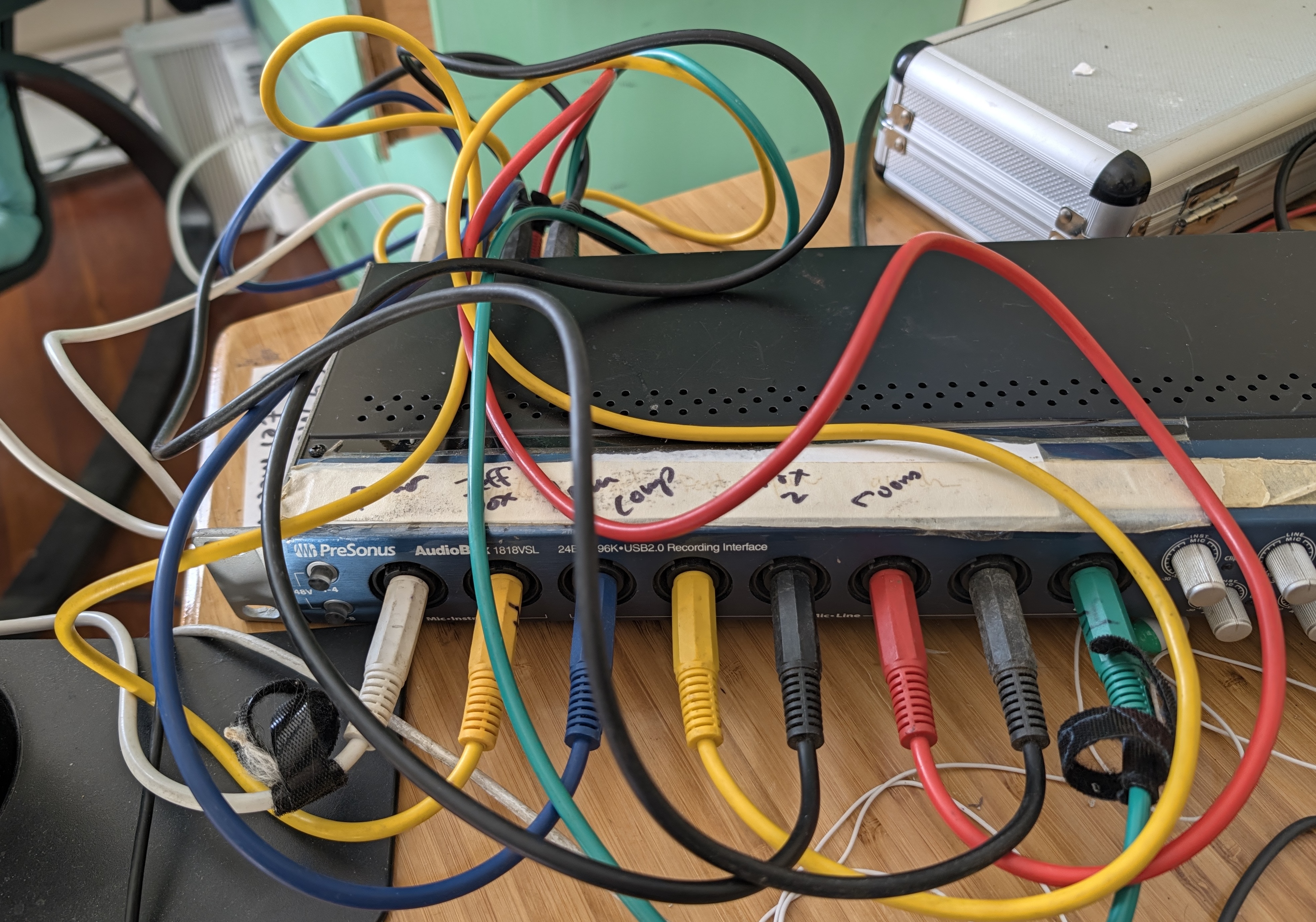
It was able to run without dropouts or other issues at 48 kHz buffering 32 samples per channel, which after some additional fixed device latency came in at 4.8ms round trip. This is equivalent to having a speaker an extra ~5ft from your head, so while it's not nothing it's still in the range where it doesn't get in the way of good playing.
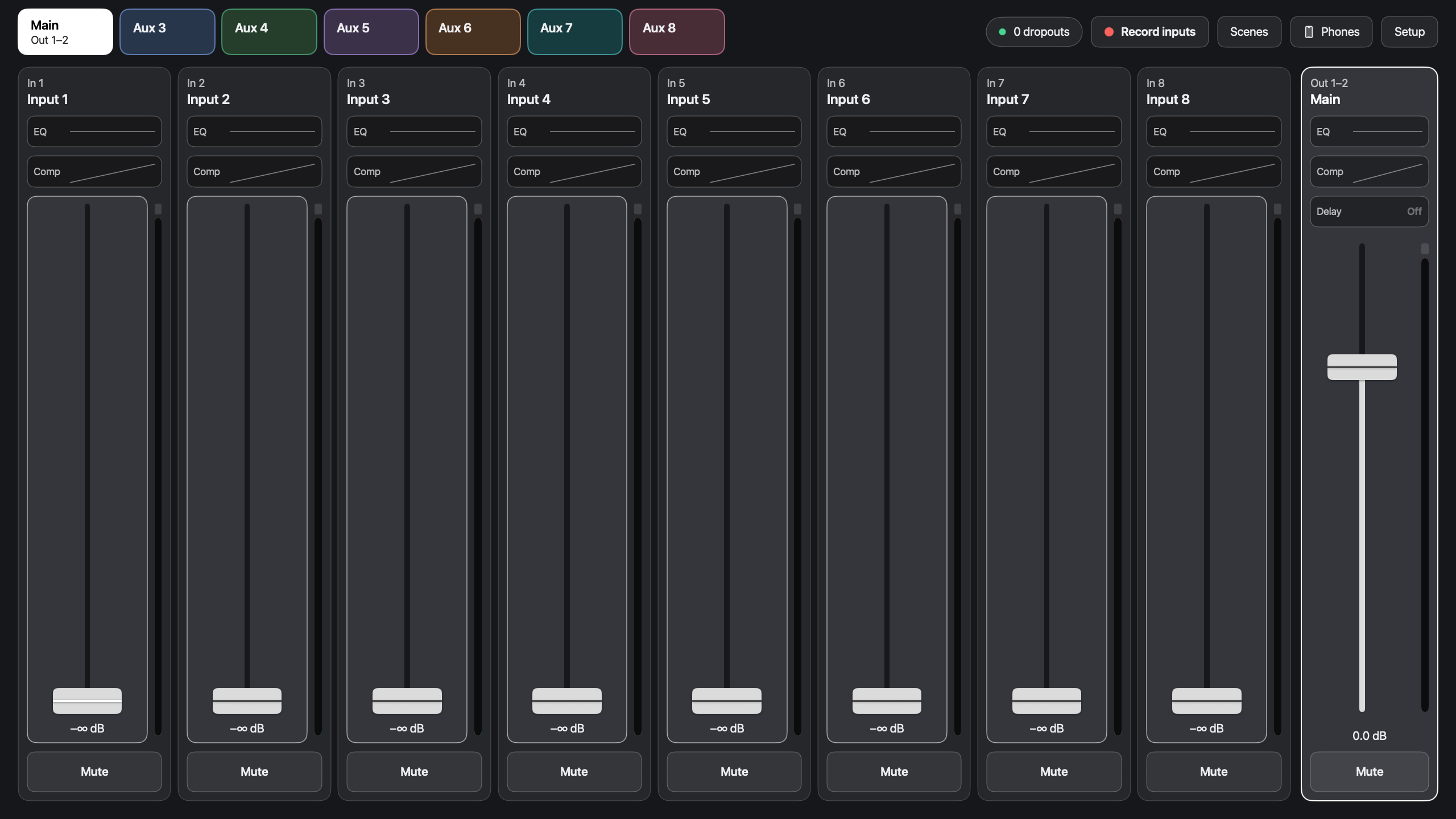
I then asked it to make me a mixer interface. I've now used several digital mixer interfaces, and had several ideas I wanted to try. The big one is per-output color. Here's the faders controlling the mains:
And here's them controlling Aux 3:
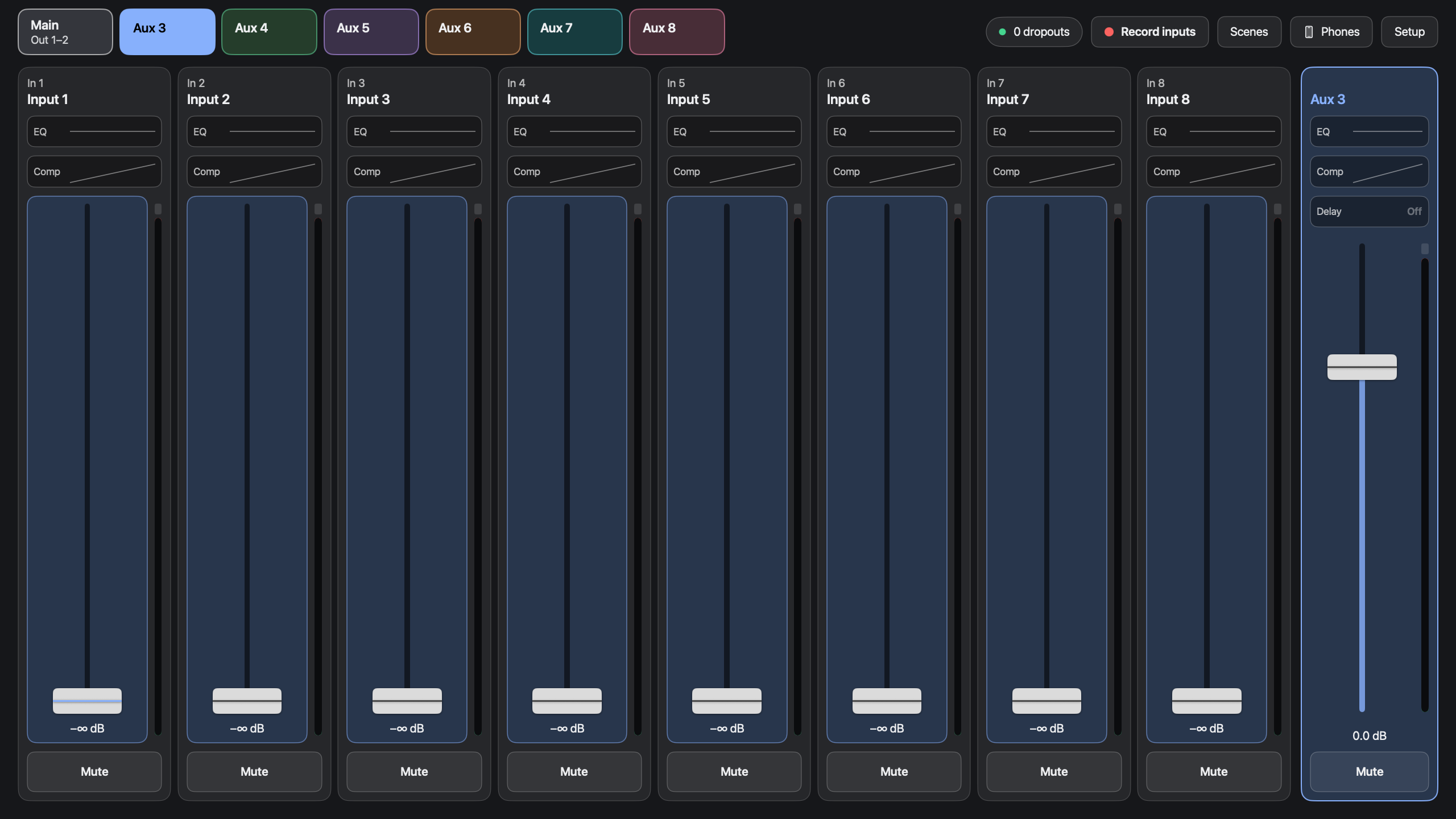
All the portions that depend on whether the mains vs Aux 3 are selected change color (ex: faders), while the portions that always mean the same thing stay the same (ex: mutes). This addresses the biggest issue I've seen with people using digital mixers, where they get confused about which output they're controlling. Not just newbies: I've had very experienced people trying to adjust the mains and ending up changing my monitor. It's an easy mistake to make in most UIs: just one small indicator that means the difference between whether a fader controls mains vs the monitor. And the indicator isn't near the fader.
The other things are smaller, and most are things I've seen somewhere before even if they're not universal:
- EQ and compression available on the outputs, not just the inputs. Useful when a specific monitor is causing a problem.
- Easy access to zero the board when switching quickly to a new band (and easy to revert if you realize you need to go back).
- Give people the option to control just their own monitor via their phone. [3] To keep it simple, they only get levels; no compression or EQ.
- Faders spend their travel in the useful region: just -20 to +10; below that they go to -inf. For live sound I have no reason to bring someone down below -20, they can just be off.
- You edit names in place instead of opening a different dialog.
- No on/off switches for EQ or compression. I've seen people struggle to figure out why their EQ isn't doing anything, because it's switched off.
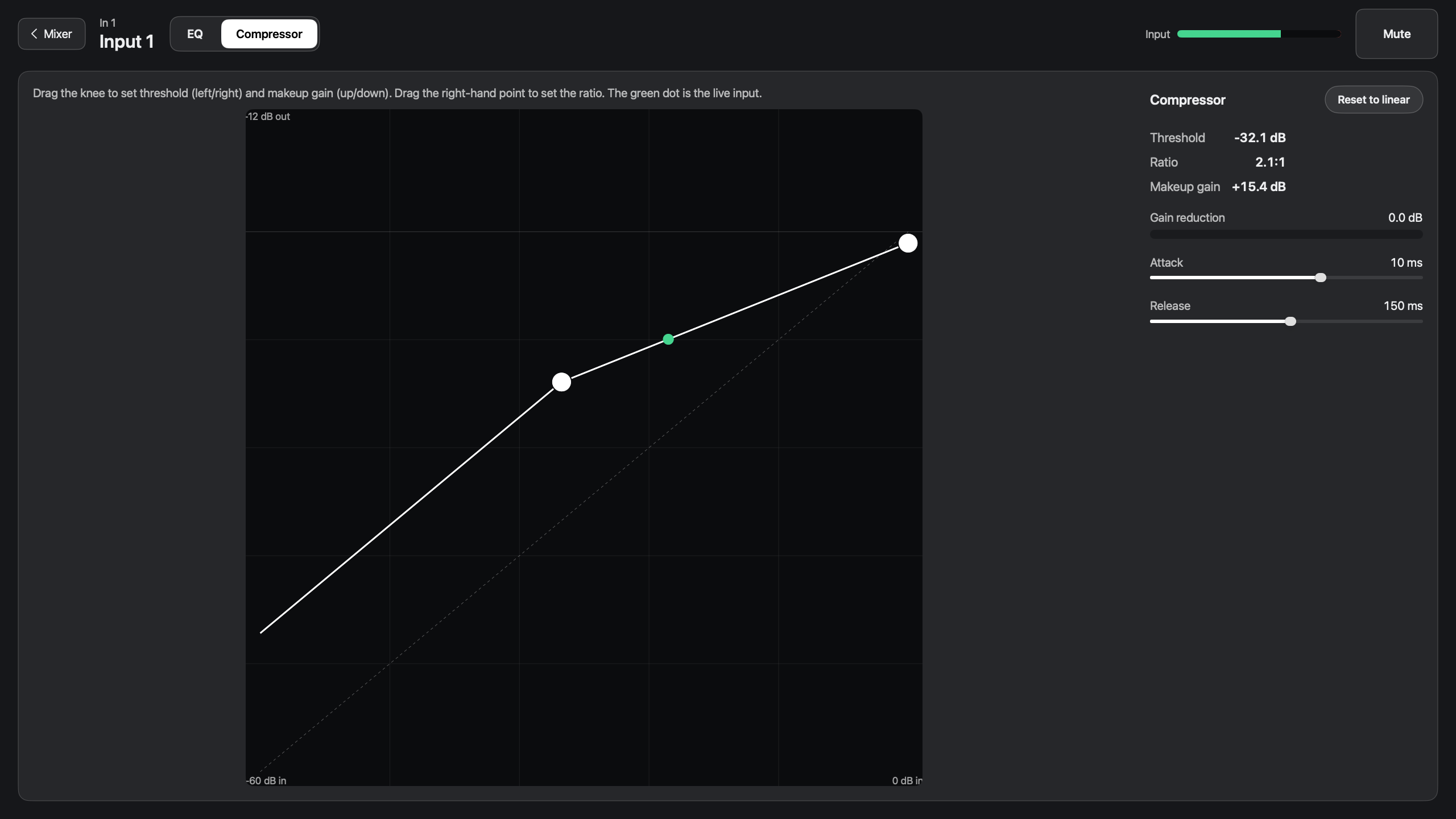
- EQ and compression show summary lines on the channel view, so you can quickly see how you have each one set.
- No insert effects, buses, groups, routing matrix, or pan. I never use these, and they make things more complicated. I did include delay, for down-hall fills.
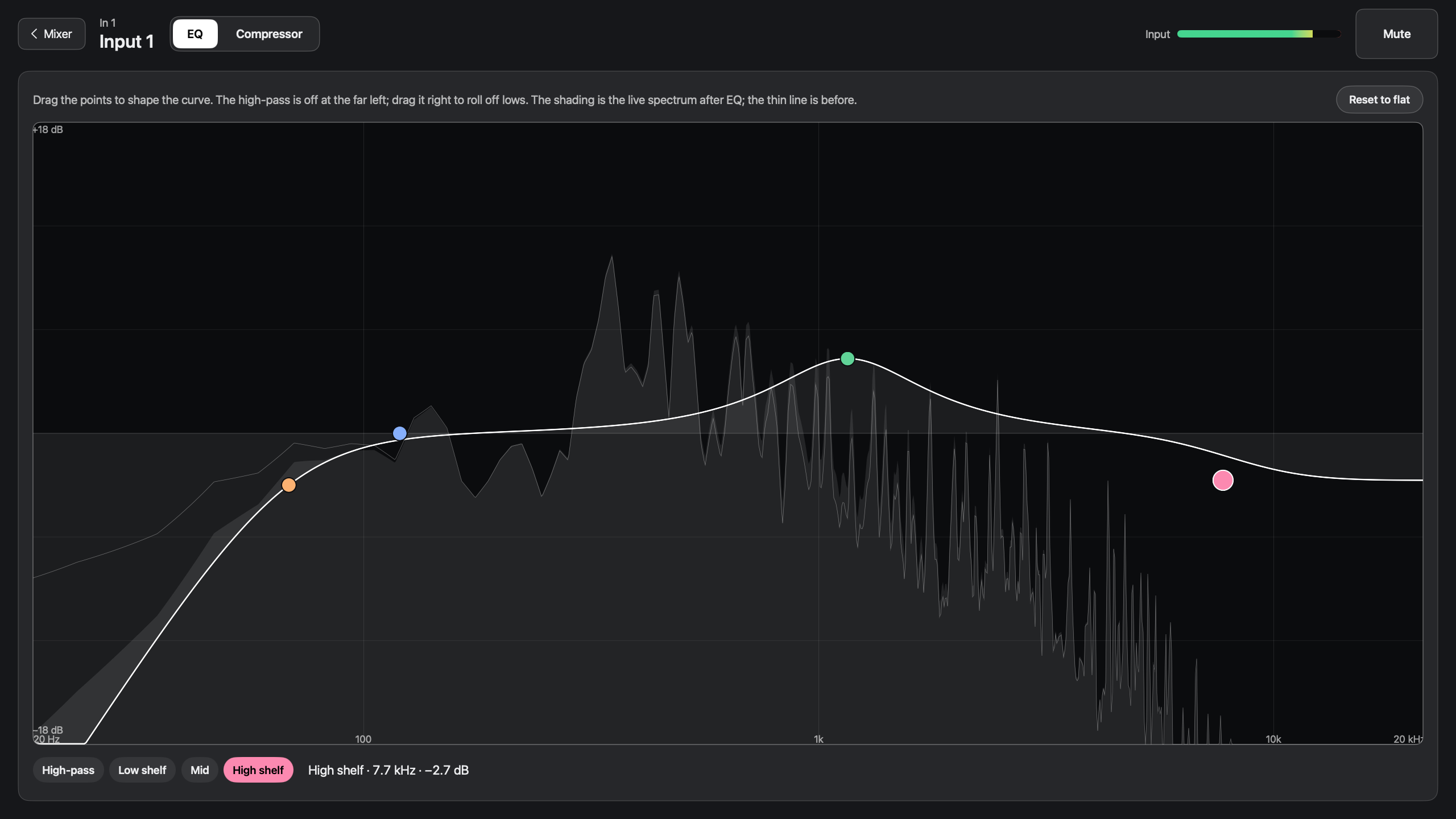
Here's the EQ screen:
And compression:
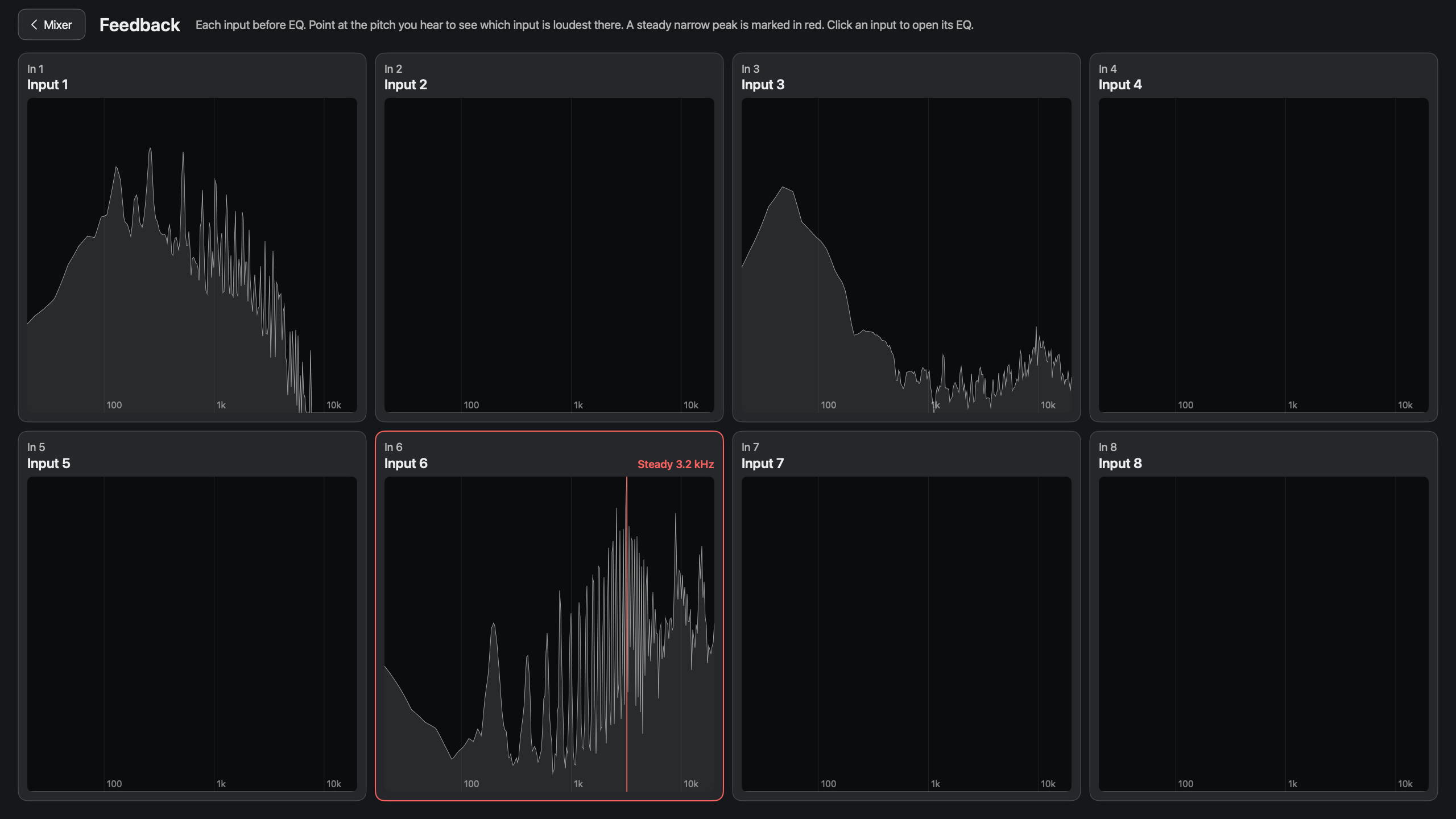
I also added a "feedback" screen which shows frequency plots for all eight inputs at once, so you can quickly identify which one might be making whale noises:
Right now the app only works with the 1818VSL, which is an obsolete piece of hardware I happen to have, but it's open source and if you'd like to (use a model to) add support for other hardware in your own copy, feel free!
[1] SoundOnSound: "Like most multi-channel interfaces, the Audiobox has a software utility to control the routing and monitor mixing that take place on its onboard DSP chip. The notable feature of PreSonus' Virtual Studio Live is that it replicates pretty closely the features and functionality of the company's Studio Live mixers; in essence, the Audiobox's DSP is a Studio Live mixer without the physical controls."
[2] Full Compass: "26 x 18 ultra-low latency DSP mixer"
[3] On my phone Firefox was good, but on Chrome I got ERR_TOO_MANY_RETRIES even though the "nearby devices" permission was already granted. I exported a net log and saw ERR_LOCAL_NETWORK_PERMISSION_MISSING, and tcpdump on my Mac didn't see incoming connections. To fix it, I needed to go into Settings > Apps > Chrome on my phone, force stop Chrome, turn off and back on the Permissions > Nearby devices setting, force stop it again, and then reopen. Claude's guess is that a permission granted before Android 17 didn't cover local network access, and toggling it makes Android grant it fresh.