8 Digital Nomad Gear Picks That Fit in One Carry-On


The carry-on is the most honest test a piece of gear can face. Every extra centimeter costs something real. A charger left behind, a book swapped for a cable, a jacket rolled tighter than it should be. The best digital nomad setups do not just travel well; they work better in motion than at a fixed desk, and that is the only standard worth holding any of them to.
Packing for a long trip used to mean accepting trade-offs. A cramped keyboard, a stiff neck from a screen sitting too low, devices dead by noon in a café with no outlet in reach. That logic no longer holds. The eight picks below are small enough to disappear into a standard overhead bag and capable enough that nothing gets left on the desk at home. Every single one earns its weight.
1. OrigamiSwift Mouse

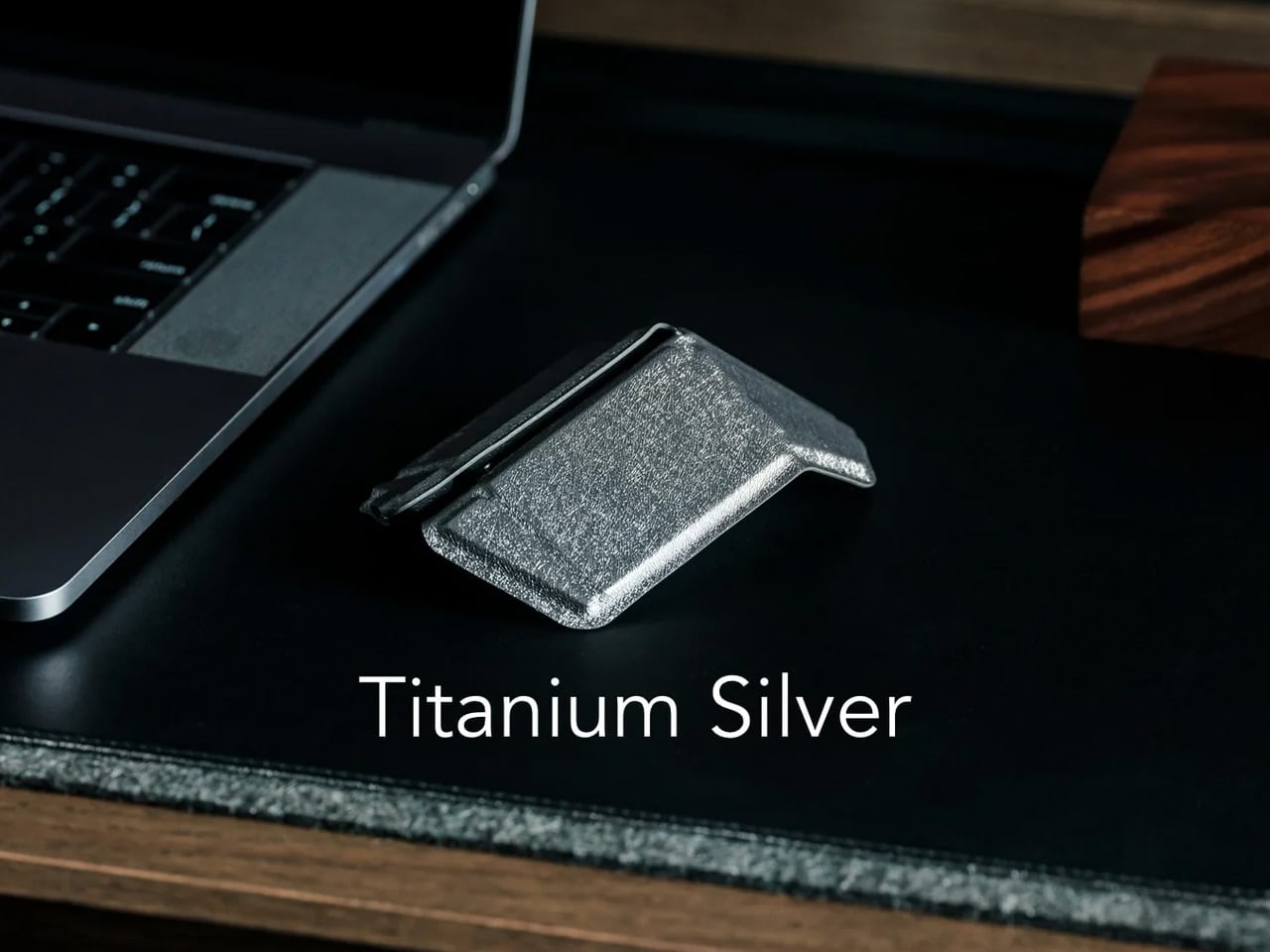
A mouse that folds card-flat sounds clever in a pitch deck and tends to fall apart the moment you actually use it. The OrigamiSwift is the version that works. It opens to a full ergonomic profile in a single motion, connects over Bluetooth 5.2, and runs for roughly three months on a single USB-C charge. The fold mechanism is tight enough that it does not shift in a bag pocket, and the ergonomic profile it lands on when open is genuine rather than a compromise shaped like one. Nothing about it reads like it was designed to photograph well and ignored afterward.
For a nomad working across café tables and co-working spaces without a fixed setup, the difference between a touchpad and a proper mouse is the difference between finishing a deck and fighting one. The OrigamiSwift handles that gap without adding bulk to the bag. It fits flat between a laptop and its sleeve, takes no configuration once paired, and the three-month battery life means USB-C cables stay free for devices that actually need them. There is no dongle, no protective case required, and no adjustment period once it is in your hand.
What We Like
- Folds genuinely flat without the mechanism loosening over time, so it does not need a dedicated case or pouch to survive loose inside a bag alongside everything else
- Three months of battery on a single USB-C charge removes the cable dependency entirely, which matters most when every port on the hub is already spoken for
What We Dislike
- The card-flat fold constrains the scroll wheel geometry in ways that are more noticeable coming from a conventional full-size mouse than the compact form suggests
- No confirmed left-hand variant, which limits the audience before anyone even opens the box
2. MelGeek Centauri80
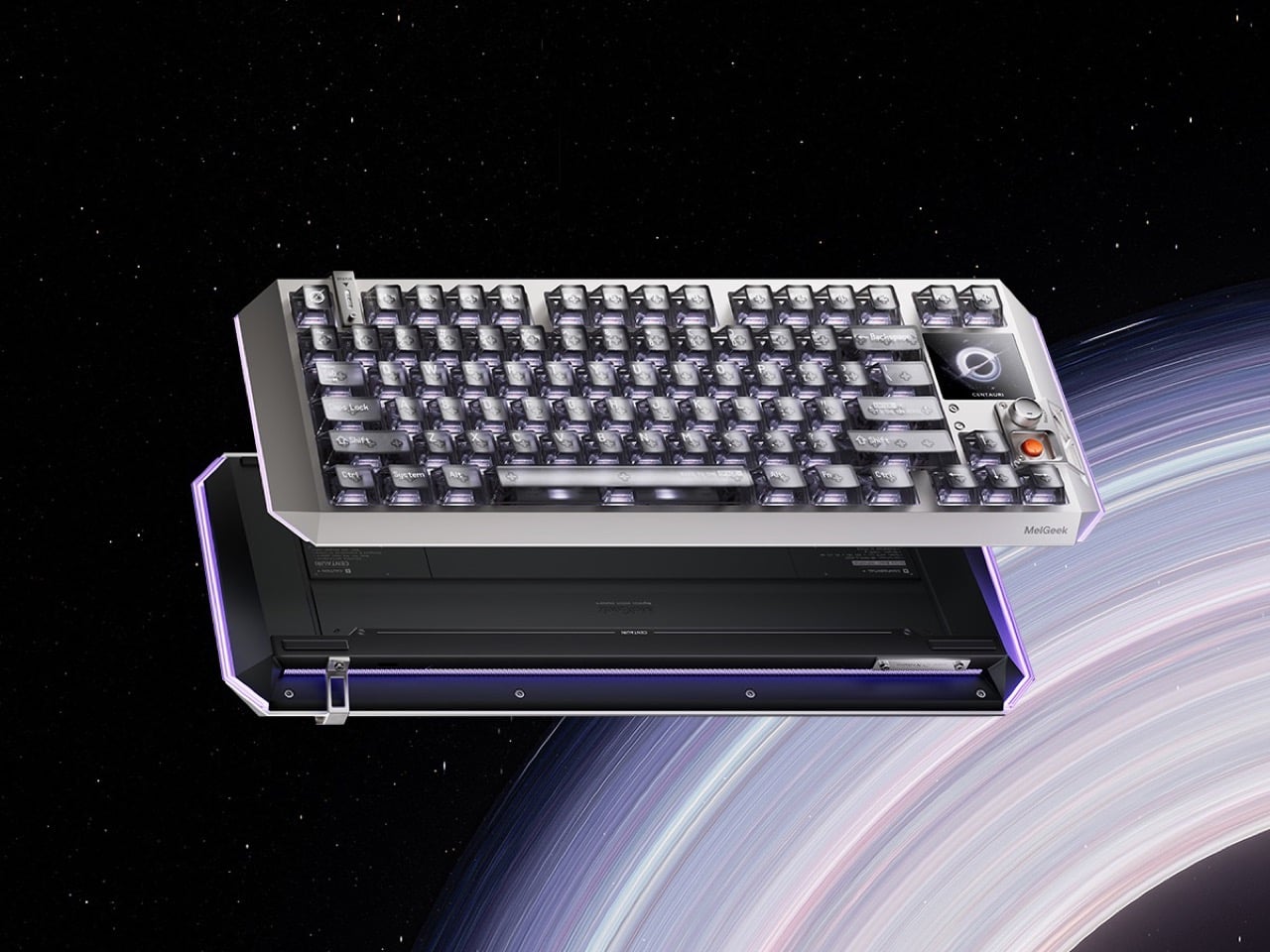
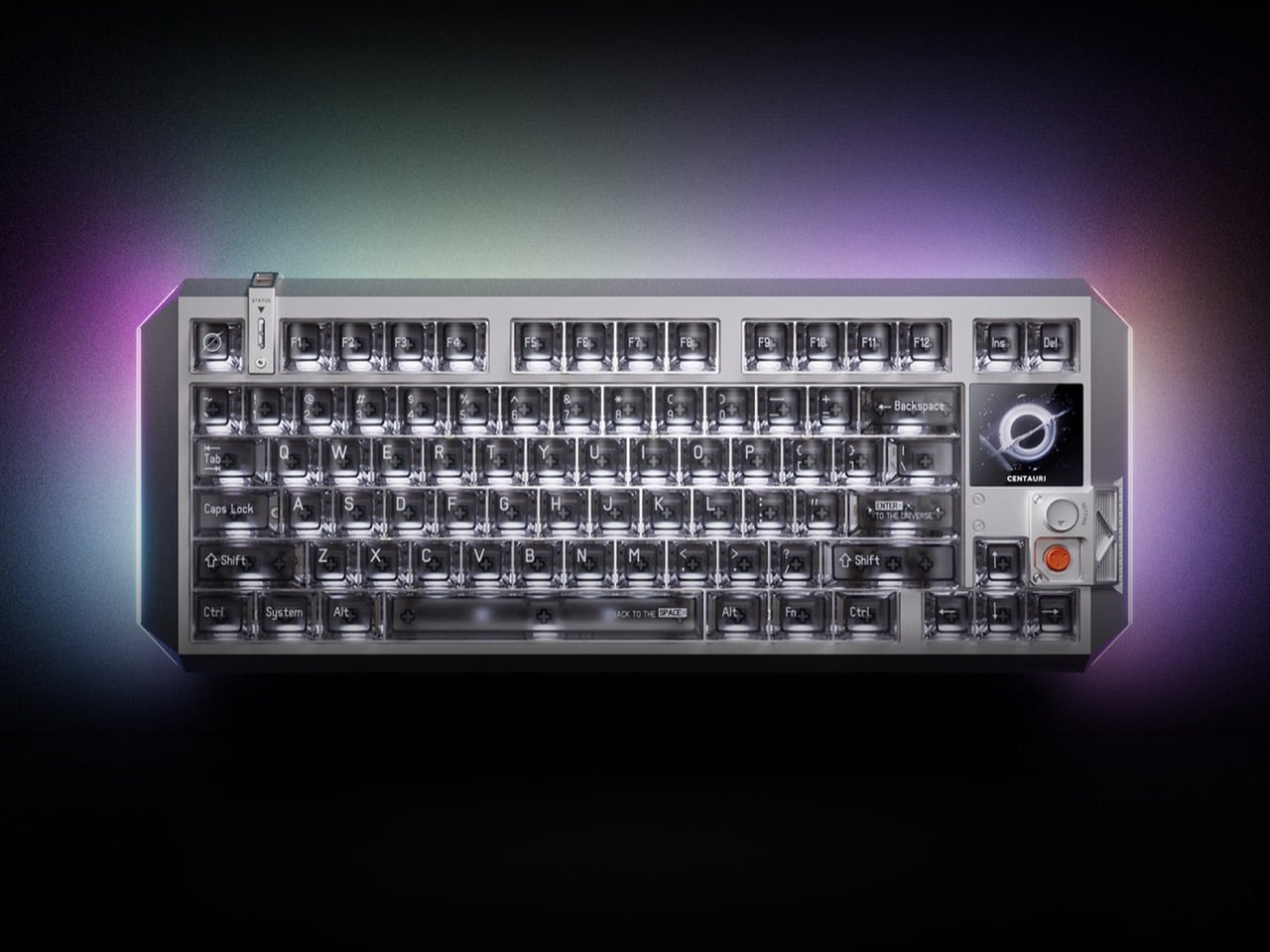
Most travel keyboards solve the size problem by shrinking key spacing and hoping you adjust. The MelGeek Centauri80 takes a different position entirely. It is a full mechanical board with a 1.78-inch OLED touchscreen built directly into the casing at 325 pixels per inch, a density that sits at Apple Watch level on a piece of hardware you put in a bag. The physical rotary Super Dock handles macros, lighting control, and media shortcuts without routing anything through a companion app or requiring you to alt-tab out of whatever you are working on to change a setting.
The reason this matters for remote work is that task-switching in an unfamiliar environment costs more than it does at a home setup. Every trip out of the current window to adjust something is a context break you have to recover from. The Centauri80 compresses that cost with tactile shortcuts within reach of the hands already on the keys. The OLED display shows the active mode, current profile, and what the rotary dock is controlling at a glance, keeping you inside the work rather than managing the tools surrounding it.
What We Like
- 325 PPI OLED touchscreen delivers display quality you do not expect from a keyboard accessory, and it changes how useful the board feels across a full day of work away from a monitor
- The rotary Super Dock eliminates software-based macro management, which means one fewer app running in the background on a machine that already has enough of them open
What We Dislike
- A full mechanical board, even a compact one, carries more weight than a membrane travel keyboard, and that difference becomes relevant when a carry-on is already approaching its limit
- The built-in OLED screen introduces a charging dependency that a simpler board would not, adding one more item to the nightly routine at a hostel power strip with limited sockets
3. StillFrame Headphones
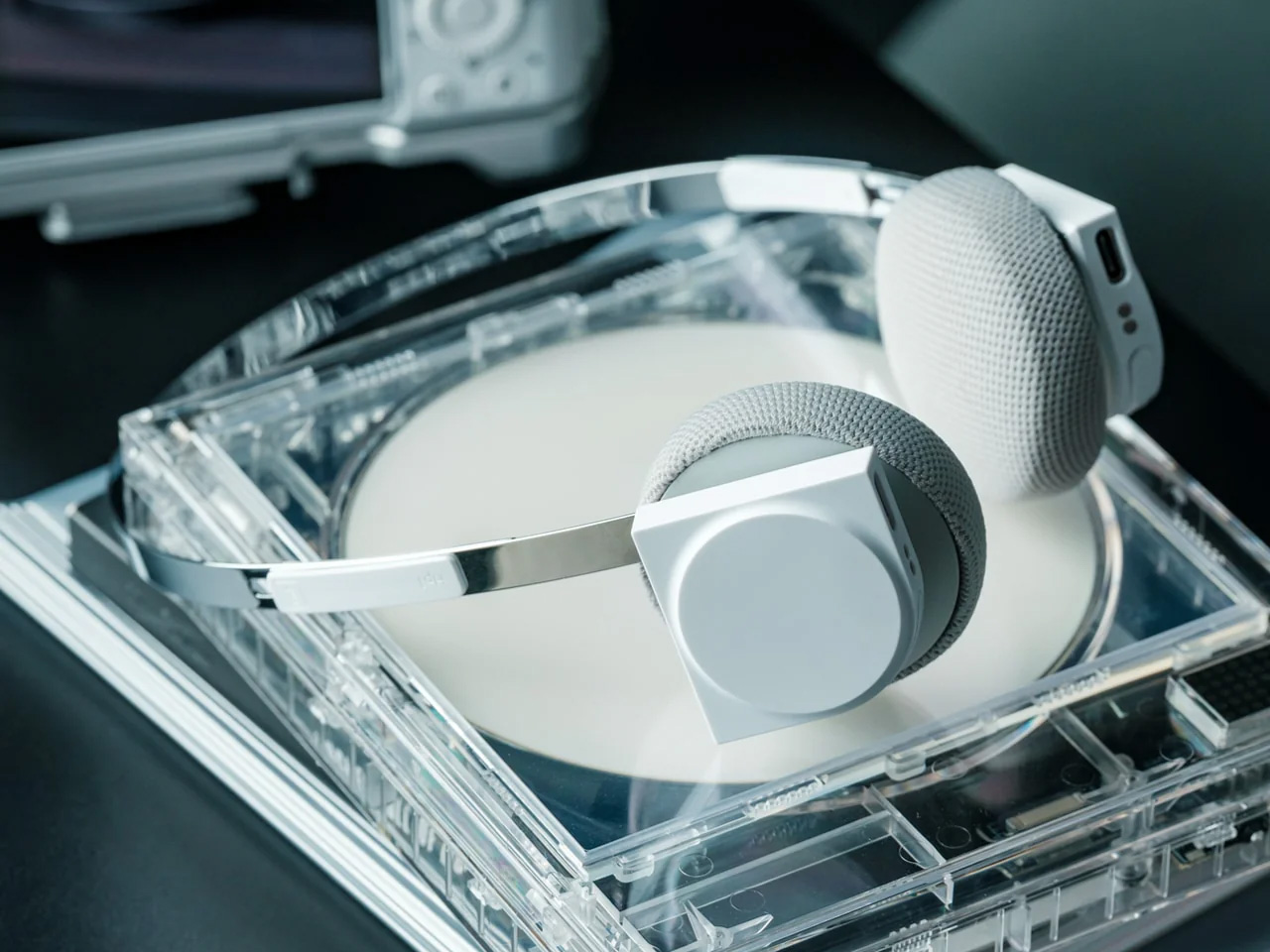
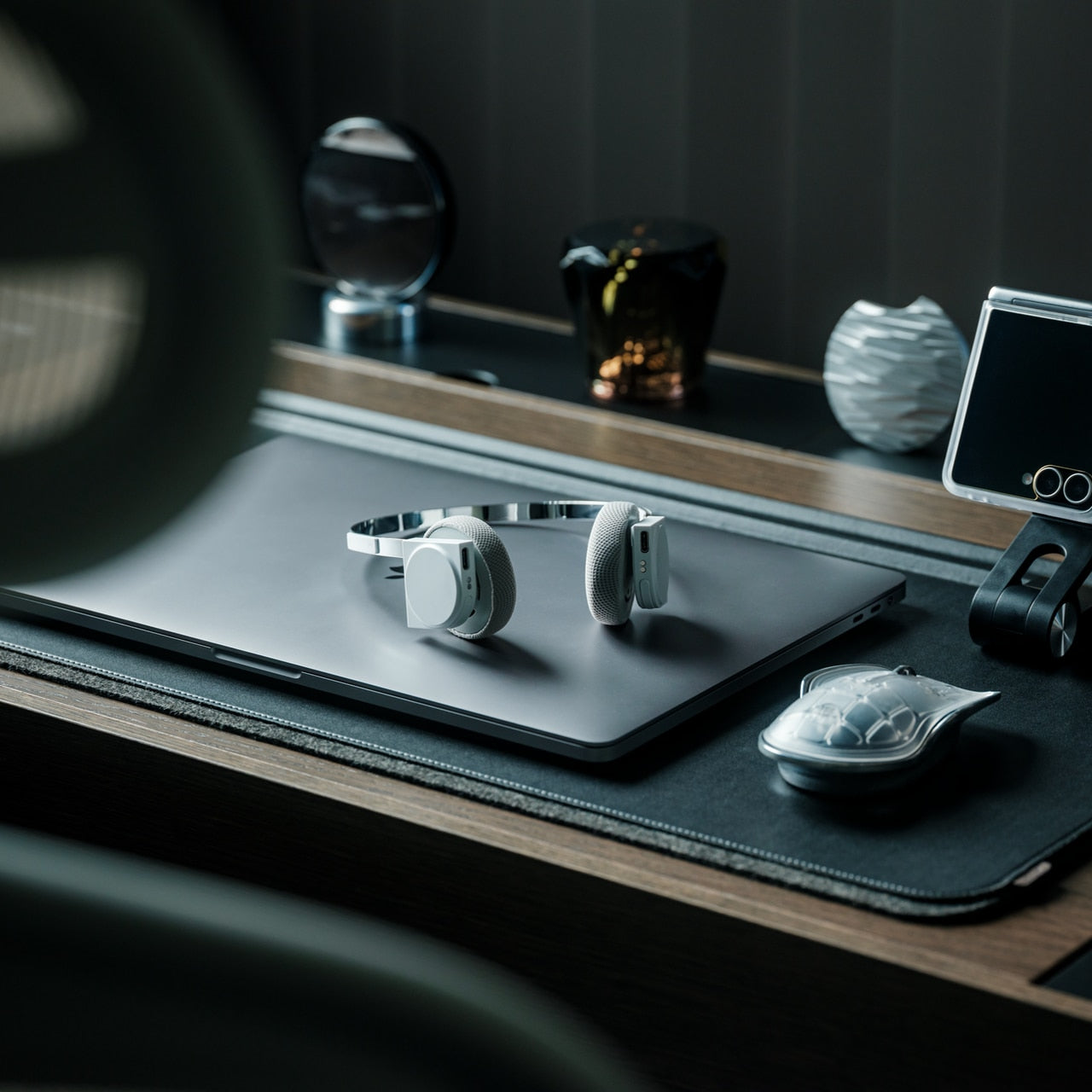
The over-ear headphone has become standard café furniture, which means the design bar is simply to not look like every other pair at the adjacent table. StillFrame takes a quieter approach than most: a minimal frame with a material story that holds up to extended handling, and passive isolation that removes the ambient noise layer without requiring battery charge as an entry fee to concentration. The headphones operate without a companion app, without a settings menu to navigate before a session, and without the feature accumulation that turns putting music on into a task requiring a phone in hand before you hear anything.
For a nomad, the argument for StillFrame is as much about packability as it is about sound. Headphones that collapse flat and travel without a dedicated case free up bag volume that protective cases have been quietly borrowing for years. Passive isolation that works without battery dependency means the headphones perform equally on a plane, in a café, and in a dead-battery situation where an active noise-cancelling pair would have already become an expensive set of ear cups. The setup earns back the attention that open environments routinely take without asking.
Click Here to Buy Now: $245.00
What We Like
- Passive isolation that works without battery dependency means the headphones perform identically in every environment, including situations where a charging cable is nowhere in reach
- Collapses flat and travels without a dedicated case, which recovers meaningful bag volume that a hard-shell headphone case would have claimed for the rest of the trip
What We Dislike
- Over-ear passive isolation is strong in low-to-moderate ambient noise but will not compete with active noise cancellation on a long-haul flight at full engine volume
- The minimal design philosophy means no on-ear controls or microphone for calls, which limits the headphones to listening-only use in a kit that often needs to handle both
4. Lana
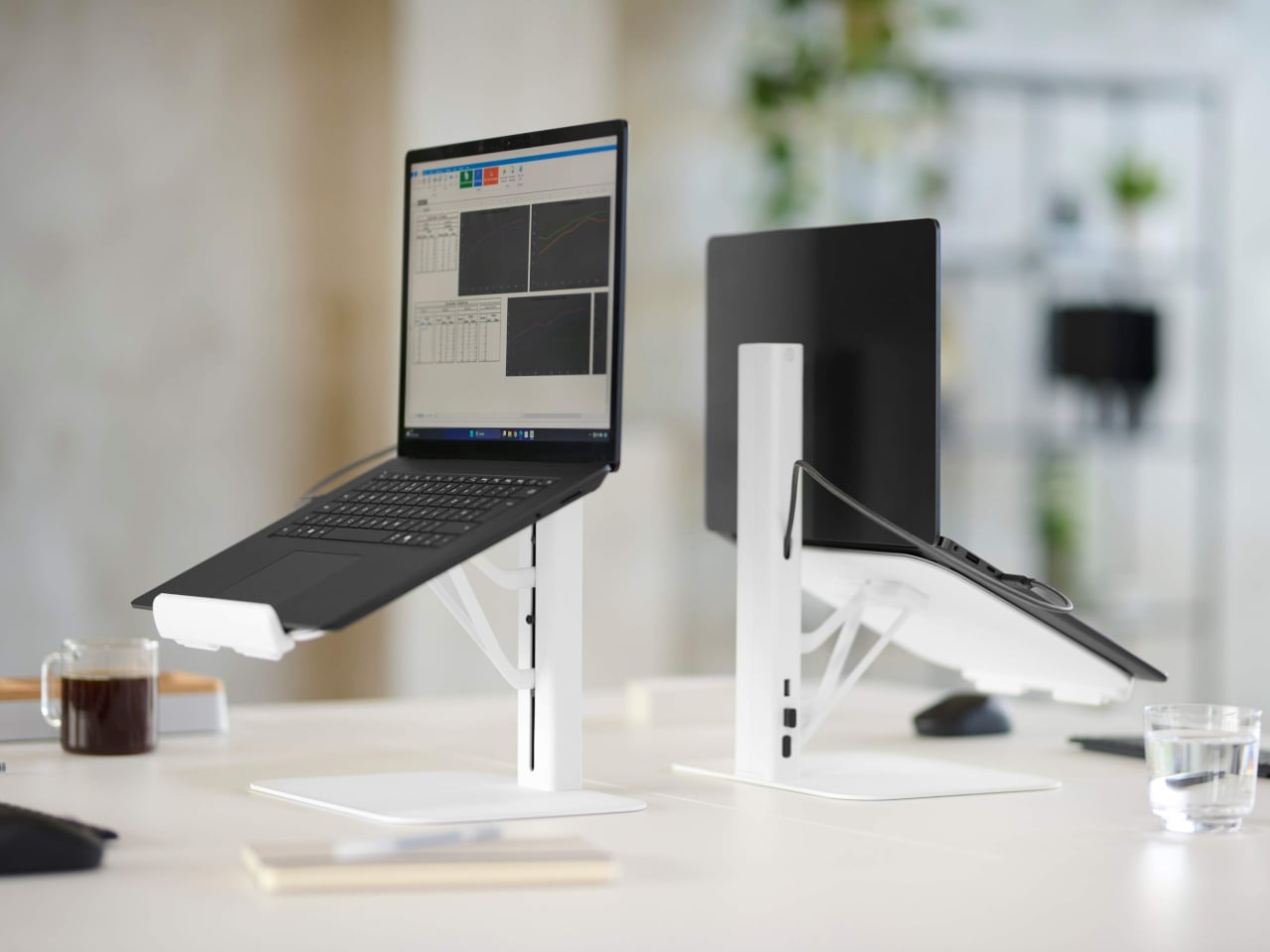
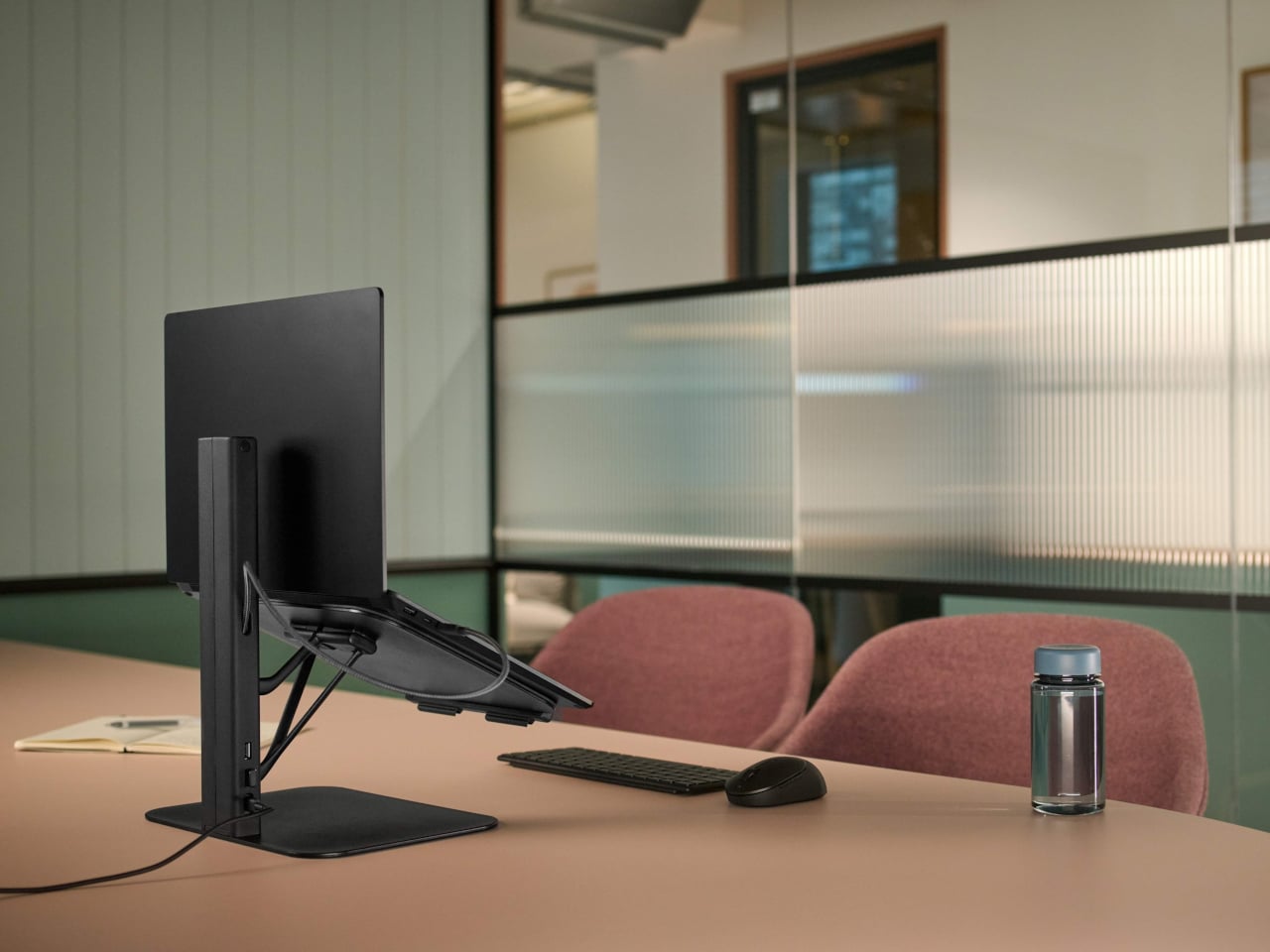
Every laptop riser on the market is designed for a desk. The Lana is designed for a booth. The distinction matters more than it sounds because café tables, communal co-working benches, and hotel-lobby surfaces are not desks, and gear built with a desk in mind often becomes awkward the moment it leaves that context. Lana’s footprint is small enough for a lunch-break café table, its height brings the screen to eye level without overreaching, and it backs that up with a 12-year warranty on the mechanism, an unusual commitment for something this portable.
For a nomad, posture is not an aesthetic concern. It is a practical one that compounds across cities and weeks. A screen sitting too low turns a two-hour session into a stiff neck that follows you through the afternoon and into the next morning. Lana solves that without asking you to carry anything bulky or set up anything complicated. Designed specifically for the shared surfaces where nomad work actually happens, it behaves like a genuine piece of travel gear rather than a desk accessory that was designed to fold and marketed as travel-friendly after the fact.
What We Like
- Footprint is genuinely café-table compatible rather than just described as such, which determines whether you actually deploy it or leave it in the bag on days when the table is already tight
- A 12-year warranty on the mechanism is an uncommonly long commitment for a product in this size and price category, and it changes how the purchase reads over the length of a nomad career
What We Dislike
- Confirmed packed weight and folded dimensions are not yet widely documented across retail listings, which makes it harder to commit to before a trip where every gram of bag allowance is already allocated
- Optimized for shared and communal surfaces rather than adjustable desk setups, which limits height range compared to larger risers and may not suit every working height preference
5. ASUS ZenScreen OLED MQ16FC
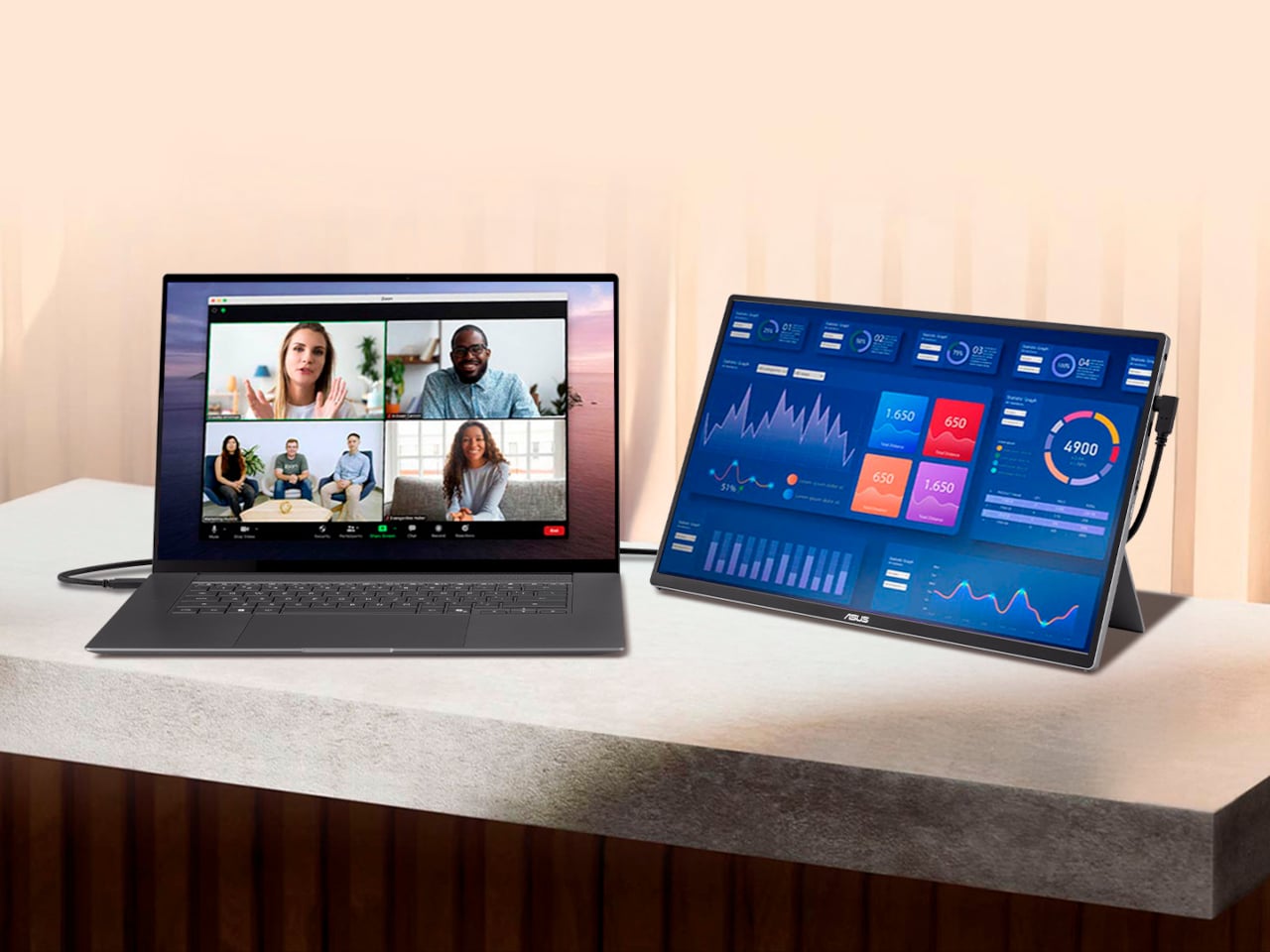
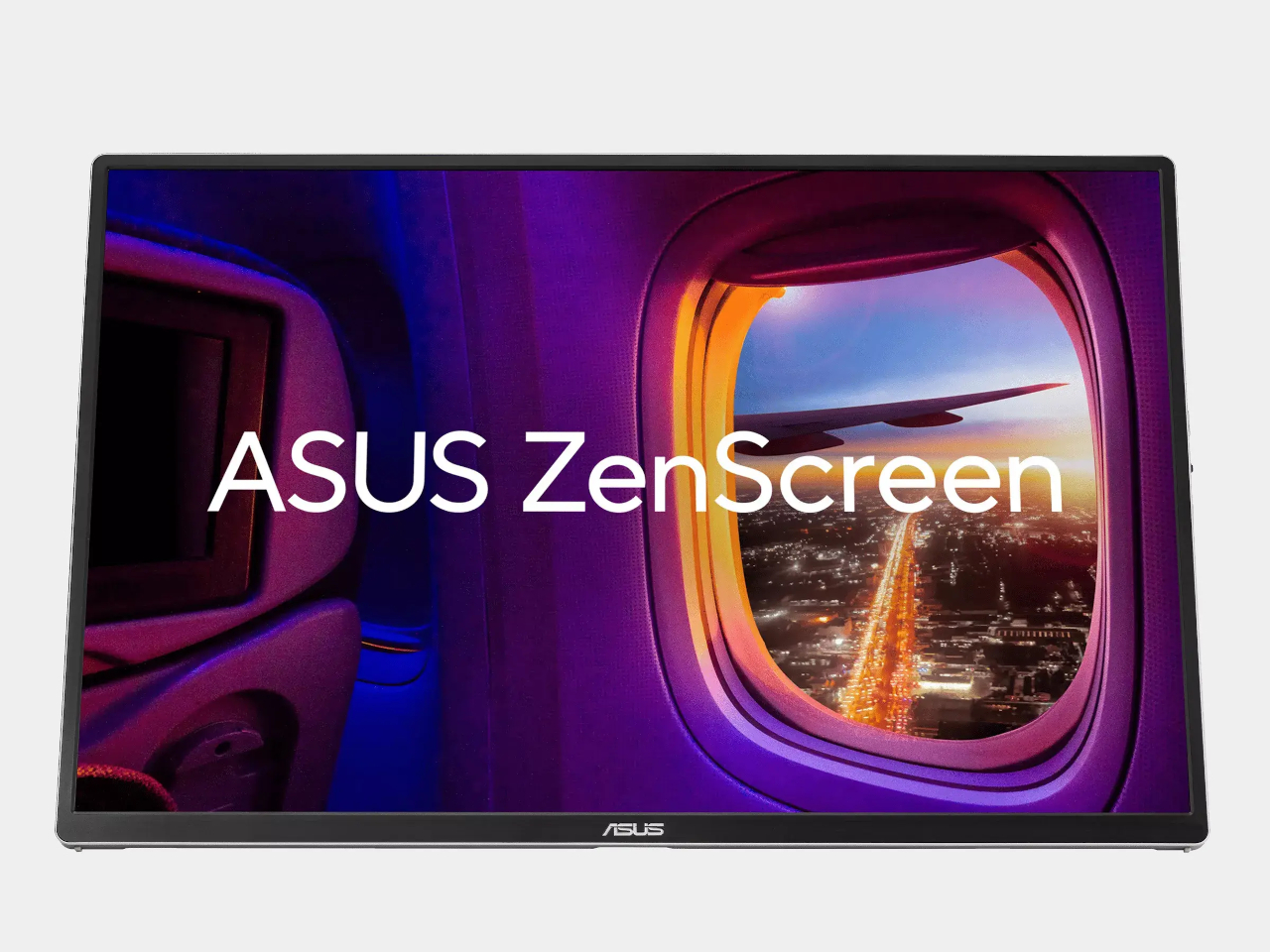
A portable secondary monitor is one of those purchases that solves one problem and quietly creates another. The extra screen gives you the dual-display setup the workflow depends on, then draws from the same laptop battery it was meant to extend, shortening the very session it was packed to improve. Addresses that conflict at the port level. Rather than draining the laptop it connects to, it charges the laptop while running, which changes the fundamental calculation on whether a portable second screen is worth adding to a bag that is already full.
For a nomad whose entire output depends on how long a device stays charged, that reversal is significant enough to reconsider the category entirely. A screen that adds session time rather than subtracting it means you can set up in a space without scanning the walls for an outlet first. The OLED panel holds up for design and visual work, not only documents and email, which extends the usefulness of carrying it beyond a single type of job. That range makes it a meaningfully different argument than a standard portable monitor, which tends to serve one workflow and struggle with everything adjacent to it.
What We Like
- Charges the connected laptop while operating, reversing the power trade-off that typically makes a secondary display a liability on sessions away from a power source
- OLED panel quality holds up for visual and creative work as well as productivity tasks, which broadens the justification for carrying it across different types of remote work in the same week
What We Dislike
- Screen quality and laptop-charging capability come at a price and weight premium over basic portable monitors with similar dimensions, which narrows the case to users who will consistently take advantage of both
- Enabling the laptop-charging feature requires a host machine with a compatible USB-C port and the correct power delivery specification, which is worth confirming against your specific laptop before purchasing
6. Nothing Power (1)
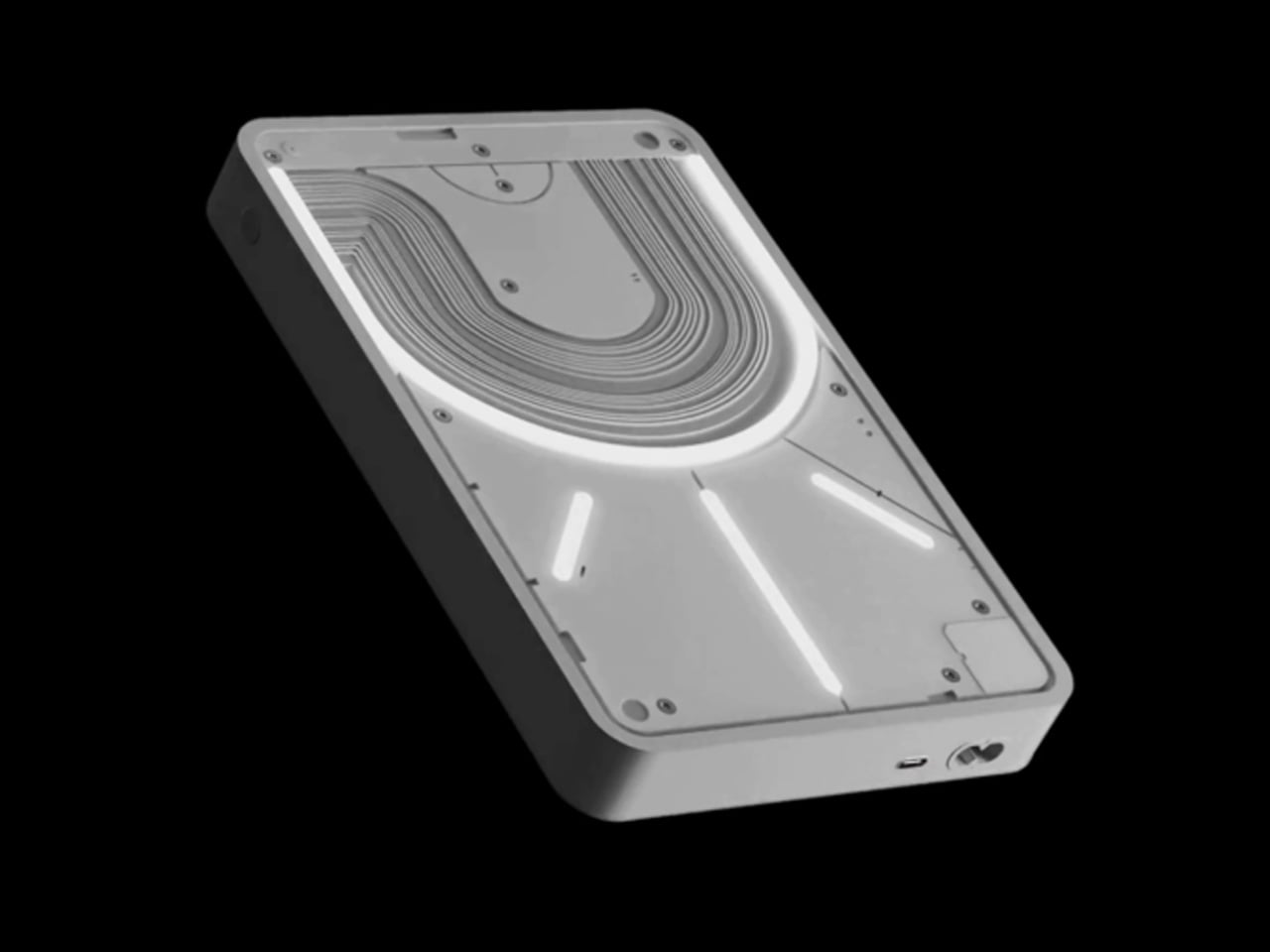
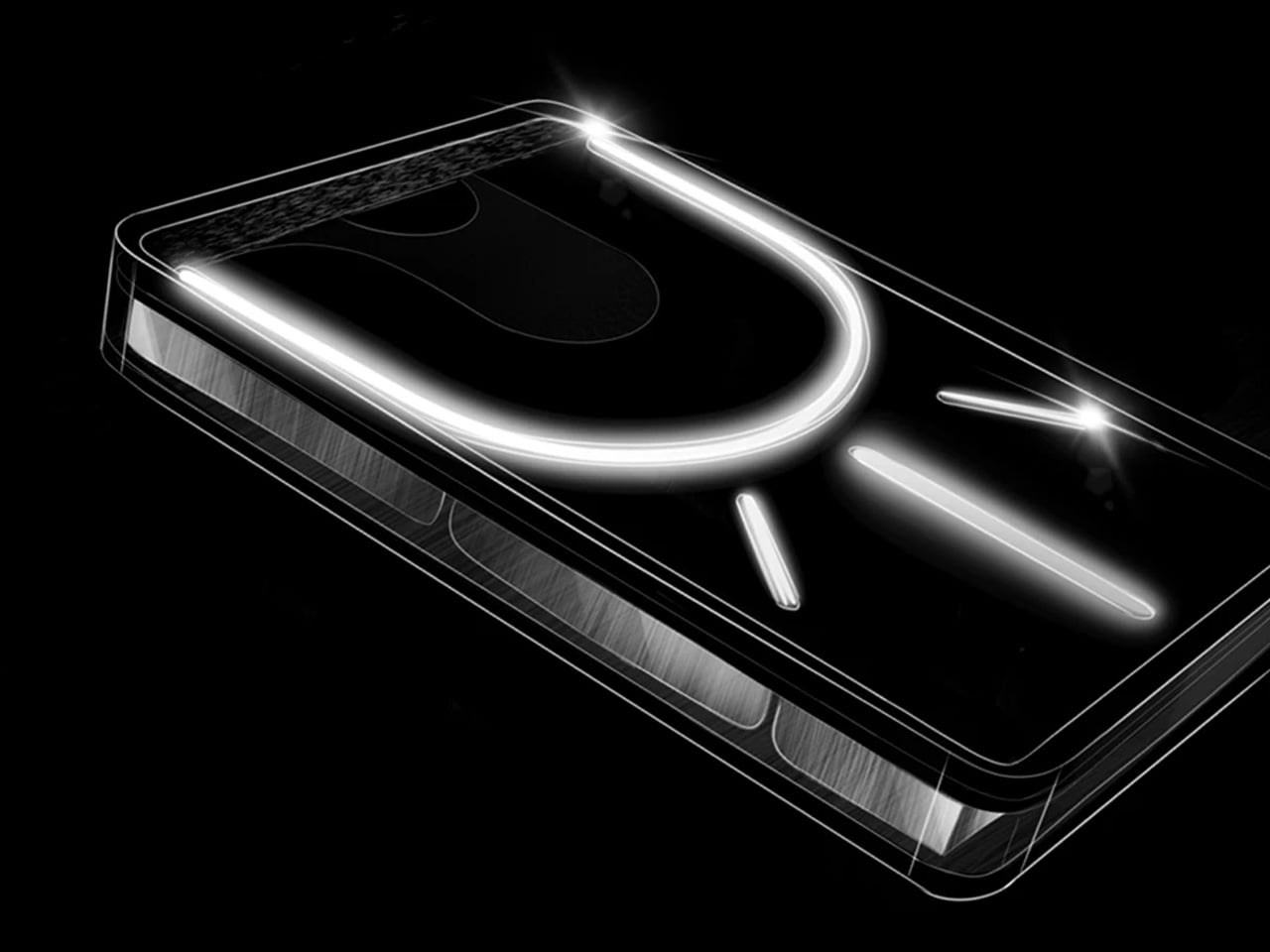
Nothing built its reputation on making utility hardware look like it belongs on a surface rather than in a drawer. The Power (1) applies that same logic to a battery bank, a category that has defaulted to matte black rectangles and side-panel LED dots for as long as it has existed as a recognizable product type. The transparent housing exposes the internal architecture directly, and the Glyph LED system communicates charge status at a glance without requiring you to pick the device up, rotate it, and locate the percentage indicator while mid-conversation or mid-work.
On a shared co-working table or a hostel desk, the objects around you say something about the kind of work you do. A generic power bank communicates nothing. The Power (1) holds its own as an object worth looking at, which matters less than it sounds until you are pitching from a café table where everything in view is part of the impression. The Glyph LED means remaining charge is readable without interrupting whatever you are working through, which is a quieter advantage than the design but an equally practical one across a long travel day.
What We Like
- Glyph LED makes charge status readable at a glance without any physical interaction, removing a friction point that a standard indicator introduces across every check on a long day
- Transparent housing turns what is functionally a utility object into something considered enough to leave on the table, which changes how it reads in every shared space you work from
What We Dislike
- Design-forward positioning carries a price premium over competitors offering higher raw capacity at the same physical footprint, which is a meaningful trade-off if output wattage is the primary concern
- The Glyph LED notification language requires brief familiarization before it becomes readable without thought, a small but real onboarding cost for a device you want to pick up and use immediately off a long flight
7. Rolling World Clock
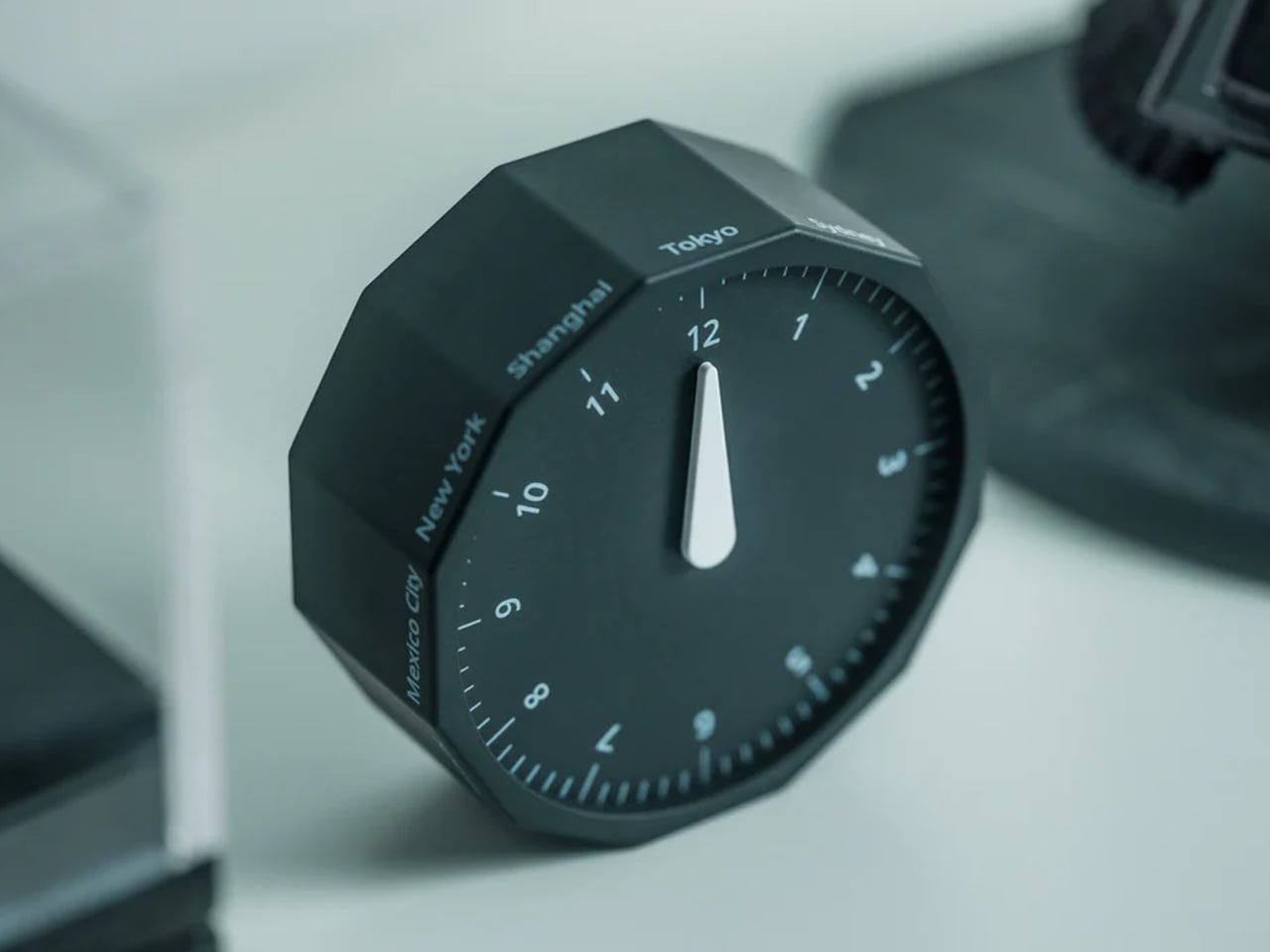
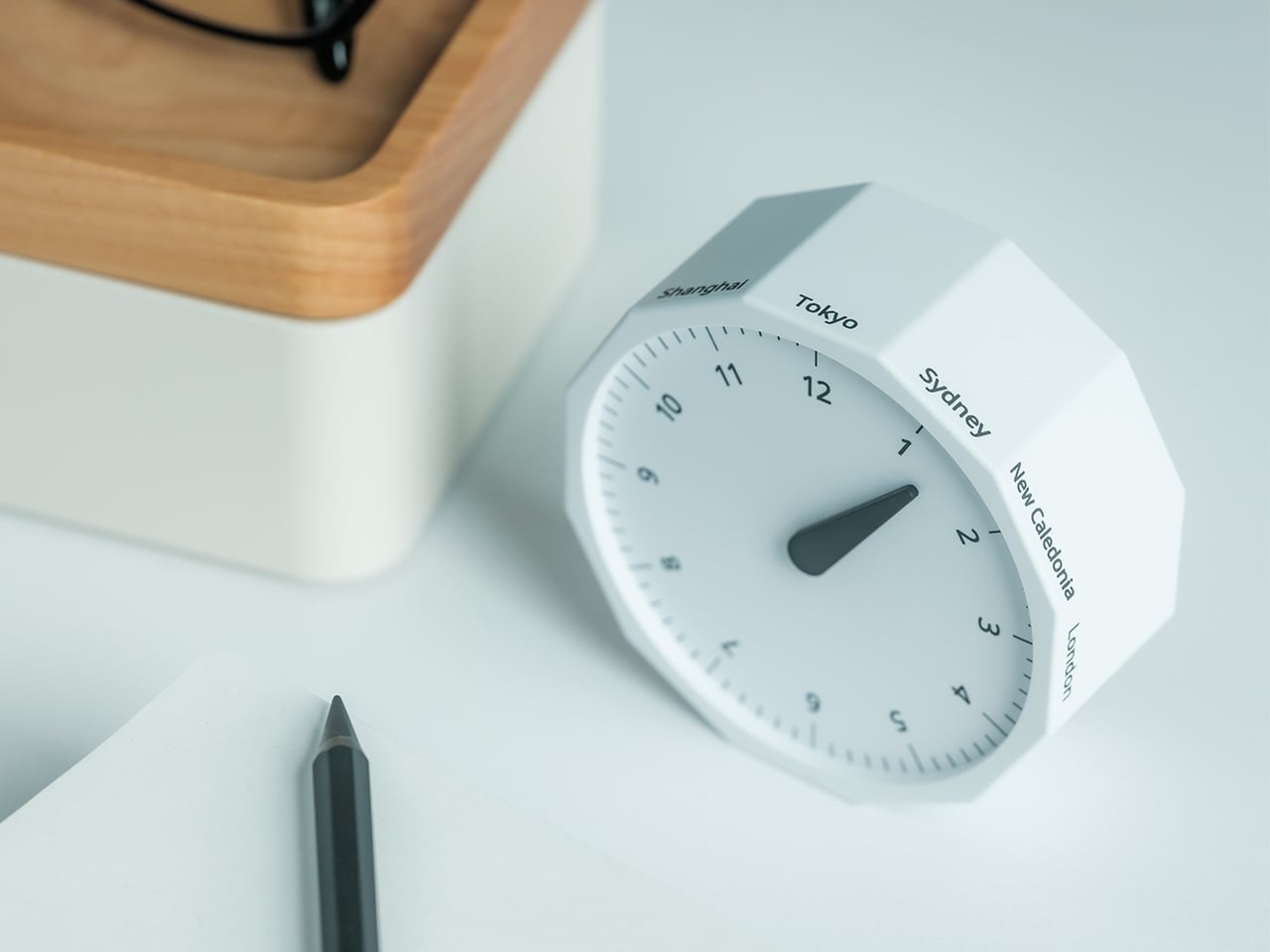
The Rolling World Clock costs $49 and does one thing clearly: it shows the time in multiple cities without requiring you to pick up a phone. That sounds like a modest ask until you consider how often a phone check converts into a scroll, a notification response, and fifteen minutes you did not plan to spend. A physical clock on the desk removes that variable entirely. The rolling mechanism displays time zones in a format readable from across the table, with no screen to unlock, no app to open, and no interface that requires any interaction at all to return useful information.
For a nomad coordinating across time zones, the mental overhead of tracking where clients, collaborators, and teammates sit in their day is real, persistent, and quietly expensive in terms of attention. The Rolling World Clock resolves that with a physical object you glance at, the same way a wall clock in a broadcast studio once solved the same problem for producers managing feeds across continents. No app, no calendar plugin, no screen to turn on.
What We Like
- Physical timezone display removes the phone-check reflex and every notification-shaped distraction that typically follows it, with a compounding effect on focus across a full day of remote work
- $49 price point makes it the most affordable item on this list by a significant margin, and the function it delivers is direct enough that there is no feature gap to compensate for at that price
What We Dislike
- Adding a physical object to a café table already holding a laptop, mouse, and monitor creates a crowding problem on narrower shared surfaces, which limits where it actually gets deployed
- Less suited to nomads tracking more than three or four time zones simultaneously; at that scale, a dedicated software solution scales without adding any physical footprint to the table
8. KeyGo Gen2


The original KeyGo raised over $185,000 in its first campaign, which matters because it confirms the Gen2 is not a startup bet on an unproven idea. It is a second-generation product from a concept that already demonstrated real demand, and the jump between versions shows. The built-in display moves from 720p to full 4K at 3,840 by 2,160 resolution, with ten-point multitouch and adjustable brightness up to 300 nits. The full unit weighs around one kilogram and works across Windows, macOS, Linux, and Android without a driver install, removing the compatibility question for most working configurations.
For a nomad who wants a complete workstation without checking a bag, the KeyGo Gen2 resolves the secondary display problem at the keyboard level rather than asking you to carry two objects separately. Unfold it, and you have a keyboard and a 4K screen in a single unit occupying one bag compartment. The resolution holds up for visual and creative work rather than limiting you to video calls and documents. Ten-point multitouch makes it responsive enough to replace a tablet for most tasks, and cross-platform support means the same unit moves between machines without configuration at the next destination.
What We Like
- Full 4K multitouch at 3,840 by 2,160 handles detailed visual and creative work, not only the productivity tasks a lesser portable screen would be limited to
- Native support across four operating systems without additional drivers means it works regardless of which machine you are sitting in front of at any given stop
What We Dislike
- One kilogram is a meaningful addition to a carry-on that already holds a laptop, and the weight makes this a genuine trade-off rather than a free upgrade to the setup
- The combined form factor requires more surface area than a standard keyboard when unfolded, which becomes a real constraint at tightly spaced café tables or economy tray tables on short-haul flights
The Bag Is Packed. The Work Doesn’t Know the Difference.
A carry-on that works is not just about how small each item is on its own. It is about whether they function together without redundancy, overlap, or the kind of friction that makes you leave something behind after the second trip. The eight picks above cover input, audio, ergonomics, display, power, and time without doubling up on any single function. Each earns its spot independently of the rest.
None of them require a dedicated desk, a nearby outlet, or a setup longer than five minutes. That is intentional. The best remote work kit disappears into the background and lets the work take the foreground. Every item here is designed to do exactly that, whether you are operating from a gate lounge, a borrowed desk, or a café booth you claimed twenty minutes ago. Pack light and work well.
The post 8 Digital Nomad Gear Picks That Fit in One Carry-On first appeared on Yanko Design.

 点赞
点赞 收藏
收藏 点踩
点踩 分享
分享