Copying a File Path in Finder

I keep discovering macOS features I should've known about for years.
Need a file's full pathname? For a long time I was right clicking, opening Get Info, highlighting the path, and copying it. That's a lot of clicks for something I do many times a day. Yet I've somehow continued on like this for years…
I've known about the Option key menu trick in macOS, but I never knew that right-clicking a file in Finder and holding Option would turn the Copy action into Copy "filename" as Pathname. 🤯
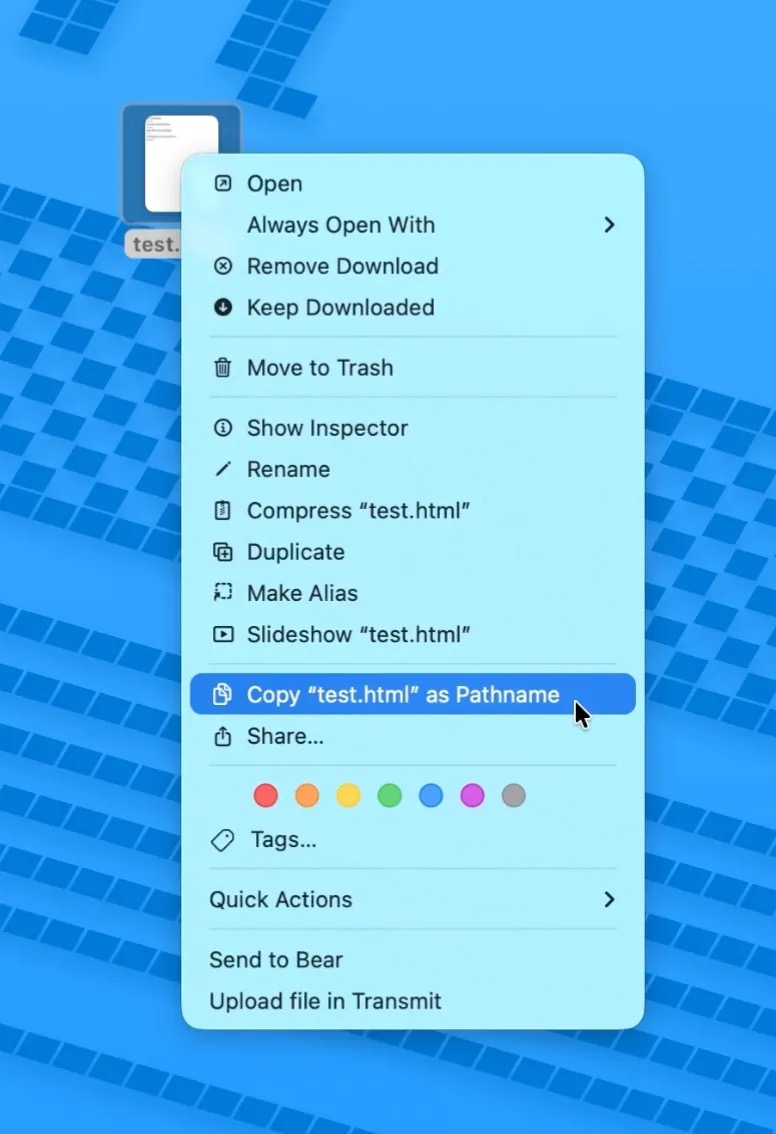
This probably isn't news to everyone, but I've been a macOS user for longer than I care to admit and I just now discovered it.
Naturally, I posted about it on Bluesky and Dusty chimed in to tell me that you can press ⌘ + Option + C to do the same thing with the keyboard.
What other obvious shortcuts have I been missing out on?!

 点赞
点赞 收藏
收藏 点踩
点踩 分享
分享