
Just for fun: GoLlyGee, Game of Life visualization
'%20fill-opacity='.8'%20d='M3.256%203.913a3.083%203.083%200%200%200-.003%204.397L8%2012.998l4.743-4.684a3.085%203.085%200%200%200%20.001-4.4c-.6-.593-1.4-.914-2.233-.914a3.17%203.17%200%200%200-1.91.635L8%204.087l-.601-.452A3.17%203.17%200%200%200%205.489%203c-.834%200-1.634.321-2.233.913m10.19%205.111-4.748%204.69a.996.996%200%200%201-1.397%200L2.549%209.02a4.083%204.083%200%200%201%20.004-5.82A4.17%204.17%200%200%201%205.488%202c.907%200%201.787.29%202.512.835A4.17%204.17%200%200%201%2010.51%202c1.093%200%202.146.422%202.936%201.202a4.085%204.085%200%200%201%200%205.822'%20/%3e%3c/svg%3e)
'%20stroke-opacity='.75'%20stroke-width='1.5'%20stroke-linejoin='round'/%3e%3c/svg%3e)

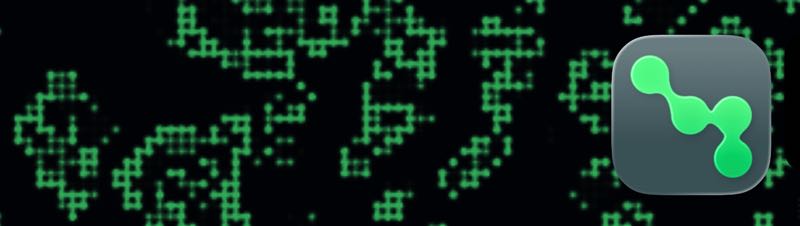
I built a little Conway’s Game of Life toy for myself, mostly because I wanted something calm and oddly hypnotic on my phone and Watch. Somewhere along the way I named it GoLlyGee, shrugged, and thought: what the heck, put it on the App Store for $0.99.
Conway’s Game of Life, in brief
If you’ve never run into it: Conway’s Game of Life is a classic cellular automaton invented by mathematician John Conway in 1970. You get a grid of cells that are either alive or dead. Every “generation,” each cell looks at its eight neighbors and follows a tiny set of rules:
- A live cell with two or three live neighbors stays alive
- A live cell with fewer than two neighbors dies (loneliness), and with more than three it dies (overcrowding)
- A dead cell with exactly three live neighbors becomes alive (birth)
That’s it. No player input after the starting pattern, no score, no ending in the usual sense. From those rules you get still lifes, blinkers, gliders, and sprawling chaos that somehow feels alive. GoLlyGee is just a pretty way to watch that unfold on Apple devices.
Not expecting a hit
I’m not kidding myself here. I don’t expect this to take off, or really to sell any meaningful number of copies. That was never the point. I made it because I like watching Life unfold, and shipping a tiny paid app once in a while is more fun than letting another project rot in a private repo.
If you’re curious and don’t want to drop a dollar on a visualization app from a stranger on the internet (fair), you can try it free via the public TestFlight link: testflight.apple.com/join/KGh2r6zT.
What it actually does
It runs on iPhone, iPad, and Apple Watch. On the phone and iPad you get a minimal player: tap for a floating toolbar, reseed when things get boring, and open settings for the few knobs that matter.
You can change the foreground and background colors, tweak the speed, and switch cells from blinking squares to softer circular “liquid” animations. That’s basically the whole feature list. No accounts, no social features, no AI. Just Life on a toroidal grid, with auto-reseed when the board stagnates.
The Watch version is ambient on purpose. Fullscreen Life, no chrome, settings mirrored over from the phone when you’re paired. If you set it to pleasant colors and a high speed, it makes a really nice replacement for getting stoned. Or maybe it’s better stoned, I wouldn’t know.
The pretty mode
Crank the speed up and turn on liquid cells. The squares melt into overlapping soft blobs and the whole board starts looking less like a cellular automaton and more like something you leave running on the desk while you think.
I keep catching myself watching it for several minutes at a time, which is either a glowing review or a concerning use of spare attention. Possibly both.
Why bother charging
Mostly because $0.99 is a very small gate that says “this is a finished little thing,” not a free novelty that I feel obligated to support forever. If nobody buys it, I still get the Watch face-adjacent zen garden I wanted. If a handful of people do, neat.
Again: if you want to poke at it without buying, join the public TestFlight. If you want to own it, grab it for a US buck from the App Store.
Like or share this post Twitter.
BrettTerpstra.com is supported by readers like you. Click here if you'd like to help out.
Find Brett on Mastodon, Bluesky, GitHub, and everywhere else.