The Rider 2026.3 Early Access Program Is Open

The first Early Access build for Rider 2026.3 is now available! It includes rainbow brackets, an easier way to set data breakpoints, a new Game Development plugin category, and filters in code completion. You can get the build from our website or through the Toolbox App.
Here’s a look at what’s new.
Rainbow brackets: You asked for it, and we delivered!
One of the most popular requests in our tracker has been answered! Rider now colors matching brackets by nesting level, making it easier to read deeply nested code, even in one-liners where indent guides don’t help.
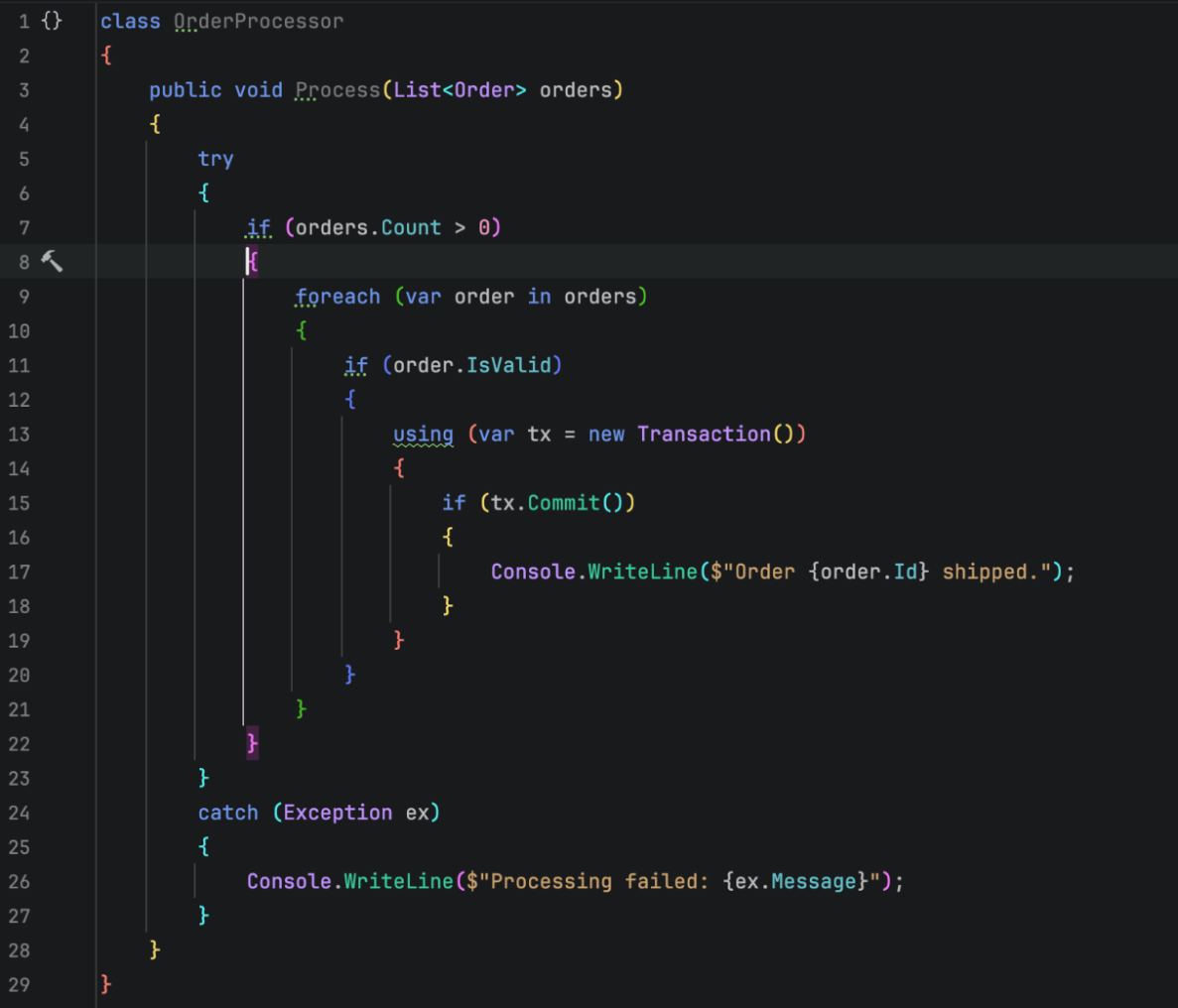
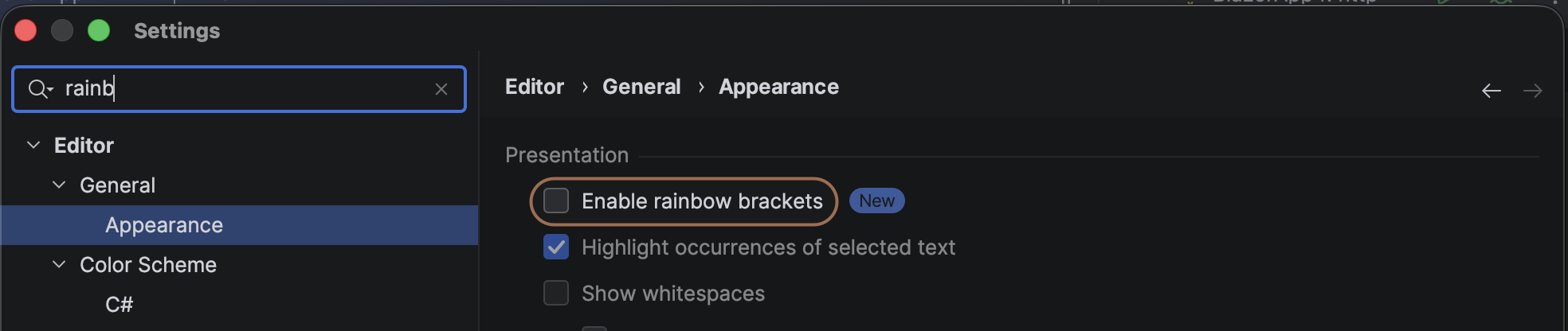
This feature is turned off by default, so your editor will look the same until you turn it on. To enable it, go to Settings | Editor | General | Appearance.
Data breakpoints: Easier to set up
If you develop games with Unreal Engine or a custom C++ engine and use data breakpoints for debugging, there’s good news.
Data breakpoints are powerful, but setting them up meant going through the Watches window, where they were hard to find and use.
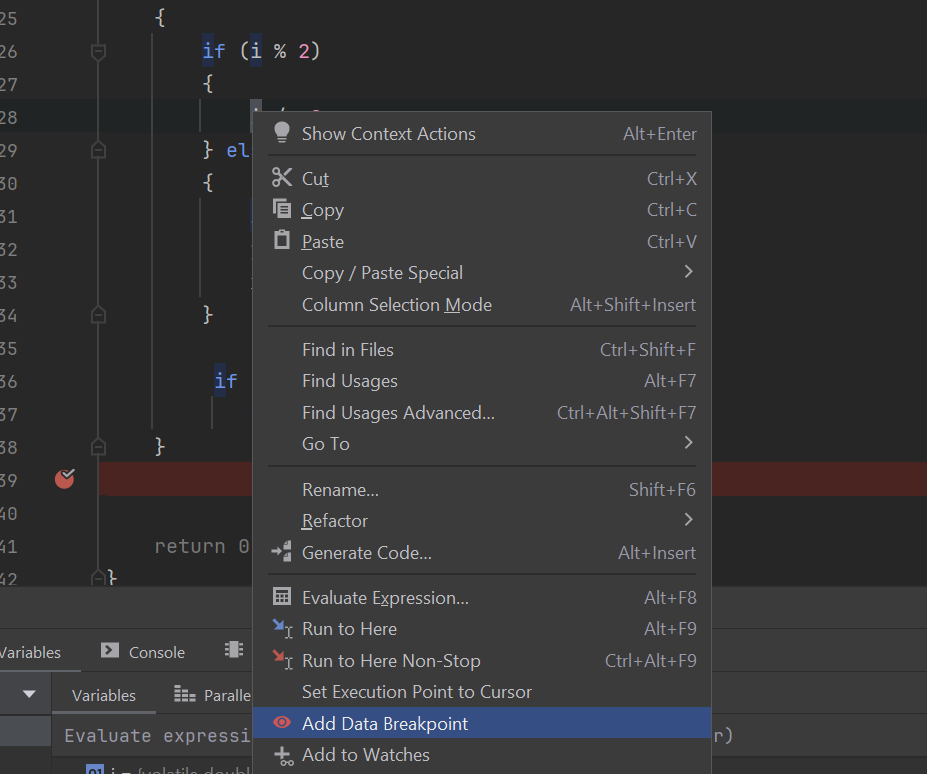
With Rider 2026.3, you can now simply right-click a variable in the editor and set up a data breakpoint right away.
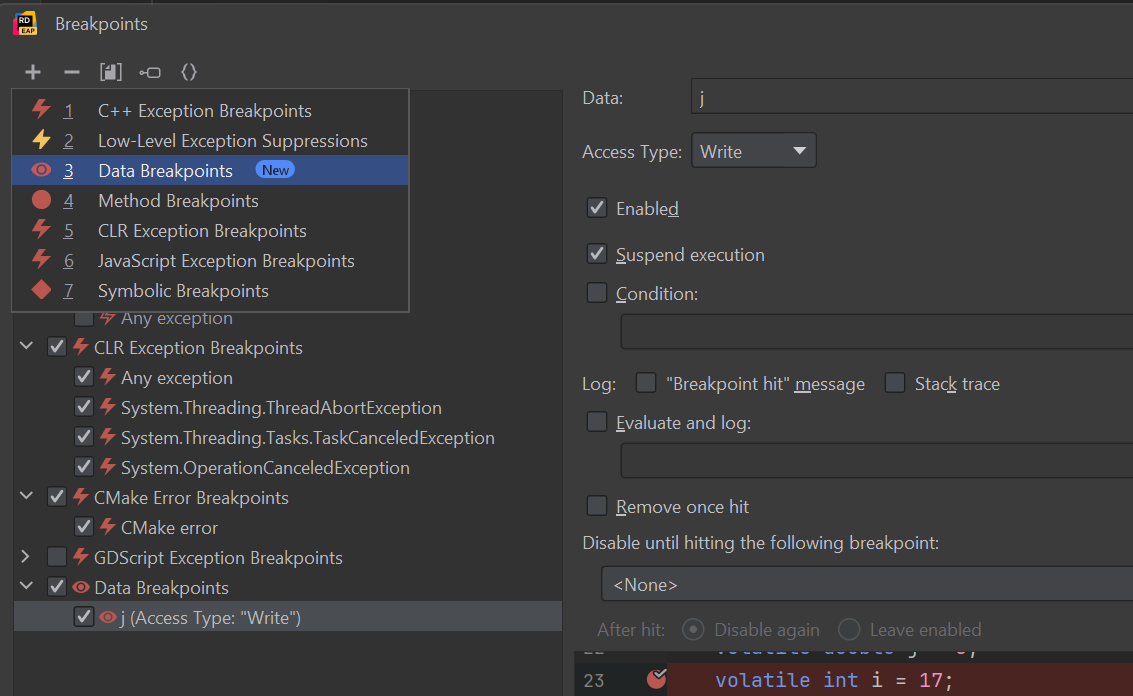
You can also add a data breakpoint from the Breakpoints tool window. Just click the Plus icon, select Data Breakpoints, and enter a variable name or memory address with the region size.
Oh, and you can still set data breakpoints from the Watches and Evaluate Expression windows if you prefer that route.
Data breakpoints support read and write access, conditions, logging, and other advanced options. You’ll also get input validation as you type.
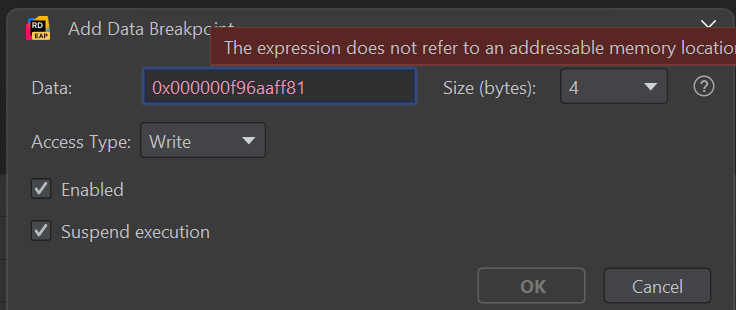
Game Development category: Find bundled game dev plugins faster
Rider 2026.3 now groups all bundled game development plugins, like Unity Support, UnrealLink, the Godot plugins, and more, into a single Game Development category on the Plugins settings page. This way, you can quickly see everything Rider offers for game developers.
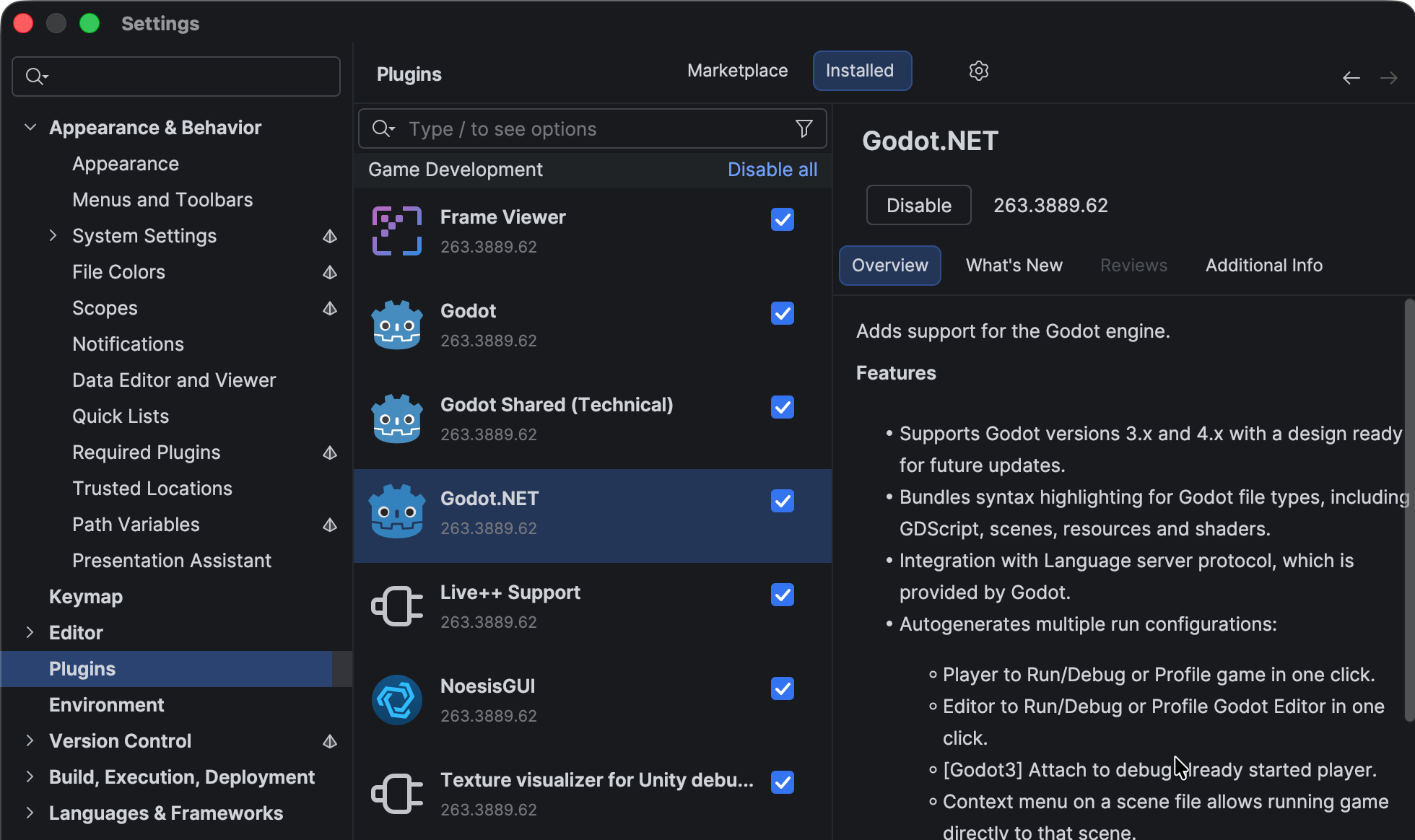
JetBrains Marketplace got a matching update: the new Game Development tag collects everything the community has built for game dev in one place.
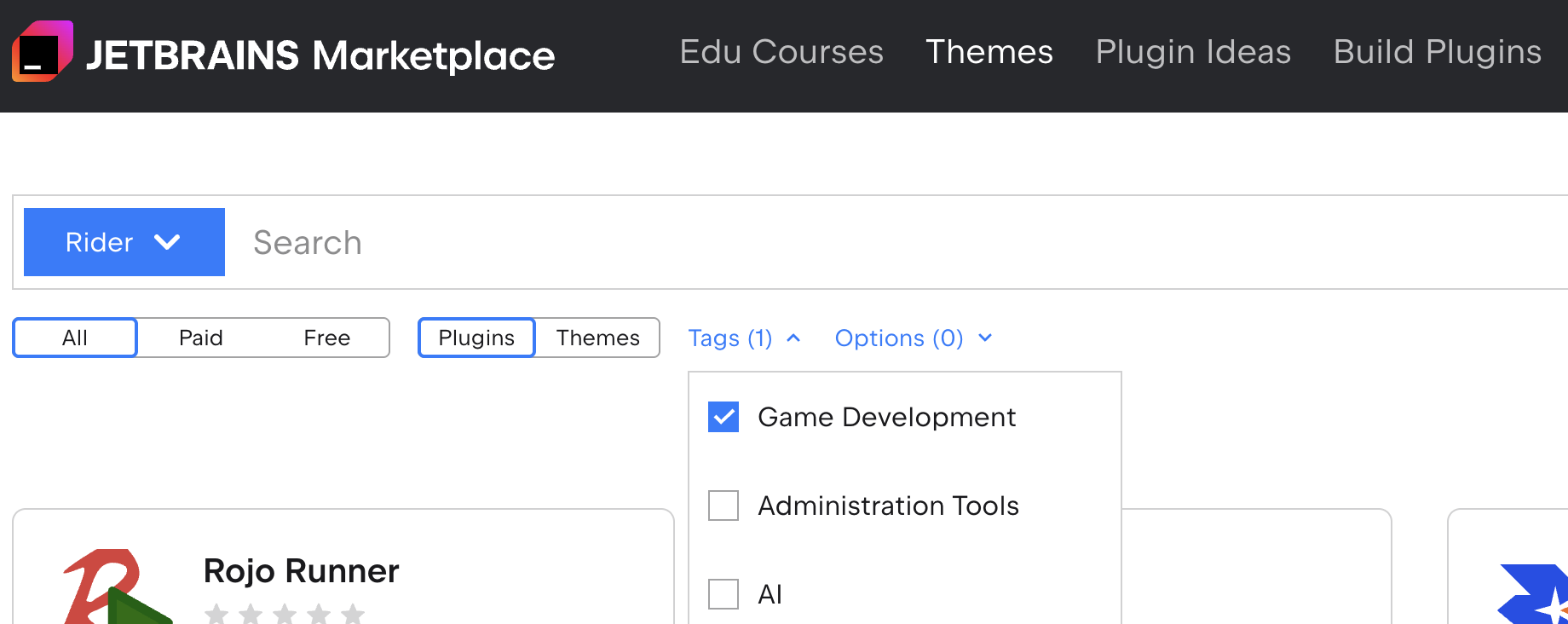
If you maintain a game development plugin for Rider, add the Game Development tag in the Marketplace admin panel so your plugin shows up in this filter.
Filters in code completion: See just what you need
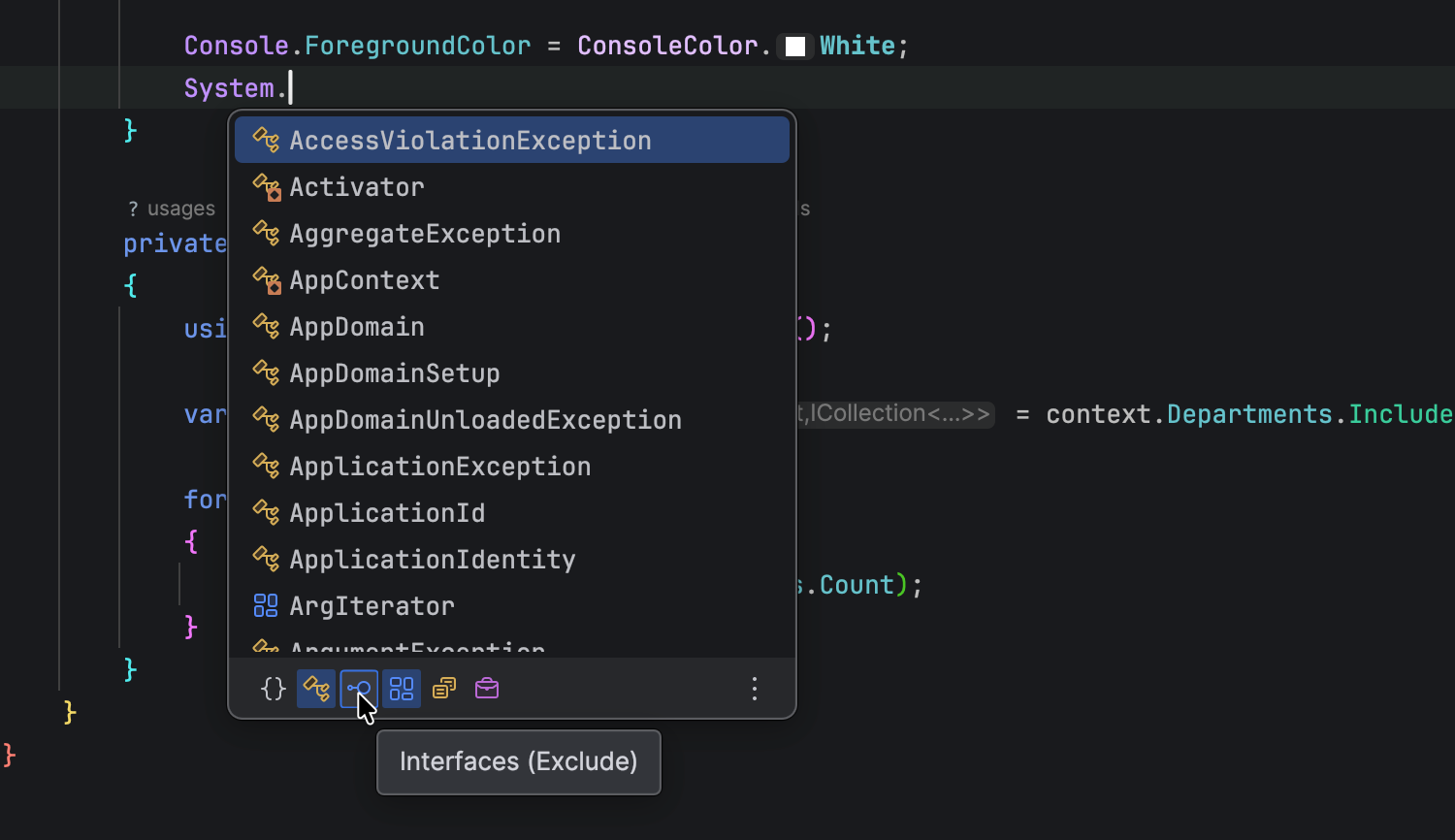
The code completion popup now has a filter bar with icons for each kind of suggestion, like namespaces, classes, enums, and events. Left-click an icon to show only suggestions of that kind, or right-click to hide it and keep the rest. These filters come from ReSharper, so they’ll look familiar if you’ve used it.
Test coverage gets TUnit support
Rider’s dotCover integration now measures coverage for unit tests written with TUnit. To enable coverage, install the JetBrains.dotCover.Framework package in your project.
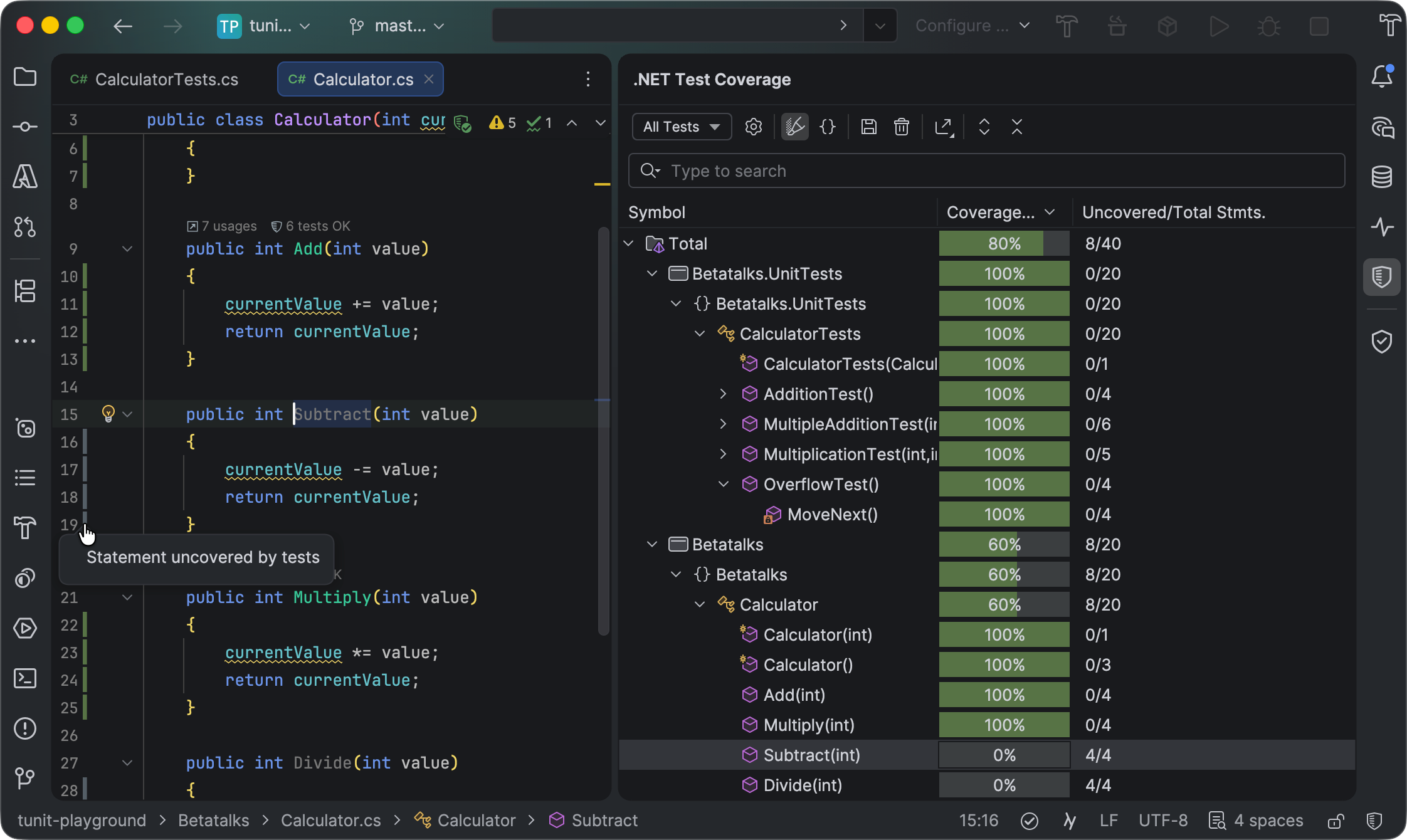
To enable full Testing Platform support in Rider, go to Settings | Build, Execution, Deployment | Unit Testing | Testing Platform and check the Enable Test Platform support box.
Note: TUnit coverage requires Microsoft.Testing.Platform version 2.3.0 or later.
That’s all for the first EAP build! Try it out and let us know what you think in the comments or our issue tracker.

 点赞
点赞 收藏
收藏 点踩
点踩 分享
分享