Whistle Synth Mac App

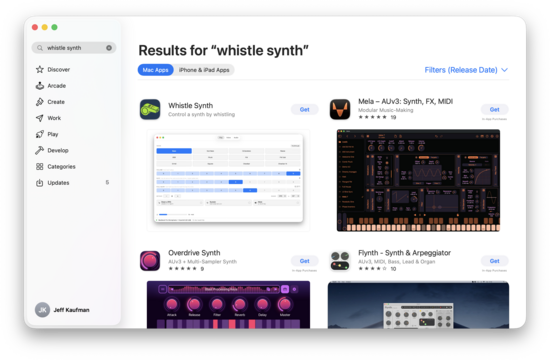
My program that uses whistling to control a synthesizer is now available in the Mac App Store:
It's free, no ads, and open source. If you have a mac and like to whistle, give it a try? You need an external mic, headphones (wired, to minimize latency), or both; I recommend the former.
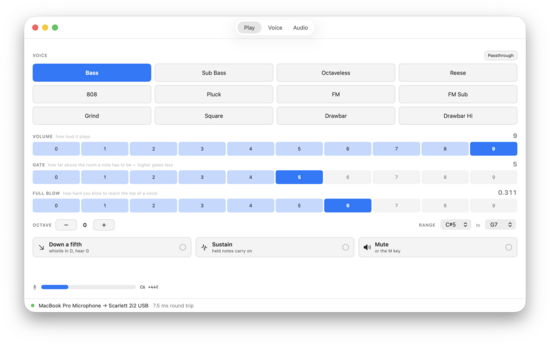
Living in this age of genies I've had Claude heavily redo the implementation, and it is lower latency, no longer stutters, and has more voices to choose from. Plus, as above, it's now a Mac App.
Latency was the easiest and fastest: I pointed the mic into the headphones and asked Claude to bring the latency down. This gave it everything it needed to measure round trip latency, and it tried a few different things before figuring out that it needed the callback API and a few other tweaks. This got audio rount trip time (ignoring pitch detection and synthesis) down from 80ms to 5ms.
Fixing the stutters was a matter of splitting up the logic into a detector that gave instructions to a synth. Ironically, this refactor brings us back to how I originally designed it before throwing that away five years ago for a weird idea that did sound better but turned out to be very limiting.
With the new system voices were a lot easier to write. Or, at least, I assume they were, though Claude did all the writing. I had it brainstorm various kinds of bass, code up prototypes, and then we iterated together until I was happy. This included an octaveless bass, where as you go higher it slowly changes the harmonic mix to keep the perceived octave constant.
I also finally got a treble voice I was happy enough with. This has been something I've worked at since the beginning, and I've hated everything I've tried. This was also harder for Claude: while I liked 70% of the bass voices it prototyped, I've still only ended up with one treble voice that's worth playing. It's a drawbar (Hammond) organ. Our ears are just so much more discerning at higher pitches. There's also some factor of bass lines being simpler (harder to screw up) plus tuning registering more quickly (less time to fully land on the note before someone notices).
I would like to add more treble voices, but the main blocker has been figuring out what kinds of voices would (a) sound ok and (b) be implementable by claude. I spent a long time trying to get it to write a good flute sound, including giving it examples of a real flute's sound, but even after it spent a long time on physical modeling it never got anything I was happy with. I also tried various synth leads and a tine piano (Rhodes) without success.
When I think about why the drawbar sounds ok, I think a lot of it is that the rotating speaker (Leslie) adds a lot of life that would normally be missing for a sustained note. Thinking about what might be similar I've also had Claude make an accordion sound, which is decent but I'm not yet happy enough with.
I also added a setting where it plays a fifth down from where you're whistling (D -> G) which means your whistle fills in a multiple of the third harmonic. This is an idea I got from Ugo Conti, and it's amazing how quickly your brain gets used to controlling the sound (as long as you have it loud enough). This lets you whistle tunes in keys that would otherwise be a poor fit for your range.
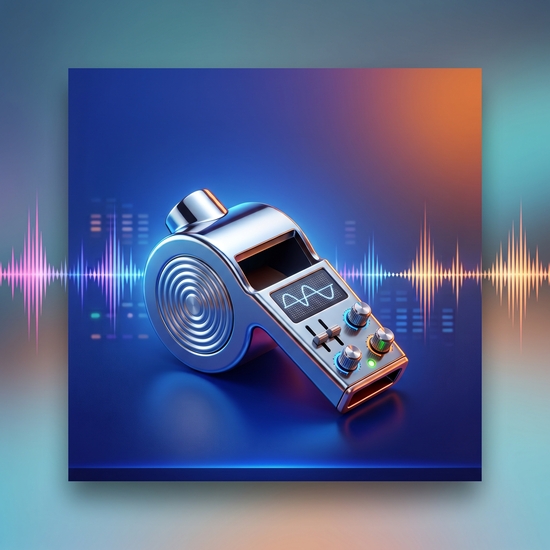
I'd never distributed something through the Mac App Store before, partly because Apple's review process is famously fussy. I decided to see if Claude could walk me through the process. Before I could do that, though, I needed an icon. I asked Gemini to make one, and after a couple follow-up prompts got:
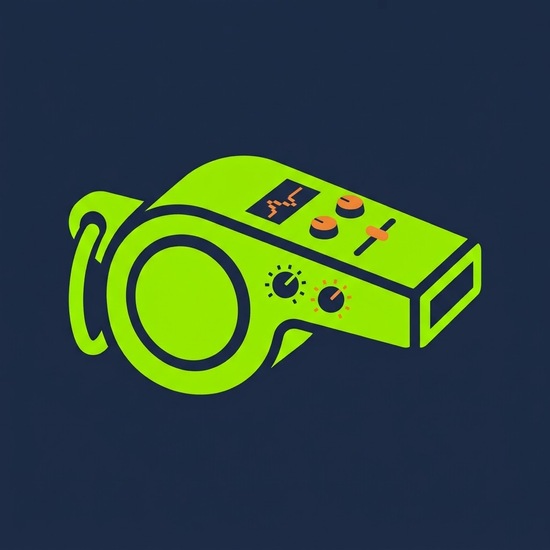
This is not terrible as a representation of the idea, but is really very busy. I had it give a go at something much simpler:
Then I had Claude replicate this with code that made icons of various sizes and decreasing detail. This was very hard for Claude, and I needed to help it a lot. It never got it quite right, and I needed to simplify it a little, but I think it's good enough:
At 128x128 the display loses its wave:
And at 32x32 it loses the controls and becomes just an impression of a garish green whistle:
Getting it on the App Store required paying for a developer membership (I'm apparently less cheap than I was) and verifying my identity. I didn't notice, but Apple read my ID having the last name "Kaufhan". I needed to talk with Apple Support, but they were able to fix it. Claude walked me through the rest of the process, including taking screenshots and making a demo video:
This is a good example of AI as a complement: I was never going to get around to doing any of this if I needed to write it all myself. We were able to work together to make something that sounds a lot better than my hand-coded synth, is a lot more versatile, and can be installed from the App Store. I'm going to make the most of this window where it's good enough to be very helpful but not so much that there's nothing left for me to add.

 点赞
点赞 收藏
收藏 点踩
点踩 分享
分享