C++ libraries linking

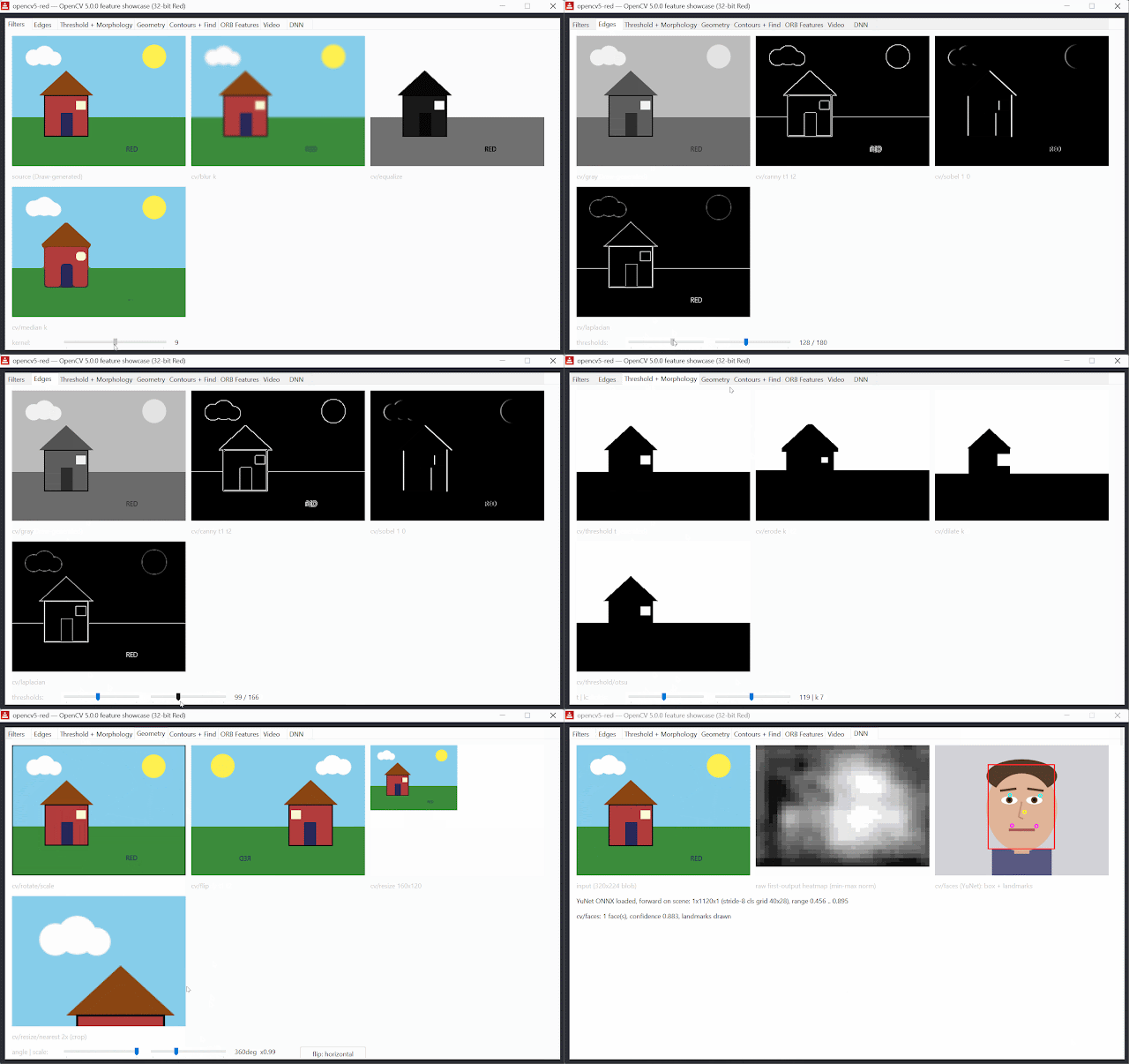
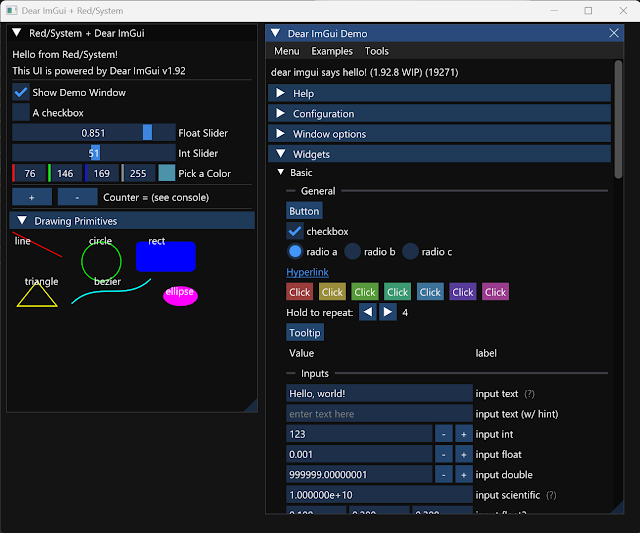

When we introduced static linking of C libraries, the promise was simple: name a .lib or .a archive in your #import, compile with -s, and ship one self-contained executable, no DLLs riding along, nothing to install on the target machine.
There was one big frontier left, and everyone saw it coming: the libraries people want most (vision, GUI, audio, machine learning) are written in C++. A C++ library is a very different animal to link: it brings global constructors, exceptions, RTTI, templates, thread-local storage, and an entire language runtime that expects to be wired up just so. Until now, that was the line where you switched back to DLLs.
That line is gone. The Red toolchain now statically links C++ libraries too (their runtime included) on every platform Red targets: Windows, Linux (x86 and ARM), and macOS.
The best part: nothing changes. It is the same import system and same compilation switch:
red -r -s myapp.red
Libraries built with MSVC, GCC or clang are all accepted, in their native object formats.
What you need preinstalled
➤ Windows: for C++ libraries (or C code built against Microsoft's static runtime), install the free Visual Studio Build Tools with the "Desktop development with C++" workload. Just one installer, and Red locates everything by itself: no vcvarsall, no PATH, no environment variables. Plain C libraries still need nothing at all and that now extends to C libraries touching COM, DirectX or MediaFoundation: the GUID constants such code references ship inside the toolchain, so a fresh Windows 11 with only red-toolchain executable on it links them!
➤ Linux: the GNU runtime archives from your distribution's gcc packages (libstdc++.a, libgcc.a and friends) placed next to your library. If one is missing, the linker names exactly what it needs.
➤ macOS: nothing beyond the toolchain; the system C++ runtime binds automatically.
Some constraints
32-bit libraries for now, until the 64-bit toolchain is ready.
The imported surface…

 点赞
点赞 收藏
收藏 点踩
点踩 分享
分享