Run a second, isolated Kilo Code without touching your main setup

TL;DR
- TL;DR
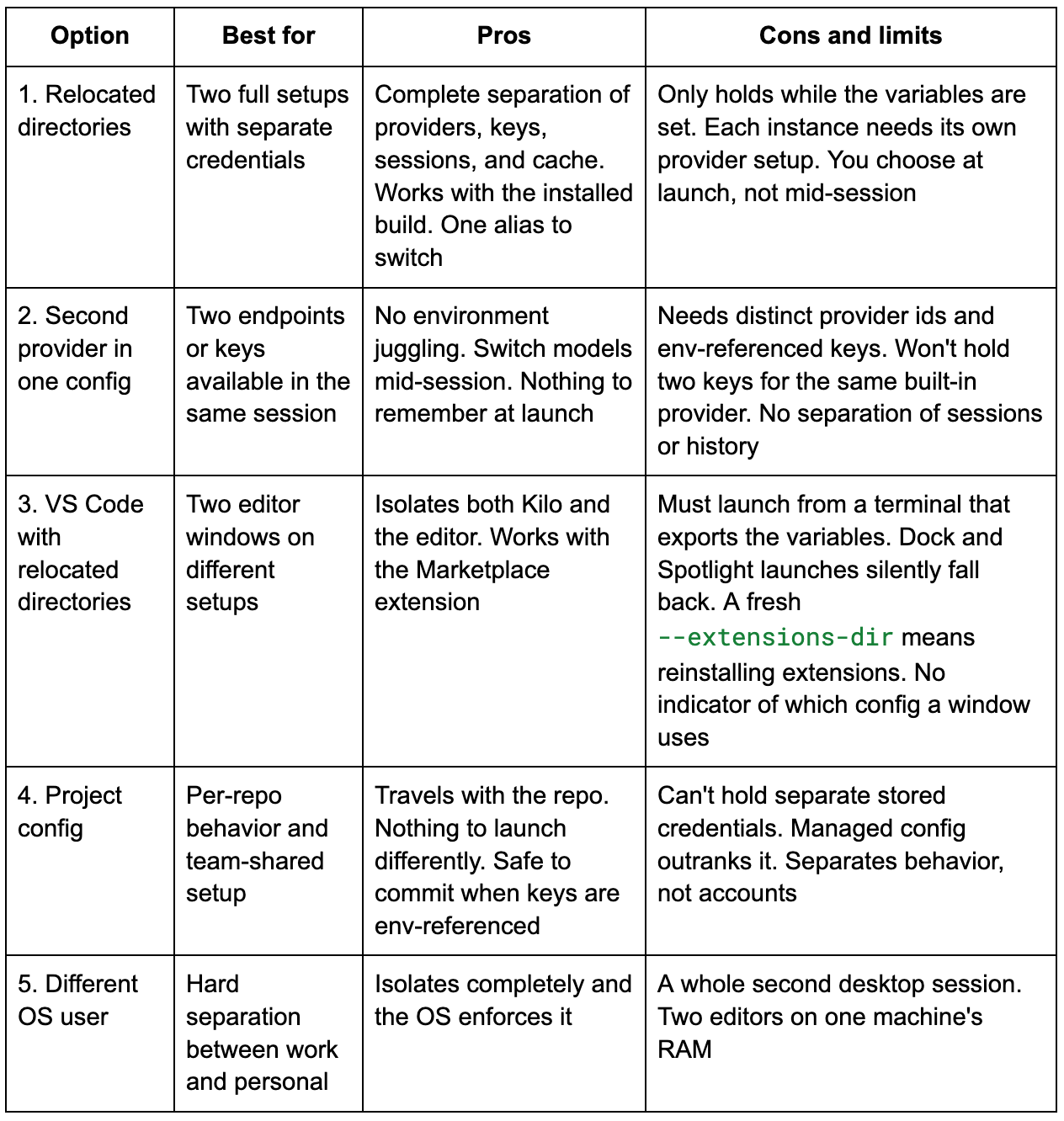
- Every Kilo surface uses the same global configuration. The CLI, the VS Code extension, and JetBrains all load providers and credentials from one place in your home directory, so a provider added anywhere shows up everywhere.
- To run a second isolated setup, relocate both
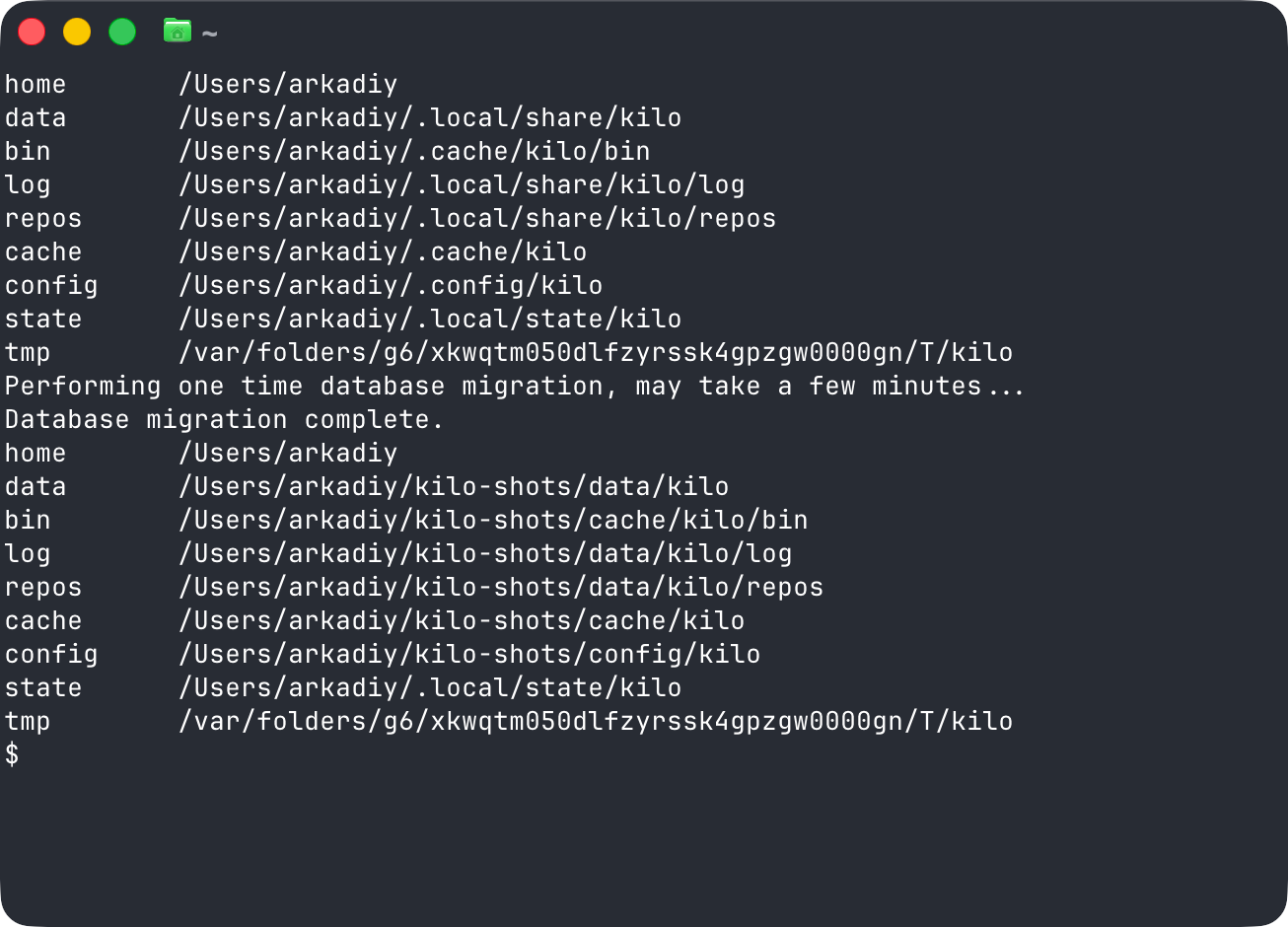
XDG_CONFIG_HOMEandXDG_DATA_HOME. Moving only the config still shares your keys, because credentials live in the data directory. - Separate VS Code installs don’t isolate providers, not even Insiders with its own
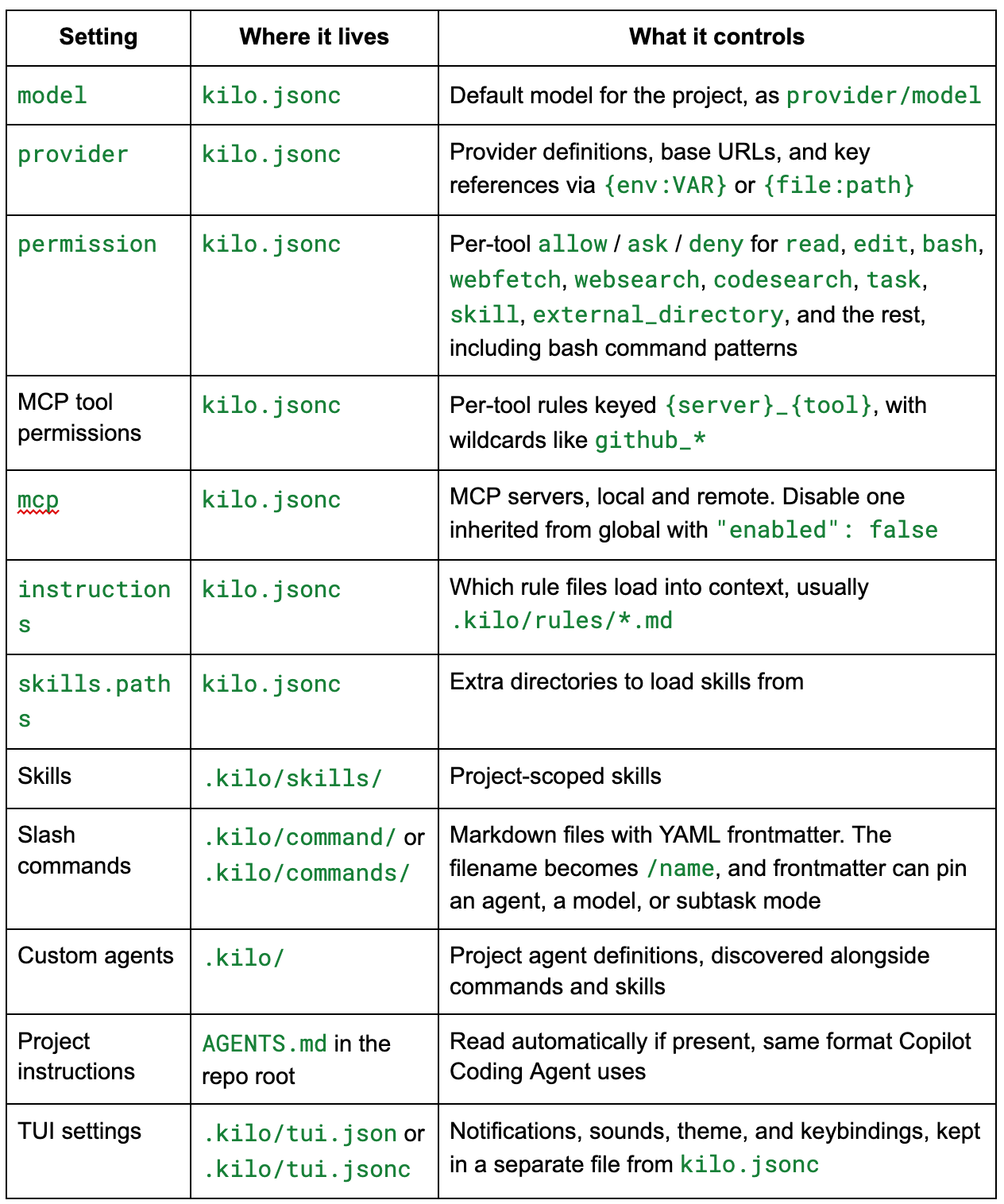
--user-data-dir. - For per-repo behavior rather than separate accounts, use project config in
.kilo/kilo.jsonc. - Switching accounts inside Kilo isn’t a built-in feature. The last section covers why.
How Kilo stores providers and keys
Two directories matter, and they’re separate on purpose.- Config lives at
~/.config/kilo/. Thekilo.jsoncfile holds providers, models, and permissions. It honorsXDG_CONFIG_HOME, and there’s a direct override,KILO_CONFIG_DIR. - Credentials live in
auth.jsonunder the data directory,~/.local/share/kilo/, written with0600permissions. It honorsXDG_DATA_HOME.
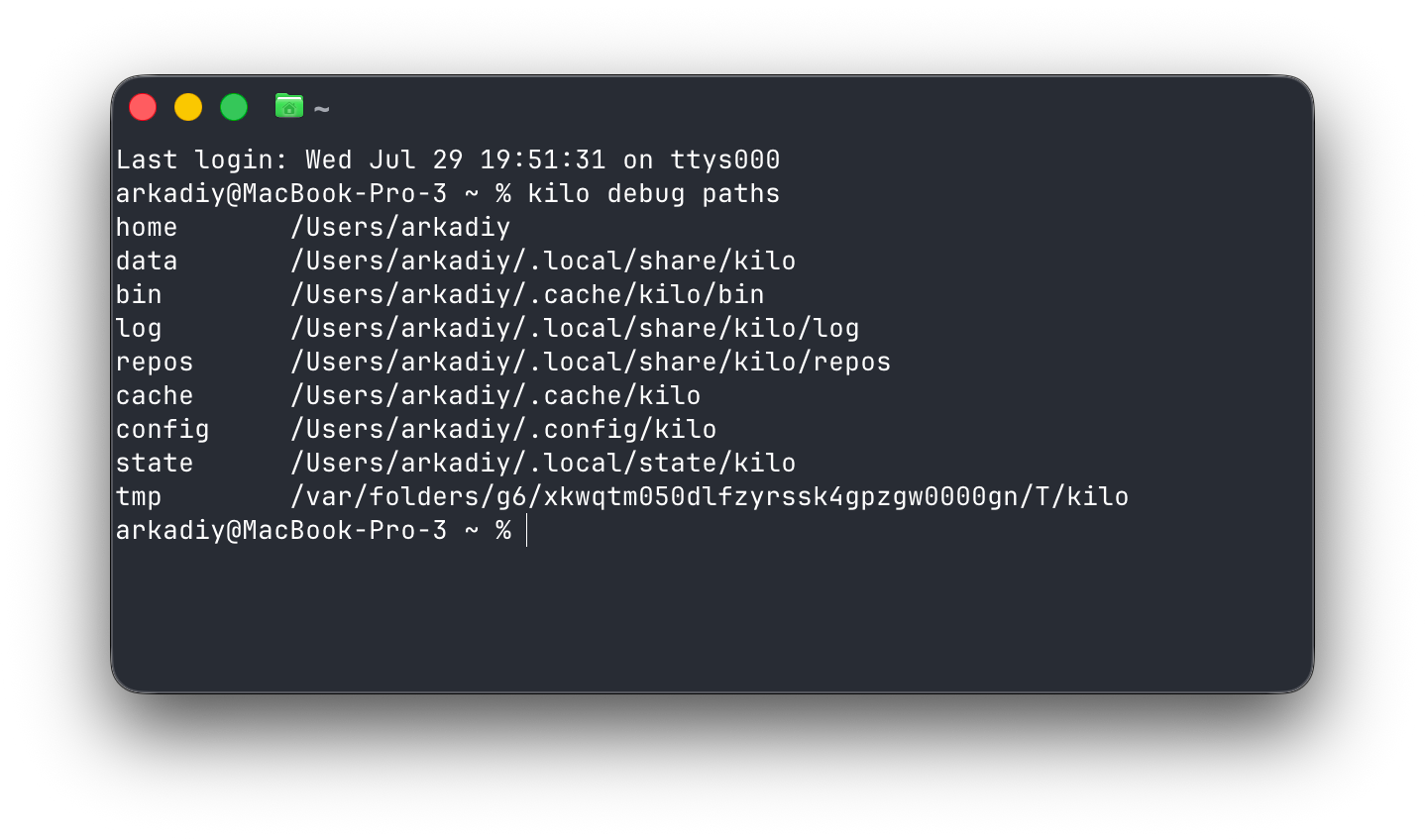
KILO_CONFIG_DIRmoves the config but not the credentials. Override only the config directory and your second instance still shares your mainauth.json, so real isolation has to move both.To check where any instance is reading from:
kilo debug pathsOption 1: Relocate the config and data directories
Point Kilo at a separate config and data home:
XDG_CONFIG_HOME=~/kilo-alt/config \
XDG_DATA_HOME=~/kilo-alt/data \
XDG_CACHE_HOME=~/kilo-alt/cache \
kilo
The first run there starts empty, with no providers and no credentials. Run /connect inside it to set things up, and everything writes under ~/kilo-alt/ instead of your real config.
Wrap it in an alias so it’s one word:
# ~/.zshrc
alias kilo-alt='XDG_CONFIG_HOME=~/kilo-alt/config XDG_DATA_HOME=~/kilo-alt/data XDG_CACHE_HOME=~/kilo-alt/cache kilo'
Now kilo is…

 点赞
点赞 收藏
收藏 点踩
点踩 分享
分享评论
?
参与讨论