AZ-802 Study Guide: Automating Windows Server 2025 Lab Setup (Part 2): Unattended Hyper-V Deployments And REPRO-DC01

📖 AZ-802 Study Series: This is Part 2 of my hands-on lab series leading up to the Microsoft AZ-802 exam. Before automating, I suggest understanding the manual deployment process in Part 1: Building a Multi-DC Active Directory Forest, or check out The Ultimate Guide to Windows Server Hybrid Administrator Associate (AZ-802) Study Guide for the complete roadmap.
TL;DR - Smashed my head against manual Windows Server VM installation screens one too many times while building my AZ-802 (Configuring Windows Server Hybrid Advanced Services) study lab. Here is how I automated the entire boot and configuration pipeline for Generation 2 Hyper-V VMs so that I can spin up fresh, clean domain controllers with a single command.
Note: The Microsoft AZ-802 (Configuring Windows Server Hybrid Advanced Services) exam is currently in beta, with General Availability (GA) expected soon. Getting certified early is a strategic opportunity to get ahead and validate hybrid identity and infrastructure capabilities before the certification goes mainstream.
Why Automate Your AZ-802 Hybrid Lab?
In Part 1: Building a Multi-DC Active Directory Forest, we laid the directory foundation by manually promoting our forest root and replica controllers.
But manually installing those virtual machines from scratch is a massive time sink. Clicking through the OS installer, selecting keyboard layouts, formatting disks, setting passwords, and enabling WinRM over and over is tedious. More importantly, in modern systems engineering, manual repetition is a bug.
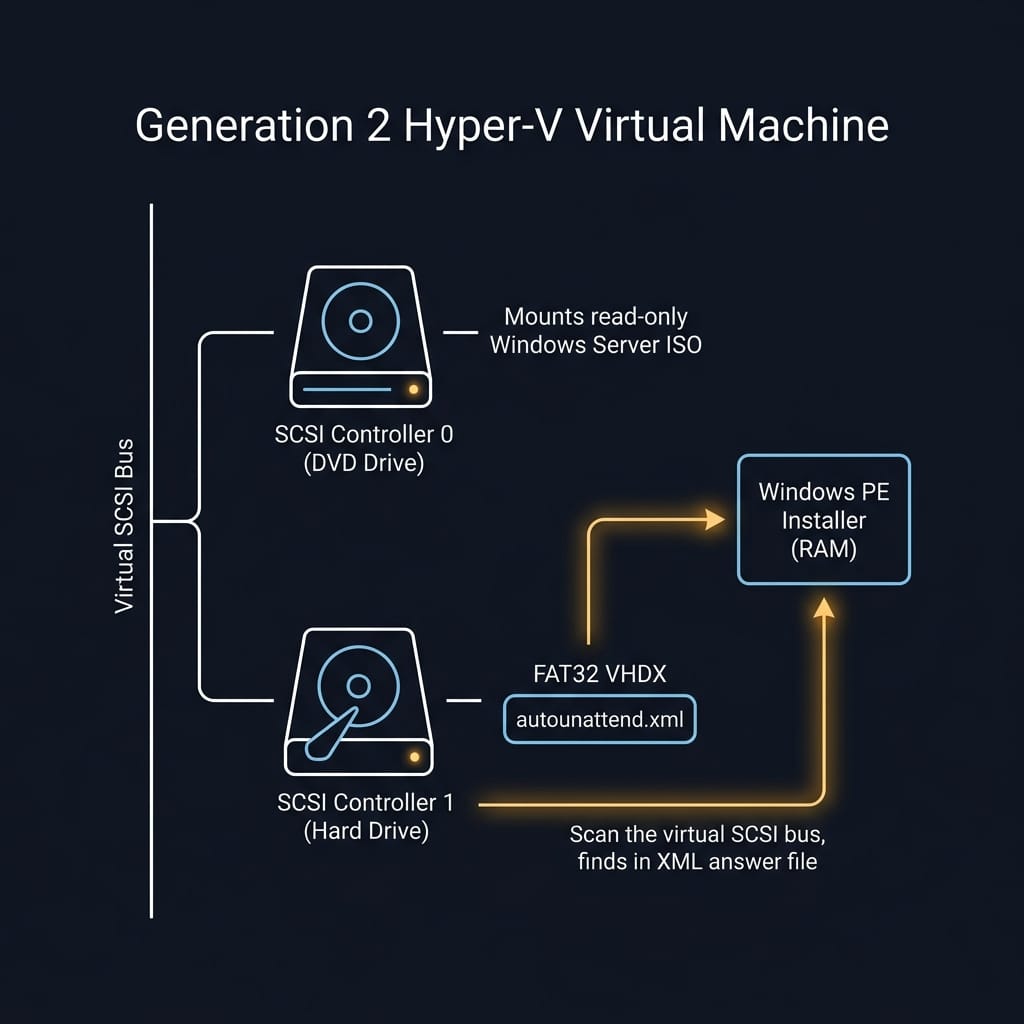
If you are learning to manage hybrid cloud workloads, your infrastructure should be treated as code from day one. In this post ( Part 2 ), we show how to automate the entire Generation 2 Hyper-V VM boot and configuration pipeline so you can spin up fresh nodes with a single command. I wanted a way to:
Spin up a brand new VM.
Inject my local administrative credentials, language settings, and WinRM configurations automatically.
Boot the VM and have i…

 点赞
点赞 收藏
收藏 点踩
点踩 分享
分享